28
Operating OSD (On-Screen
Display) Menus
This section explains how to configure the
camera using the supplied remote commander.
In this manual, the displayed setting menu is
writt
en as the OSD (On Screen Display).
For details on the OSD menu items, refer to page
30 through page 42.
Displaying an OSD menu
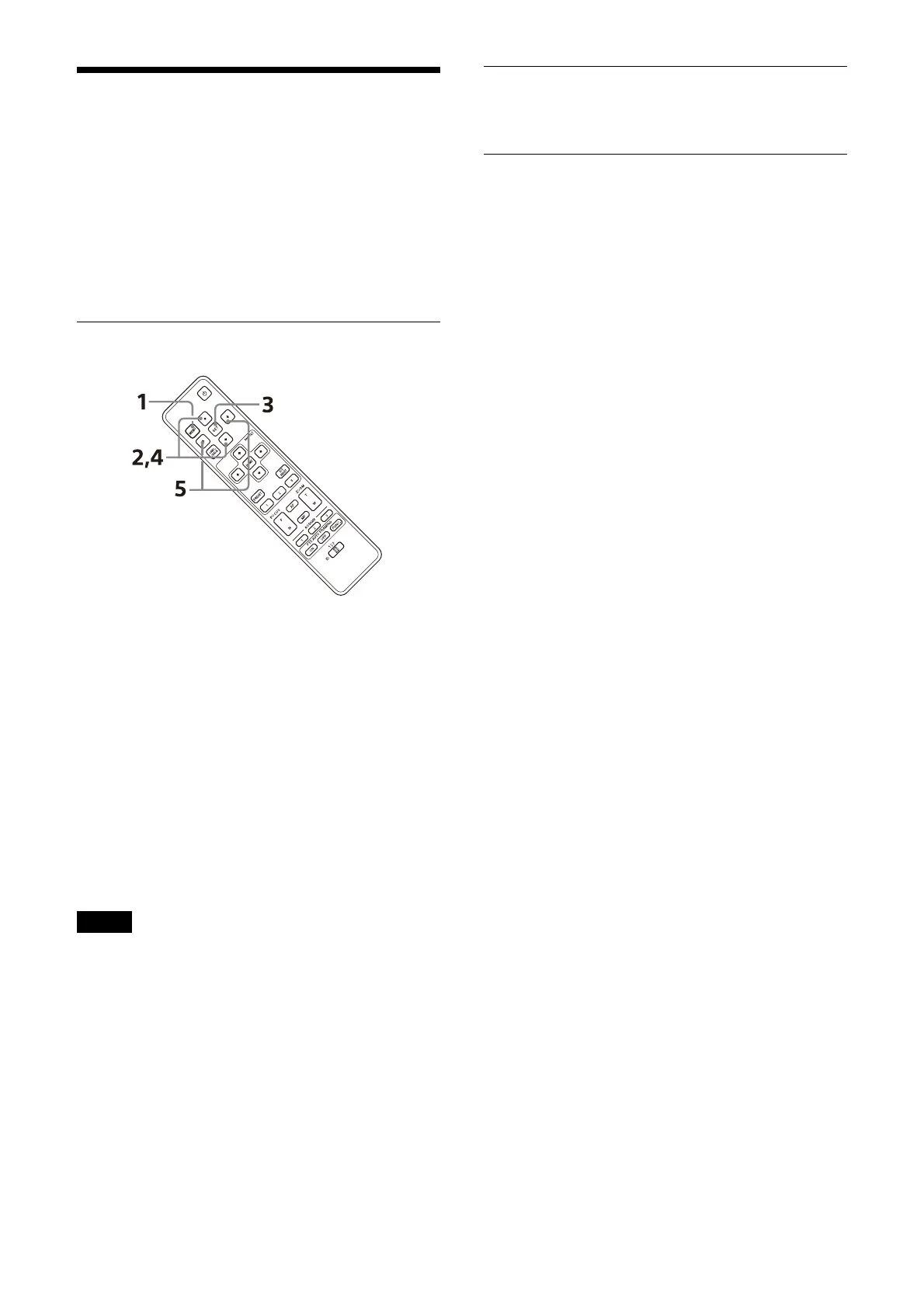
1 Press the MENU button.
The main menu is displayed.
2 Use the or button to move the cursor to
the menu item you want to change.
3 Press the SET button.
The selected menu is displayed.
4 Use the or button to move the cursor to
the setting item you want to change.
5 Use the or button to change the set
value.
Notes
• [IR RECEIVE] cannot be set to [OFF] in the
SYSTEM menu when you operate the OSD
menu with the supplied remote commander.
Set [IR RECEIVE] to [OFF] either using the
remote controller (sold separately) or from the
Web App menu.
• The OSD menu is not displayed on the SDI
ou
tput image when the [Menu Overlay (SDI)]
check box on the Web App menu is not
selected.
• The OSD menu is not displayed on the HDMI
ou
tput image when the [Menu Overlay (HDMI)]
check box on the Web App menu is not
selected.
Returning to the main menu
Press the MENU or CANC./BACK button.
Canceling an OSD menu
When the main menu is displayed, press the
MENU or CANC./BACK button once. When a
setting menu is displayed, press the MENU or
CANC./BACK button twice.



 To Next Page