38
[NIGHT]: IR cut filter feature is disabled. The
picture becomes monochrome.
[AUTO]: The
mode is automatically switched to
[DAY] or [NIGHT].
Note
When this setting is set to [AUTO], set [EXPOSURE
MODE] to [FULL AUTO].
ICR THRESHOLD (Day/Night ICR –
Threshold)
When [IR CUT FILTER] is set to [AUTO], choose a
level to switch from [NIGHT] to [DAY] in the range
from 0 to 255.
The mode is subject to change from [NIGHT] to
[
DAY] the smaller the chosen value is.
Note
If a larger value is chosen, the mode may not be
switched to the DAY mode even when the object
is bright. In this case, choose a smaller value.
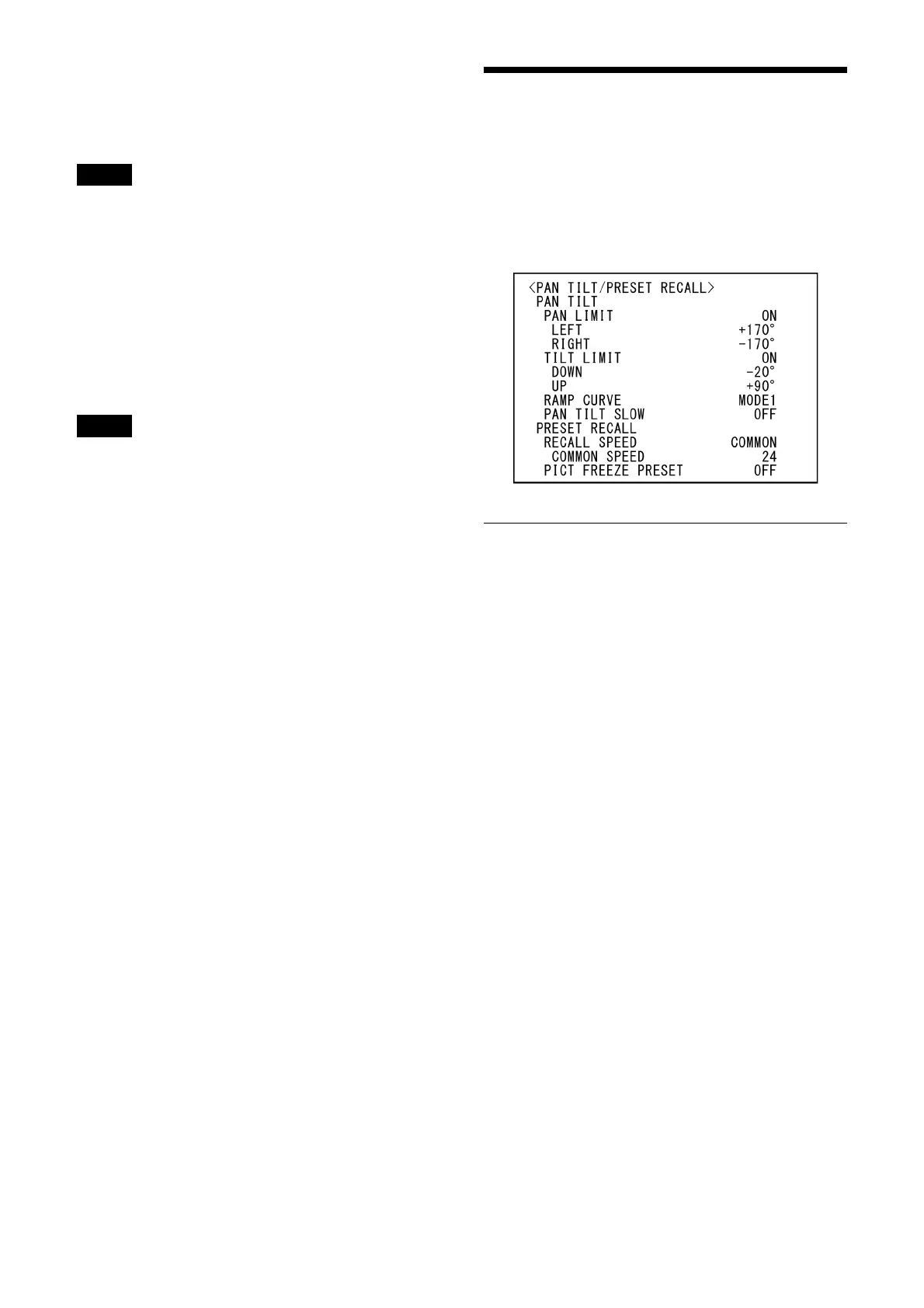
PAN TILT/PRESET RECALL
Menu
The PAN TILT/PRESET RECALL menu is used to
select the pan/tilt/preset recall mode.
You can set the menu from the Web App menu.
For details, see [PTZF Control] or [P/T Range
Lim
it] under [PTZF Control] (page 81).
PAN TILT
PAN LIMIT (Range Limit - Setting)
Set whether to limit the pan rotation range.
[OFF]: D
o not apply range limit.
[ON]: A
pply range limit.
LEFT (Range Limit - Left)
–170 degrees to +169 degrees, adjustable in 1
degree increments.
RIGHT (Range Limit - Right)
–169 degrees to +170 degrees, adjustable in 1
degree increments.
TILT LIMIT (Range Limit - Setting)
Set whether to limit the tilt rotation range.
[OFF]: D
o not apply range limit.
[ON]: A
pply range limit.
DOWN (Range Limit - Down)
–20 degrees to +89 degrees when [IMG FLIP] is
set to [OFF], and –90 degrees to +19 degrees
when [IMG FLIP] is set to [ON]. Adjustable in 1
degree increments.
UP (Range Limit - Up)
–19 degrees to +90 degrees when [IMG FLIP] is
set to [OFF], and –89 degrees to +20 degrees
when [IMG FLIP] is set to [ON]. Adjustable in 1
degree increments.



 To Next Page