39
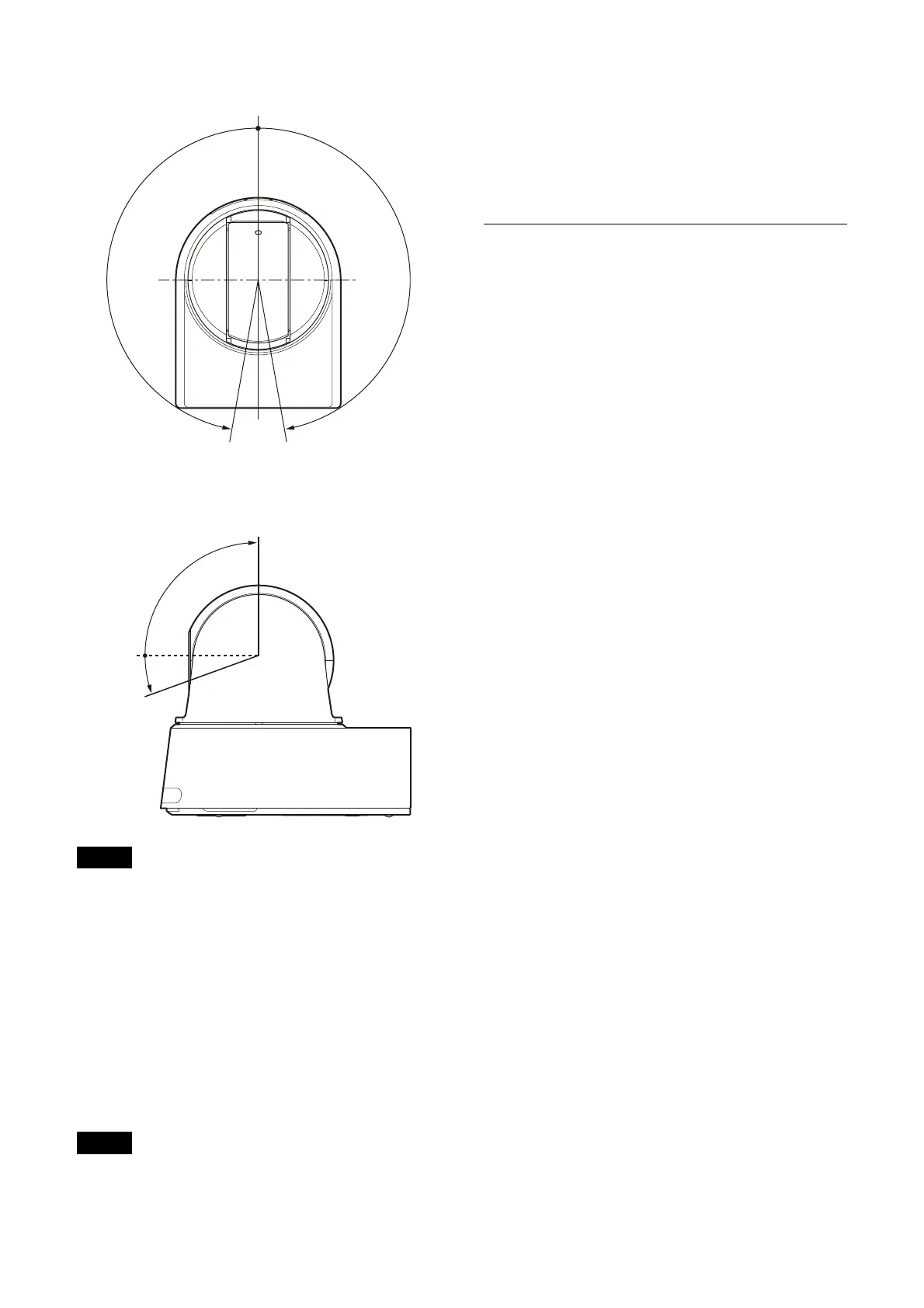
Setting range of LEFT/RIGHT
Setting range of DOWN/UP
Notes
• Configure [PAN LIMIT] and [TILT LIMIT] before
storing the camera position in a preset
memory. If the camera position is out of the
range of the [PAN LIMIT] and [TILT LIMIT]
settings, you cannot store the camera position
in the preset memory.
• When you change the [IMG FLIP] setting in the
S
YSTEM menu, the [PAN LIMIT] and [TILT LIMIT]
settings are reset to the factory settings.
RAMP CURVE
Acceleration/deceleration curve for pan and tilt.
Note
This is fixed to [MODE1] for this camera.
PAN TILT SLOW (Pan-Tilt - Slow Pan-Tilt
Mode)
You can select slow speed panning/tilting.
[OFF]: T
he camera pans/tilts at the standard
speed.
[ON]: Th
e camera pan/tilt speed is slower.
PRESET RECALL
You can select preset recall settings.
RECALL SPEED (Preset - Speed Select)
You can select the preset recall speed.
[COMPATIBLE]: W
ork differently depending on
the commands for preset recall.
• F
or VISCA command: Pan/tilt work with
the speed set by each preset.
• Fo
r CGI command: Pan/tilt work with the
speed specified by the CGI command of
preset recall.
[SEPARATE]: P
an/tilt work with the speed set by
each preset.
[COMMON]: P
an/tilt work with the common
speed to all presets.
COMMON SPEED (Preset - Common
Speed)
This is enabled when [RECALL SPEED] is
[COMMON]. Pan/tilt speed for preset recall,
which is common to all presets.
PICT FREEZE PRESET (Preset - Pict Freeze
Preset)
You can select the output image for preset recall.
[OFF]: Out
put image directly from the camera.
[ON]: Ou
tput frozen image during preset
recalling.



 To Next Page