54
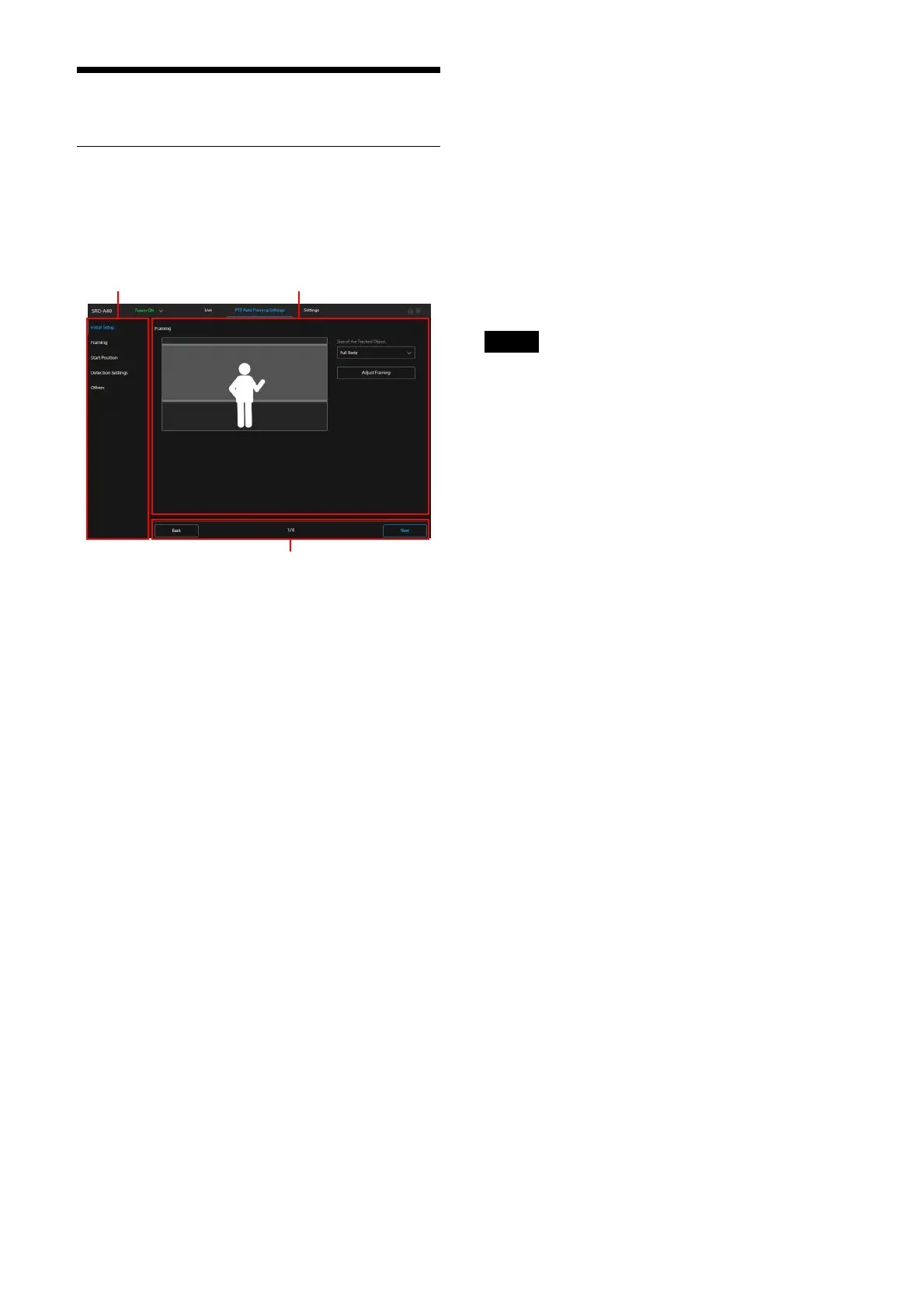
PTZ Auto Framing Screen
Location and function of the PTZ
Auto Framing Setting Screen
This section explains the location and function of
the PTZ Auto Framing setting screen.
Ta
b
The setting item of PTZ Auto Framing.
Only [Initial Setup] can be selected before
e
nding the initial setting of PTZ Auto
Framing.
Once the initial setting is finished, each
se
tting item can be selected separately.
S
etting section
Displays the content of the setting item
which is se
lected in the tab.
Pa
ge operation section
The operation buttons of the first time
se
tting
[Start]: S
tarts the initial setting for the first
time.
[Next]: A
pplies the content on the setting
section, then proceeds to the next page.
[Back]: Ap
plies the content on the setting
section, then returns to the previous
page.
[Done]: C
ompletes the initial setting.
The operation buttons for setting after the
se
cond time
[Start initial setup again]:
Resets the once
completed initial setting.
[Reload]: De
letes the changes on the setting
section. Acquires the camera status, then
displays the setting section again.
[OK]:
Applies the changes performed on the
setting section to the camera. Acquires
the camera status, then displays the
setting section again.
[Cancel]: Canc
els the changes on the setting
section. Returns the setting changes to
the previous status.
Displays the page number when the initial
se
tting is performed.
After the PTZ Auto Framing is set for the first
t
ime, PTZ Auto Framing can be performed on the
Live operation screen by proceeding through the
following screens: [Initial Setup] - [Framing] -
[Start Position] - [Detection Settings] - [Others].
Notes
• When the movable camera range is controlled
while performing PTZ Auto Framing, set [limit
the range of pan & tilt] before starting the initial
setting. PTZ Auto Framing tracks the tracking
subject between the pan/tilt range controls.
• When the image flip function is performed, the
P
TZ Auto Framing setting returns to the initial
setting. When setting, set the image flip
function before setting PTZ Auto Framing.
• Disable the Image Stabilizer function. When
en
abled, PTZ Auto Framing does not perform
well.
• When [TELE CONVERT MODE] setting is
cha
nged, set [Start Position] and [Detection
Settings] of [PTZ Auto Framing Settings] again.
Initial Setup
Performs the initial setting of PTZ Auto Framing.
Displays the [Start] button only when setting PTZ
A
uto Framing for the first time.
Press the [Start] button to start the initial setting
o
f PTZ Auto Framing, and each item is set in
order.
Framing
Sets the shooting composition during PTZ Auto
Framing.
The shooting composition setting of the tracking
su
bject size, height of face, human size, and left
and right directions can be performed.



 To Next Page