53
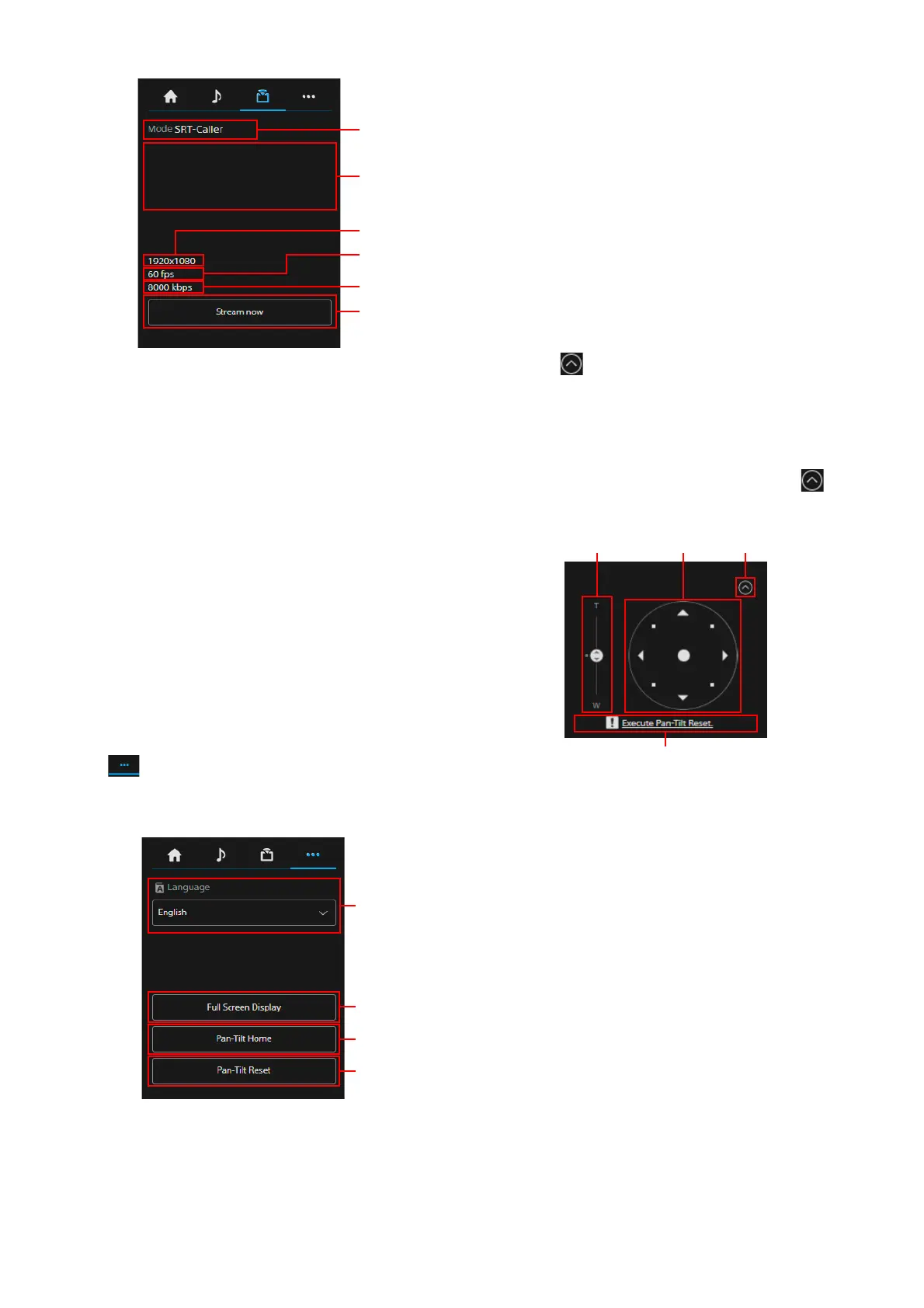
Streaming mode display
Displays the streaming mode.
URL
display
Displays the delivery destination URL of SRT-
C
aller.
Im
age Size display
Displays the streaming Image Size.
Frame Rate display
Displays the streaming Frame Rate.
Bi
t Rate display
Displays the streaming Bit Rate.
S
treaming control
Operates start/stop of the stream.
(Ot
hers) tab
Displays the setting items of the other
functions.
L
anguage setting
Sets the displayed language.
F
ull Screen Display
Displays the monitor by opening a new Web
br
owser.
P
an-Tilt Home
Places the pan/tilt towards Home (front).
P
an-Tilt Reset
Initializes the pan/tilt.
P
reset position control section
Displays the angle of view which is
r
egistered as a thumbnail. Double tap the
thumbnail to restore the memorized angle of
view in the preset.
Press to hide the preset position control
section.
For the preset position, refer to “Preset Items
and Image Setting File Items” (page 94).
A
ngle of view control section
Used to adjust the angle of view. Press to
hide the angle of view control section.
For details on the operating method, refer to
“Angle of view’s adjustment” (page 61).
Z
oom slider
Operates the camera’s zoom using the slider.
Jo
ystick
Operates the camera’s pan/tilt.
The camera’s direction and speed change
a
ccording to the direction and amount of
drag.
Lightly press the areas around the joystick to
mak
e precise adjustments to the pan/tilt
position.
Cl
ose button
Selects to show or hide the angle of view of
the
control section.
P
an/tilt reset guidance
Notifies the need for pan/tilt reset.
ʓ ʔ
ʖ
ʕ



 To Next Page