37
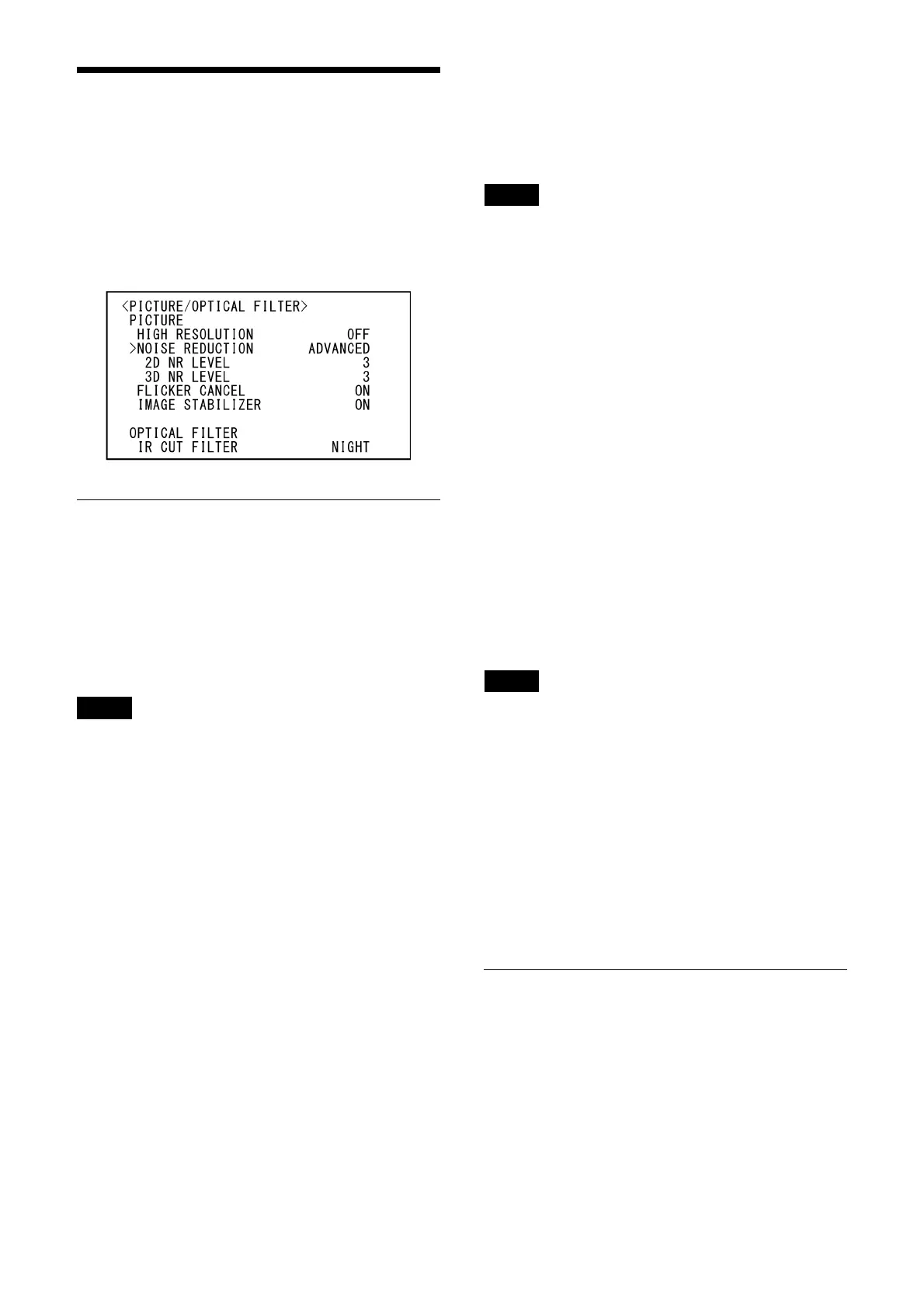
PICTURE/OPTICAL FILTER
Menu
The PICTURE/OPTICAL FILTER menu is used to
adjust picture quality improvement features and
optical filters.
You can set the menu from the Web App menu.
For details, see [Detail / NR], [Day/Night ICR] or
[Oth
ers] under [Video] (page 65).
PICTURE
HIGH RESOLUTION (Detail / NR - High
Resolution Mode)
You can set [HIGH RESOLUTION] (High resolution
mode) to [ON] or [OFF]. When set to [ON], you
can enjoy emphasized edge and high-resolution
images.
Notes
• When set to [ON], image noise may increase
more than when set to [OFF].
• When [MODE] is set to [MANUAL] in [DETAIL],
the
function is not available.
NOISE REDUCTION (NR - NR Mode)
You can obtain clearer images by removing
unnecessary noise (fixed pattern and
randomized noise) with [NOISE REDUCTION].
Choose from [OFF] or level 1 through level 5.
When you select [ADVANCED], you can set up [2D
NR LEVEL] and [3D NR LEVEL] independently.
2D NR LEVEL (NR - 2D NR Level)
This is enabled when [NOISE REDUCTION] is
[ADVANCED]. Choose from [OFF] or level [1]
through level [5] for noise reduction.
3D NR LEVEL (NR - 3D NR Level)
This is enabled when [NOISE REDUCTION] is
[ADVANCED]. Choose from [OFF] or level [1]
through level [5] for noise reduction.
FLICKER CANCEL (Others - Flicker Cancel)
When this is turned [ON], the flicker correction
feature becomes enabled.
When this is turned [OFF], the flicker correction
feat
ure becomes disabled.
Note
Depending on conditions such as the type of
illumination and shutter speed, the flicker
correction feature may not be effective.
If the frame rate is close to the power supply
f
requency, the flicker correction feature may not
be able to fully remove flickers, even if it is
enabled. If this happens, use the electronic
shutter.
We recommend to set [FLICKER CANCEL] to [OFF]
u
nder lights where no flicker is generated, such
as outdoors.
IMAGE STABILIZER (Others - Image
Stabilizer)
You can select this function according to the
shooting conditions.
[OFF]: Th
e image stabilization feature becomes
disabled.
[ON]: T
he image stabilization feature becomes
enabled.
When set to [ON], you can obtain steadier
i
mages if vibration is present.
Notes
• The image stabilizer function is not effective
during pan/tilt operations. It may take some
time for the image to stabilize after performing
pan/tilt operations.
• If the image stabilizer function is already
e
nabled, it may take some time for the image
to stabilize after turning on the power of the
camera.
• Depending on the installation conditions, the
imag
e stabilizer may not be effective.
• When the image stabilization feature is on, the
PT
Z Auto Framing performance may be
affected.
OPTICAL FILTER
IR CUT FILTER (Day/Night ICR - Mode)
You can choose either to enable or disable the IR
cut filter feature.
By disabling the IR cut filter feature, the gain in
th
e IR region is increased, allowing the camera to
capture images in shadow.
[DAY]:
IR cut filter feature is enabled to remove
unnecessary IR.



 To Next Page