Help Guide
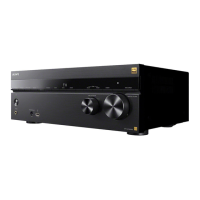
Multi Channel AV Receiver
STR-AZ1000ES
Speaker configuration and speaker pattern settings
This unit allows you to connect up to a 7.1-channel system. The table below shows examples of speaker configurations and speaker
pattern settings.
Hint
This unit allows you to connect Sony wireless rear speakers and a Sony subwoofer.
When your Sony TV has the S-CENTER SPEAKER IN jack, you can output the center part of the unit sound from the TV speaker.
By setting [SpeakerRelocation / PhantomSurroundBack] to [Type A] or [Type B] in the [Audio Settings] menu, you can enjoy a surround effect
equivalent to up to 7.1.2 channels in terms of hearing. When you set [SpeakerRelocation / PhantomSurroundBack], perform Auto Calibration in
advance.
Related Topic
Selecting the speaker pattern (Speaker Pattern)
Assigning the surround back speaker terminals (Surround Back Speaker Assign)
Connecting 5.1-channel speaker system
Connecting 7.1-channel speaker system using surround back speakers
Connecting 5.1.2-channel speaker system using top middle speakers
Connecting 5.1.2-channel speaker system using front Dolby Atmos enabled speakers
Connecting 5.1-channel speaker system with Zone 3 connection
Connecting 5.1-channel speaker system with bi-amplifier connection
Connecting 5.1-channel speaker system with front B speaker connection
Connecting Sony wireless rear speakers/subwoofer
When your TV has the S-CENTER SPEAKER IN jack
5-037-020-11(1) Copyright 2022 Sony Corporation
Speaker configuration in each zone
[Surround Back Speaker Assign] [Speaker Pattern] setting
Main zone Zone 3
5.1-channel Not used Not available [5.1]
7.1-channel using surround back speakers Not used Not available [7.1]
5.1.2-channel using top middle speakers Not used Not available [5.1.2 (TM)]
5.1.2-channel using Dolby Atmos enabled speakers Not used Not available [5.1.2 (FD)]
5.1-channel with Zone 3 connection 2-channel [Zone3] [5.1]
5.1-channel with bi-amplifier connection Not used [BI-AMP] [5.1]
5.1-channel with front B speaker connection Not used [Front B] [5.1]
You can only set [Surround Back Speaker Assign] if the speaker pattern is set to a setting that does not have surround back and height speakers.
*




 To Next Page