101
US
D:\NORM'S JOB\SONY HA\SO0046\STR-DA3500ES\U VERSION\US\4144907111\01US-
STRDA3500ESUC\090OTH.fm
masterpage: Right
STR-DA3500ES
4-144-907-11(1)
Other Operations
Naming inputs
You can enter a name of up to 8 characters for
inputs and display it.
This is convenient for labeling the jacks with
the names of the connected components.
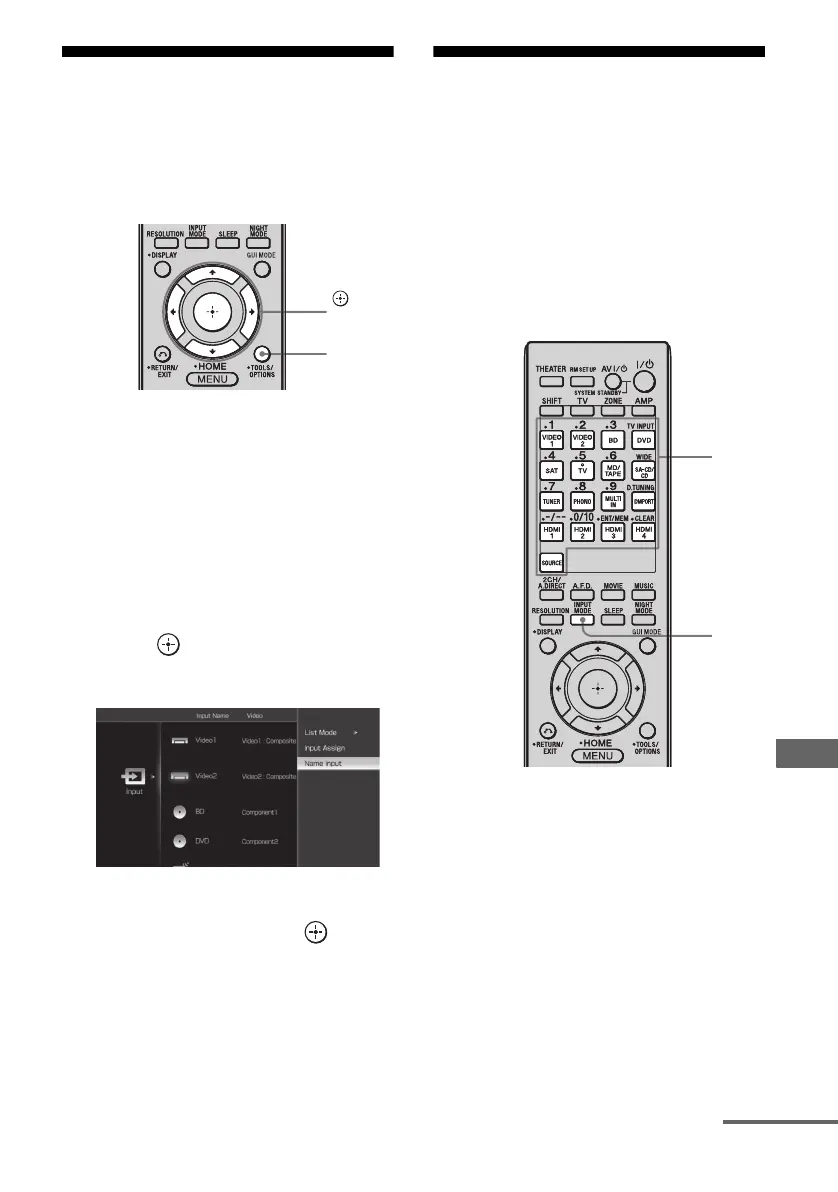
1 Choose the item you want to
name.
You can name the following items.
• Auto Calibration position (page 50)
• Inputs (page 50)
• Preset stations (page 73)
2 Press OPTIONS.
3 Select “Name Input”, then
press .
The soft keyboard appears on the screen.
4 Press V/v/B/b to select a
character, then press .
5 Select [Finish] to enter the
name.
The name you entered is registered.
To cancel naming input
Select [Cancel].
Switching between
digital and analog audio
(INPUT MODE)
When you connect components to both digital
and analog audio input jacks on the receiver,
you can fix the audio input mode to either of
them, or switch from one to the other,
depending on the type of material you intend
to watch.
1 Press the input button.
You can also use INPUT SELECTOR on
the receiver.
2 Press INPUT MODE repeatedly
to select the audio input mode.
The selected audio input mode appears on
the TV screen.
OPTIONS
,
V/v/B/b
INPUT
MODE
Input
buttons
continued















 To Next Page