50
US
D:\NORM'S JOB\SONY HA\SO0046\STR-DA3500ES\U VERSION\US\4144907111\01US-
STRDA3500ESUC\040PLA.fm
masterpage: Left
STR-DA3500ES
4-144-907-11(1)
When a warning code appears
If a warning on the measurement result is
present, detailed information is displayed.
Press to return to step 1 of
“Confirming/saving the measurement
results” (page 47).
Tip
Depending on the position of the subwoofer, the
measurement results for polarity may vary.
However, there will be no problems even if you
continue to use the receiver with that value.
To set Auto Calibration items
more precisely (Enhanced
Setup)
On the Auto Calibration menu, select
“Enhanced Setup”, then press .
• Seating Position
You can register three patterns as position 1,
2, and 3, depending on the seating position,
listening environment, and measurement
conditions.
• Calibration Type
For details, see the table on page 48.
Optional menu parameters for
Enhanced Setup settings
•EQ Curve
EQ curve measurement is displayed.
• Name Input
You can rename the position number. For
details, see “Naming inputs” (page 101).
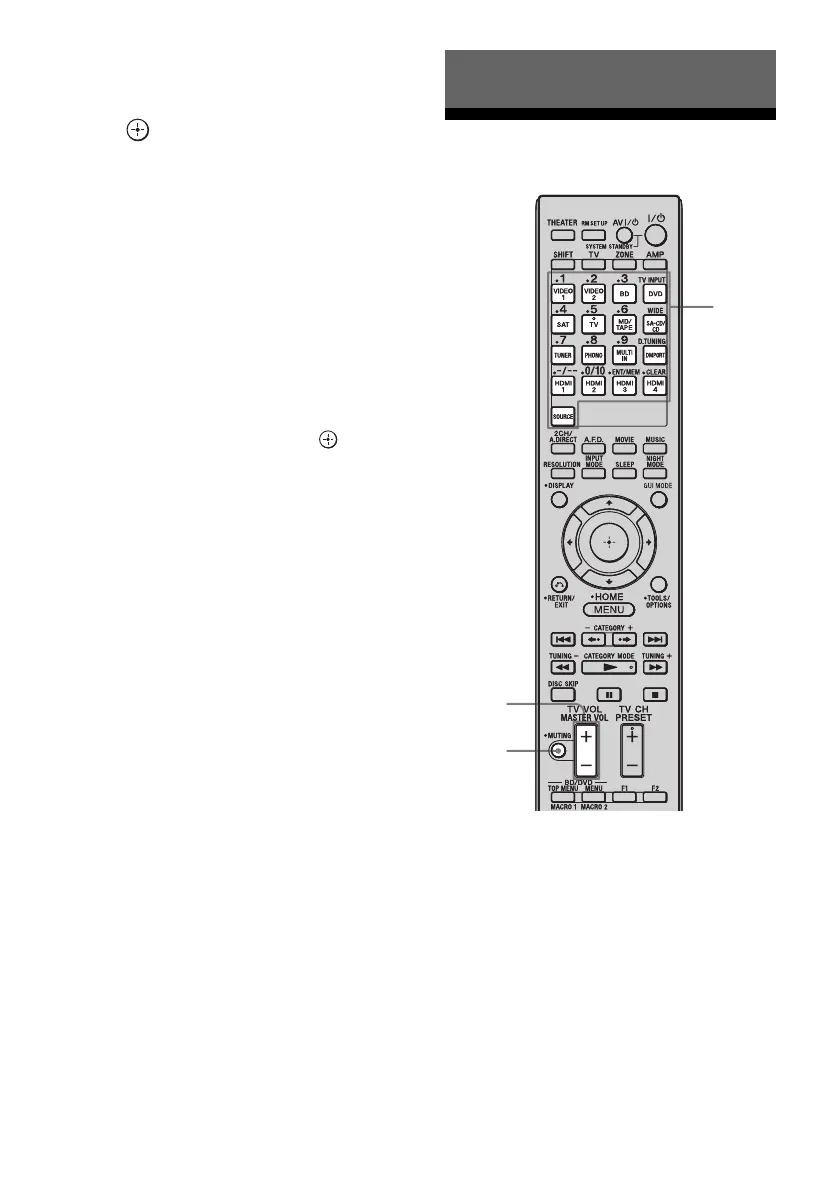
Selecting a component
1
Press one of the input buttons
to select the component you
want.
Playback
MUTING
Input
buttons
MASTER
VOL +/–















 To Next Page