59
US
D:\NORM'S JOB\SONY HA\SO0046\STR-DA3500ES\U VERSION\US\4144907111\01US-
STRDA3500ESUC\060SUR.fm
masterpage: Right
STR-DA3500ES
4-144-907-11(1)
Enjoying Surround Sound
Enjoying a pre-
programmed sound field
1
Start playing a sound source
you want to listen to (CD, DVD,
etc.).
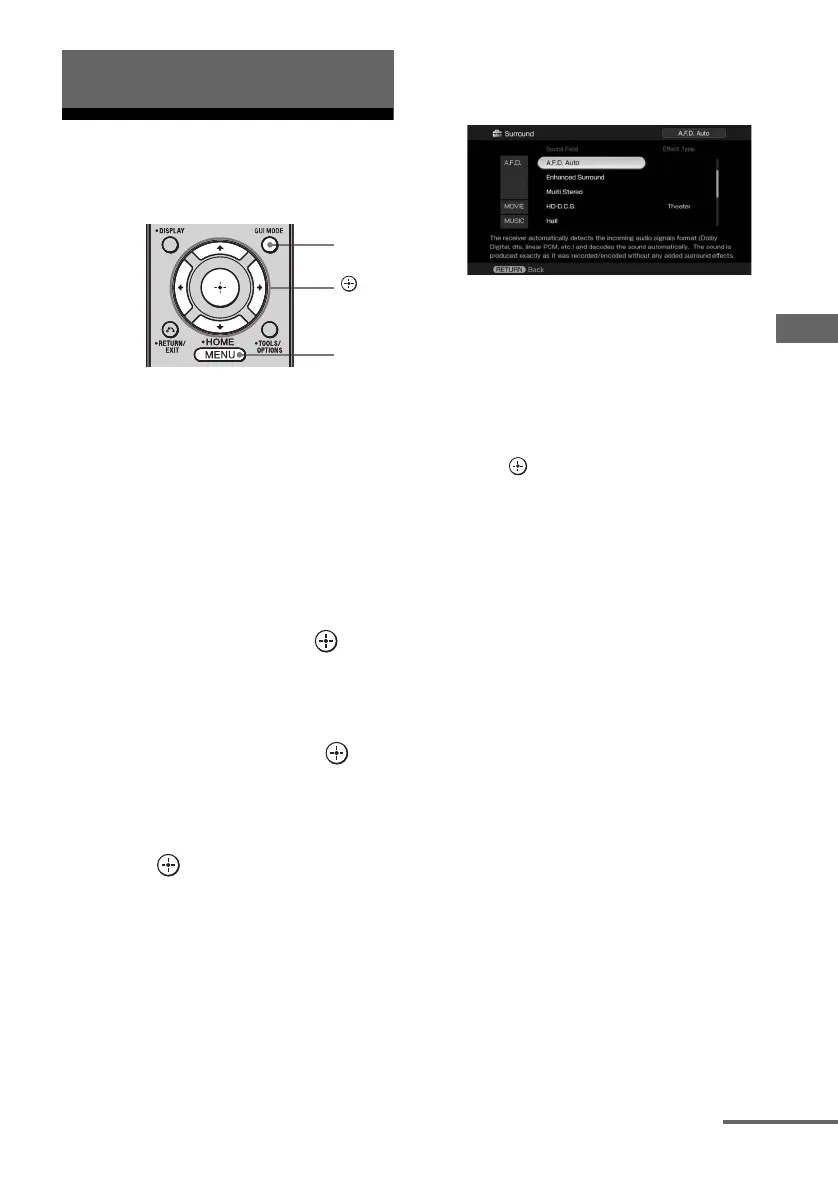
2 Press GUI MODE repeatedly to
select “GUI ON”.
The GUI menu appears on the TV screen.
Press MENU if the GUI menu does not
appear on the TV screen.
3 Press V/v repeatedly to select
“Settings”, then press or b.
The Settings menu list appears on the TV
screen.
4 Press V/v repeatedly to select
“Surround”, then press or
b.
5 Press V/v repeatedly to select
“Sound Field Setup”, then
press .
6 Press V/v repeatedly to select
the sound field you want.
To select the Enhanced
Surround mode
1
Select “Enhanced Sur Mode” in step 5.
2 Press V/v repeatedly to select the
enhanced surround sound you want.
3 Press .
Note
The selected Enhanced Surround mode can only be
applied if you have selected “Enhanced Surround”
as a sound field in the “Sound Field Setup”
parameter.
Enjoying Surround Sound
GUI
MODE
,
V/v/B/b
MENU
continued















 To Next Page