72
US
D:\NORM'S JOB\SONY HA\SO0046\STR-DA3500ES\U VERSION\US\4144907111\01US-
STRDA3500ESUC\080TUN.fm
masterpage: Left
STR-DA3500ES
4-144-907-11(1)
3 Press V/v to select “Auto
Tuning”, then press .
4 Press V/v.
Press V to scan from low to high, press v
to scan from high to low.
The receiver stops scanning whenever a
station is received.
In case of poor FM stereo
reception
1
Press OPTIONS.
2 Press V/v to select “FM Mode”, then
press or b.
3 Press V/v to select “MONO”, then
press .
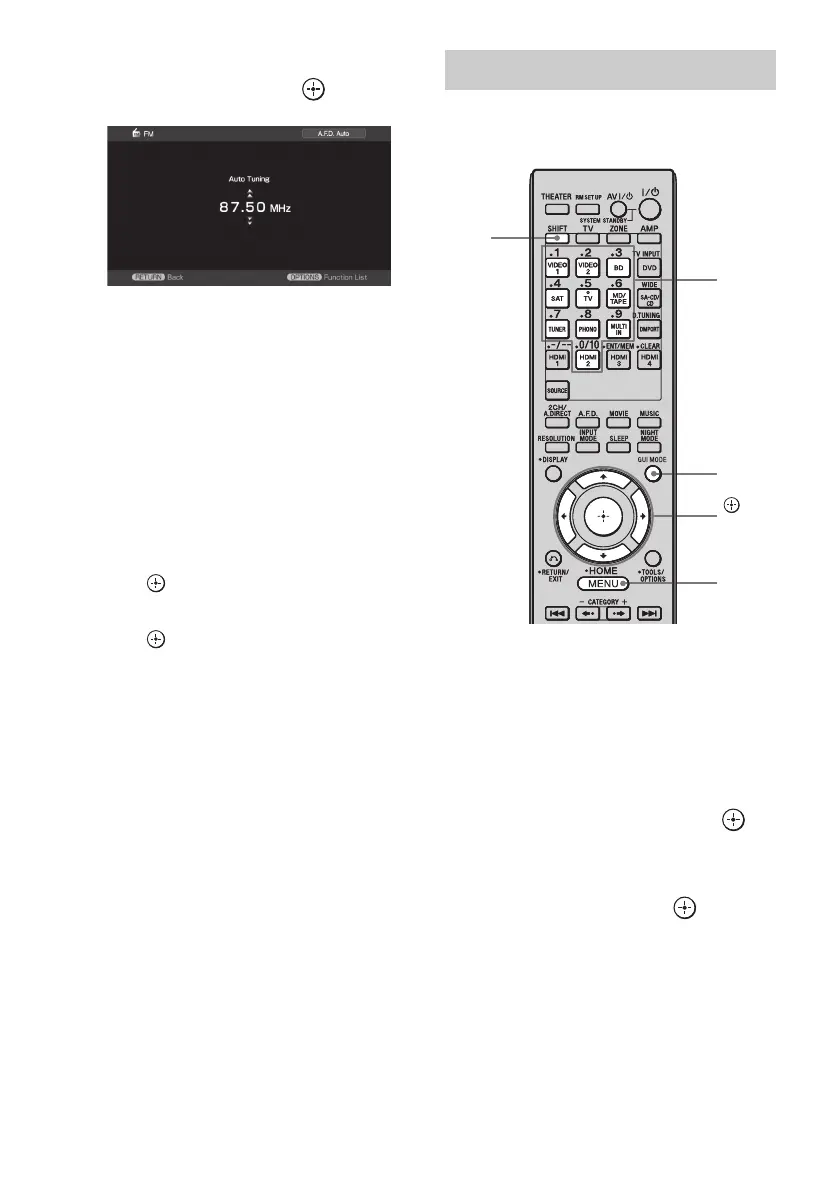
Enter the frequency of a station directly by
using the numeric buttons.
1 Press GUI MODE repeatedly to
select “GUI ON”.
The GUI menu appears on the TV screen.
Press MENU if the GUI menu does not
appear on the TV screen.
2 Press V/v repeatedly to select
“FM” or “AM”, then press or
b.
3 Press V/v to select “Direct
Tuning”, then press .
Direct tuning
MENU
,
V/v/B/b
GUI
MODE
Numeric
buttons
SHIFT















 To Next Page