103
US
D:\NORM'S JOB\SONY HA\SO0046\STR-DA3500ES\U VERSION\US\4144907111\01US-
STRDA3500ESUC\090OTH.fm
masterpage: Right
STR-DA3500ES
4-144-907-11(1)
Other Operations
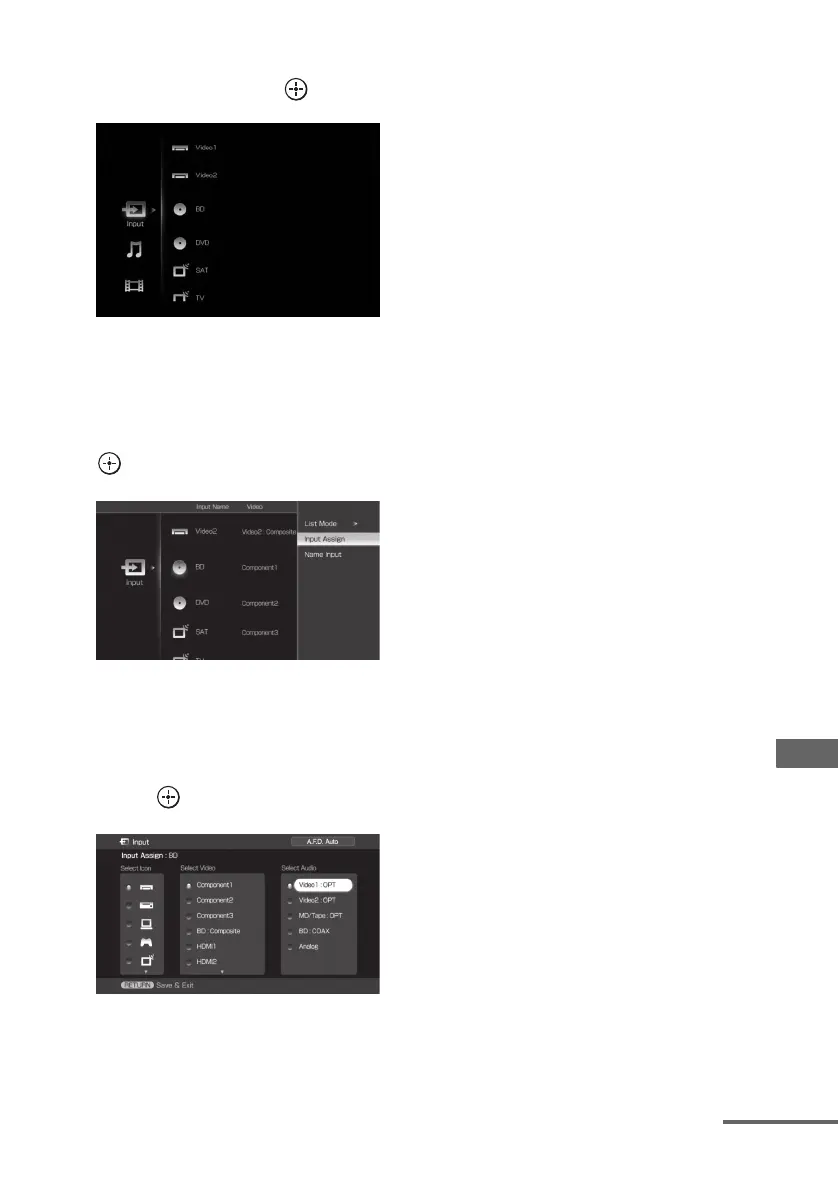
2 Press V/v repeatedly to select
“Input”, then press or b.
3 Press V/v to select the input
name you want to assign.
4 Press OPTIONS, then select
“Input Assign” and then press
.
5 Select the audio and/or video
signals you want to assign to
the input which you selected in
step 3 using V/v/B/b, then
press .
6 Press RETURN/EXIT O to
enter the setting.
continued















 To Next Page