104
GB
Adjusting the equalizer
(Level of Bass/Midrange/Treble)
You can store up to 5 different equalizer
settings in the equalizer bank (EQ PRESET
[1]-[5]) and apply them. You can set this up for
each speaker.
1 Start playing a source encoded
with multi channel surround
effects (DVD, etc.).
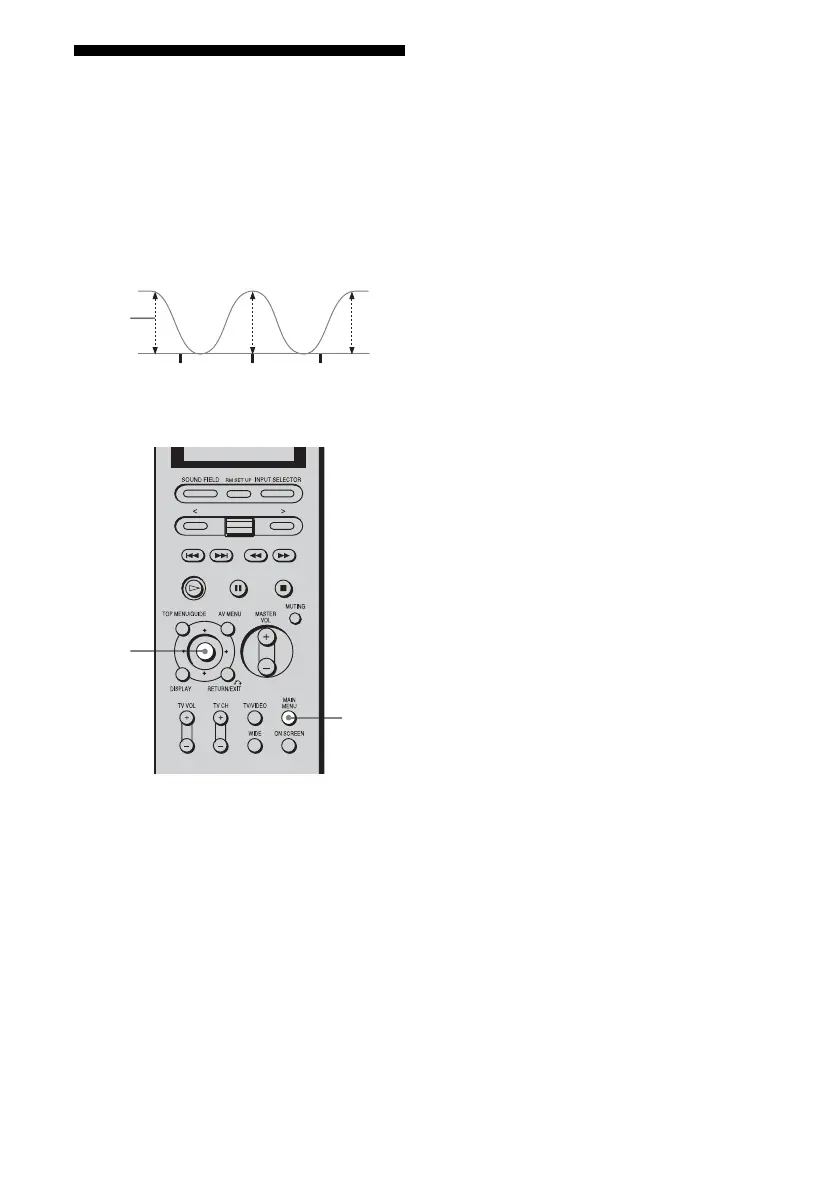
2 Press MAIN MENU repeatedly
to select “EQUALIZER,” then
press the control key.
You can also use MAIN MENU on the
receiver to select “EQUALIZER.”
3 Move the control key V/v to
select “EQ PRESET.”
You can also use MENU on the receiver.
4 Move the control key B/b to
select the equalizer bank you
want to adjust (EQ PRESET [1]-
[5]).
You can also use +/– on the receiver.
5 Move the control key V/v to
select the parameter.
You can also use MENU on the receiver.
For details, see “EQUALIZER menu
parameters,” below.
6 While monitoring the sound,
adjust the selected parameter
by moving control key B/b.
You can also use +/– to adjust the selected
parameter.
7 Repeat steps 5 and 6 to adjust
the other items.
EQUALIZER menu parameters
x EQ PRESET (Preset equalizer
selection)
Lets you select the equalizer bank ([1]-[5]).
When you select “OFF,” the equalizer is
cancelled.
x FRONT BASS xxx dB (Front
speaker bass level)
Initial setting: 0 dB
You can adjust the level from –10 dB to +10
dB in 1 dB steps.
x FRONT TREBLE xxx dB (Front
speaker treble level)
Initial setting: 0 dB
You can adjust the level from –10 dB to +10
dB in 1 dB steps.
Level
(dB)
Bass Midrange Treble
Frequency
(Hz)
Frequency
(Hz)
Frequency
(Hz)
2,3,
4,5,
6
2














 To Next Page