66
GB
Note
When the DIGITAL ASSIGN setting is changed
after you store a USER PRESET and if the stored
INPUT MODE setting cannot be used, a selectable
setting is applied automatically (page 61).
Example:
1) Use the DIGITAL ASSIGN function to assign
“DVD OPT” to “TAPE.”
2) Set the INPUT MODE of TAPE to “AUTO 2CH”
or “OPTICAL FIXED,” then store this in the
USER PRESET.
3) Use the DIGITAL ASSIGN function to assign
“DVD OPT” to “DVD.”
4) Select the USER PRESET stored in example 2).
The INPUT MODE of TAPE is automatically set
to “ANALOG 2CH FIXED.” You cannot select
“AUTO 2CH” or “OPTICAL FIXED.”
Changing the menu
setting
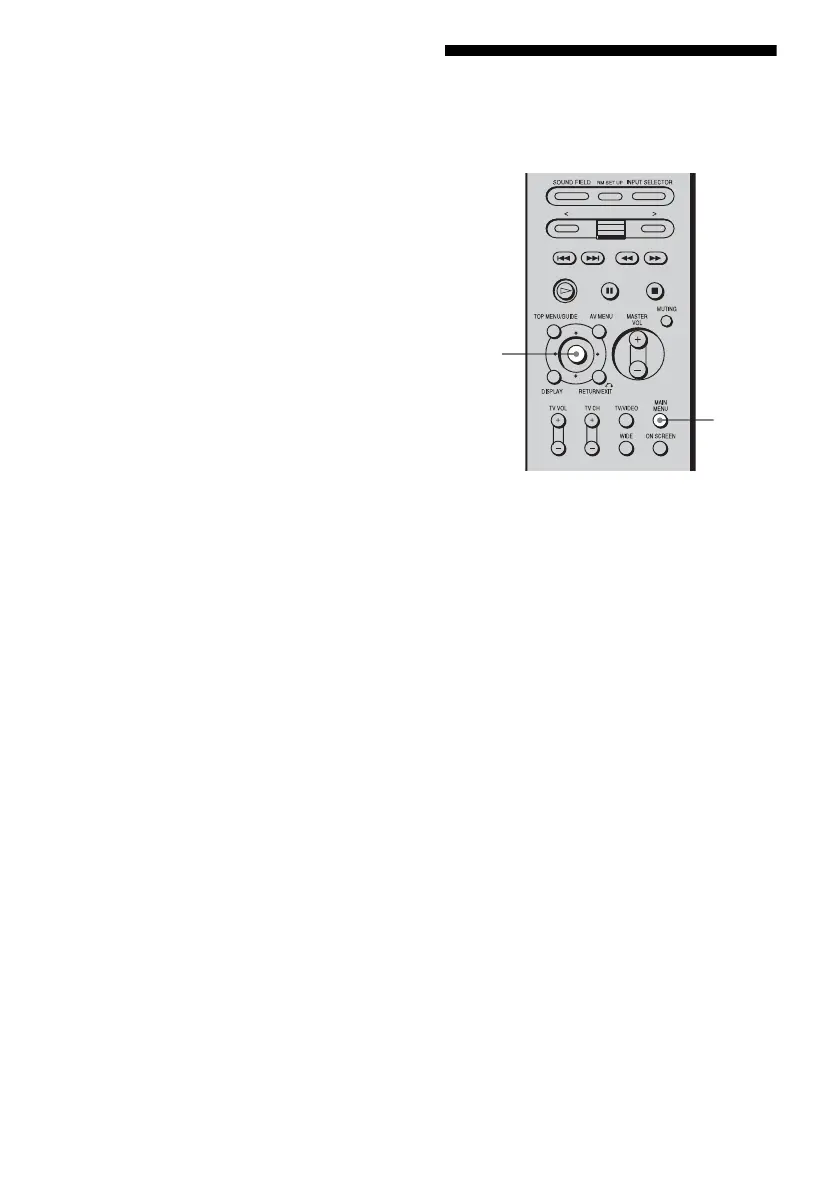
1
Press MAIN MENU repeatedly
to select “CUSTOMIZE,” then
press the control key.
You can also use MAIN MENU on the
receiver to select “CUSTOMIZE.”
2 Move the control key V/v to
select the menu item you want,
then press the key.
You can also use MENU on the receiver.
See “Menu item and parameter” on page
67 for details.
3 Move the control key B/b to
select the setting item you
want.
You can also use +/– on the receiver.
4 Repeat steps 2 and 3 to adjust
other menus.
1
1,2,
3














 To Next Page