54
GB
Listening to a Super Audio CD/CD
Playback
2
3
5
5
3
• The operation is described for a
Sony Super Audio CD.
• Refer to the operating
instructions supplied with the
Super Audio CD player or CD
player.
z
You can select the sound field to
suit the music. Refer to page 93
for details.
Recommended sound fields
Classical: D.CONCERT HALL
Jazz: JAZZ CLUB
Live concert: LIVE CONCERT,
STADIUM
z
You can listen to the sound that
was recorded in the 2 channel
format from all speakers (multi
channel).
Refer to page 90 for details.
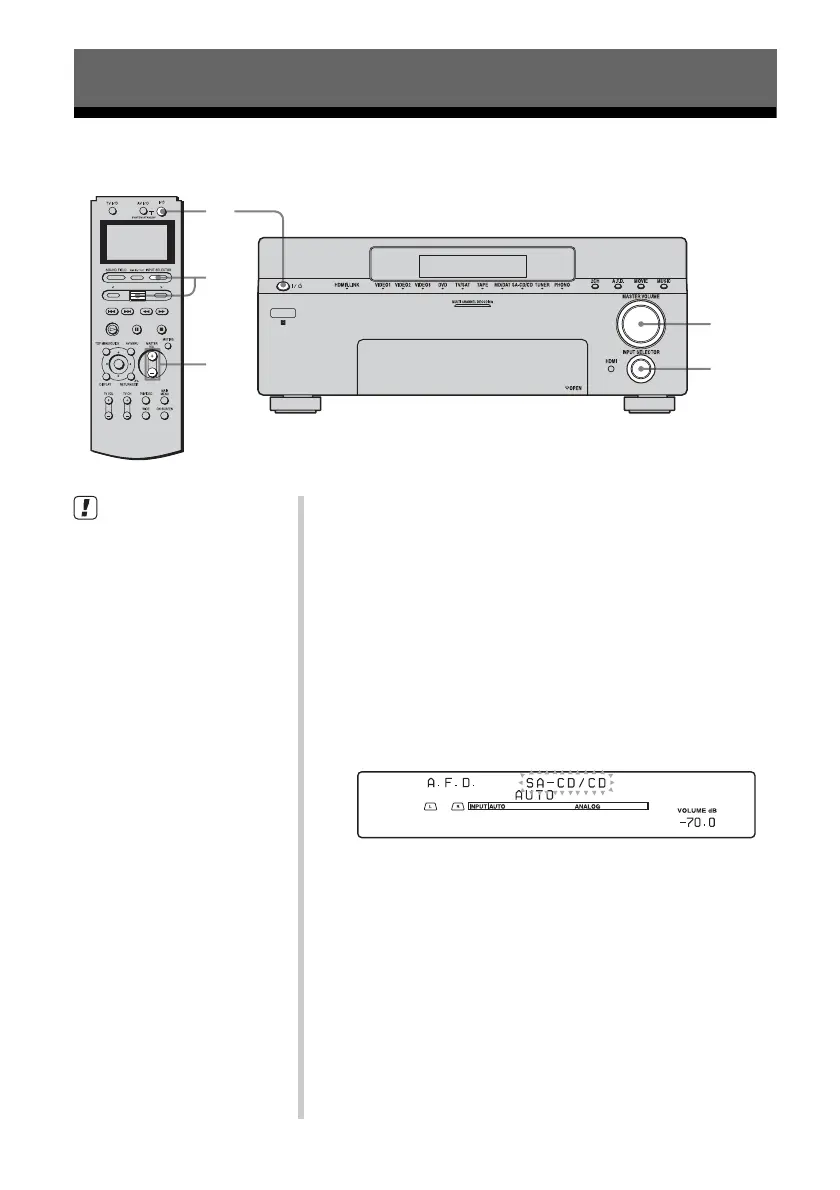
1 Turn on the Super Audio CD player /CD
player, then set the disc in the tray.
2 Turn on the receiver.
3 Press INPUT SELECTOR, then select SA-CD/
CD by moving and pressing the easy scroll
key.
You can also use INPUT SELECTOR on the receiver to
select SA-CD/CD.
An example of the display
4 Play back the disc.
5 Adjust to a suitable volume.
6 Eject the disc and turn off the receiver and
CD player.














 To Next Page