15
GB
Getting Started
a)
You can watch the selected input image when you
connect the MONITOR OUT jack to a TV (page
36, 48). You can also display certain menu settings
and the sound field on the monitor when you press
ON SCREEN.
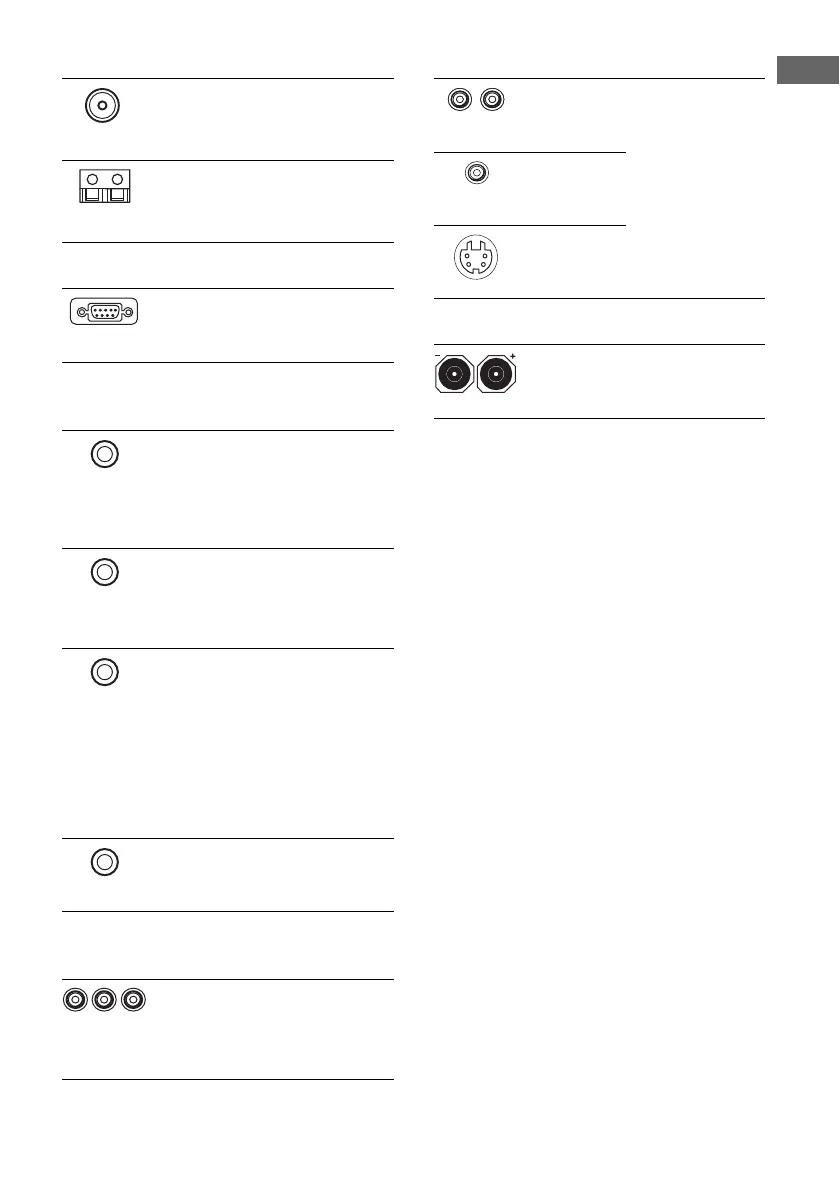
C ANTENNA section
FM ANTENNA Connects to the FM
wire antenna
supplied with this
receiver (page 43).
AM
ANTENNA
Connects to the AM
loop antenna
supplied with this
receiver (page 43).
D RS-232C jack
Used for
maintenance and
service.
E Control jack for Sony equipment
and other external components
CTRL A1II Connects to a Sony
CD player and
amplifier, tape deck
etc., which has a
CONTROL A1II
jack (page 87).
CTRL S Connects to a Sony
TV and DVD player,
VCR, etc., which has
a CONTROL S jack
(page 88).
TRIGGER
OUT
Connects to interlock
ON/OFF of the
power supply of
other 12V
TRIGGER
compliant
components, or the
amplifier/receiver of
the 2nd/3rd zone
(page 82).
IR REMOTE Connects to an IR
repeater (page 84,
85).
F COMPONENT VIDEO INPUT/
OUTPUT section
COMPONENT
VIDEO
INPUT/
OUTPUT jack
a)
Connects to a DVD
player, TV, or a
tuner. You can enjoy
high quality image
(page 33, 35, 38).
G/B/R
G VIDEO/AUDIO INPUT/OUT section
AUDIO IN/
OUT jack
Connects the video
and audio jacks of a
VCR or a DVD
player (page 33, 37,
38, 41, 42).
VIDEO IN/
OUT jack
S-VIDEO IN/
OUT jack
a)
H SPEAKER section
Connects to speakers
(page 22).
W(L)/R(R)
Y














 To Next Page