37
GB
Getting Started
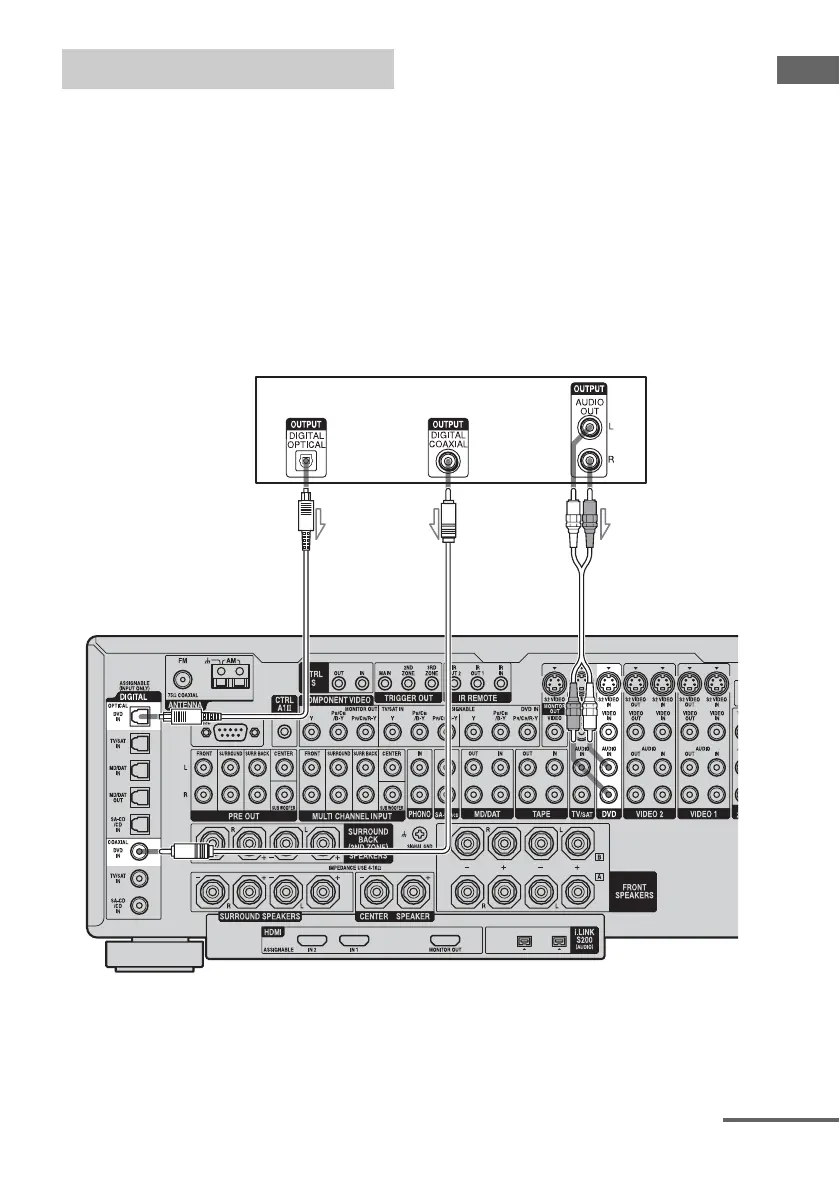
The following illustration shows how to
connect a DVD player.
It is not necessary to connect all the cables.
Connect audio and video cords according to
the jacks of your components.
1 Connecting audio
To output multi channel digital audio, set the
digital audio output setting on the DVD player.
Refer to the operating instructions supplied
with the DVD player.
Hooking up a DVD player
DVD player
AB C
A Optical digital cord (not supplied)
B Coaxial digital cord (not supplied)
C Audio cord (not supplied)
continued














 To Next Page