56
GB
Enjoying TV games
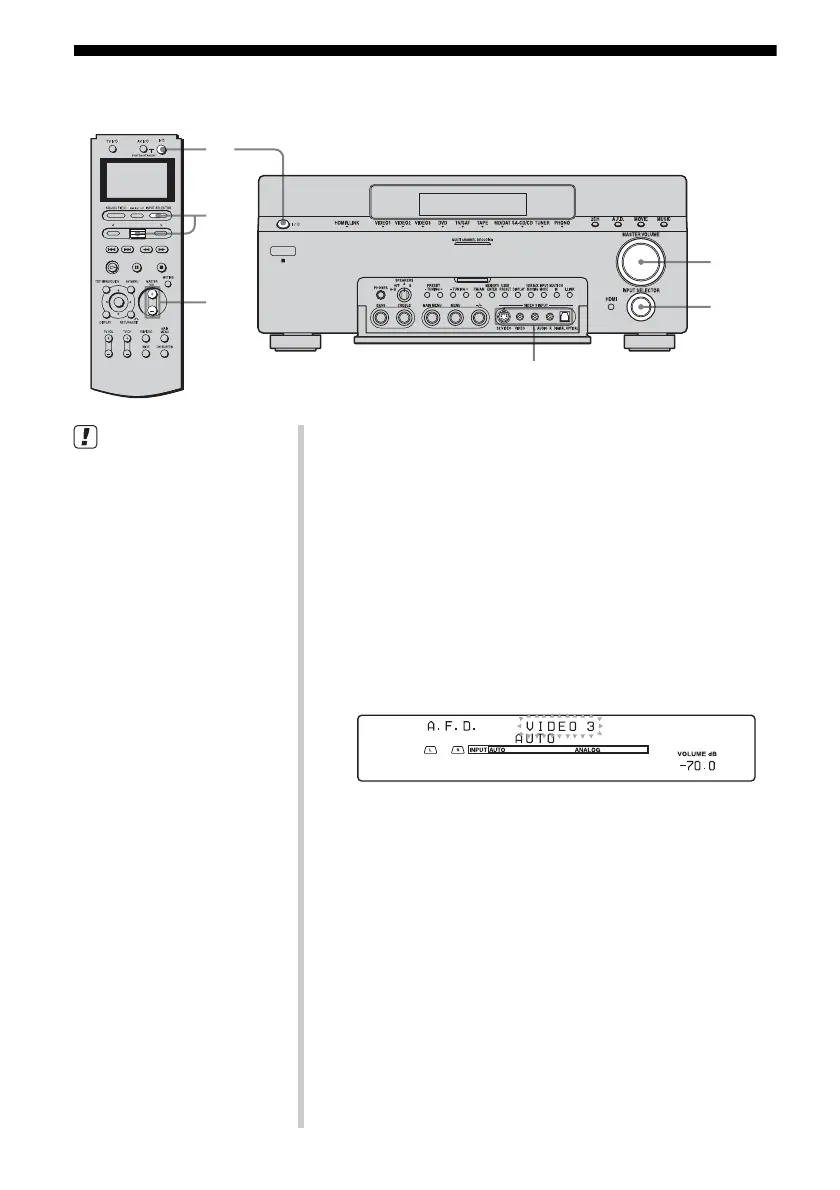
VIDEO 3 INPUT
2
3
7
7
3
• Refer to the operating
instructions supplied with the
TV and TV game.
z
You can select the sound field to
suit the music. Refer to page 91
for details.
Recommend sound field: GAME
1 Turn on the TV and TV game.
2 Turn on the receiver.
3 Press INPUT SELECTOR, move the easy
scroll key to select VIDEO 3* from the list,
then press the key to enter the selection.
You can also use INPUT SELECTOR on this receiver to
select VIDEO 3*.
* When you connect a TV game to the VIDEO 3 INPUT jack on
the front panel.
An example of the display
4 Switch the input of the TV so that an image
of the TV game is displayed.
5 Set up the TV game.
6 Set the disc in the tray and play it back on the
TV game.
7 Adjust to a suitable volume.
8 Eject the disc and turn off the receiver and
the player.














 To Next Page