35
GB
Getting Started
The image from a visual component connected
to this receiver and the menu of this receiver
can be displayed on a TV screen.
It is not necessary to connect all the cables.
Connect audio and video cords according to
the jacks of your components.
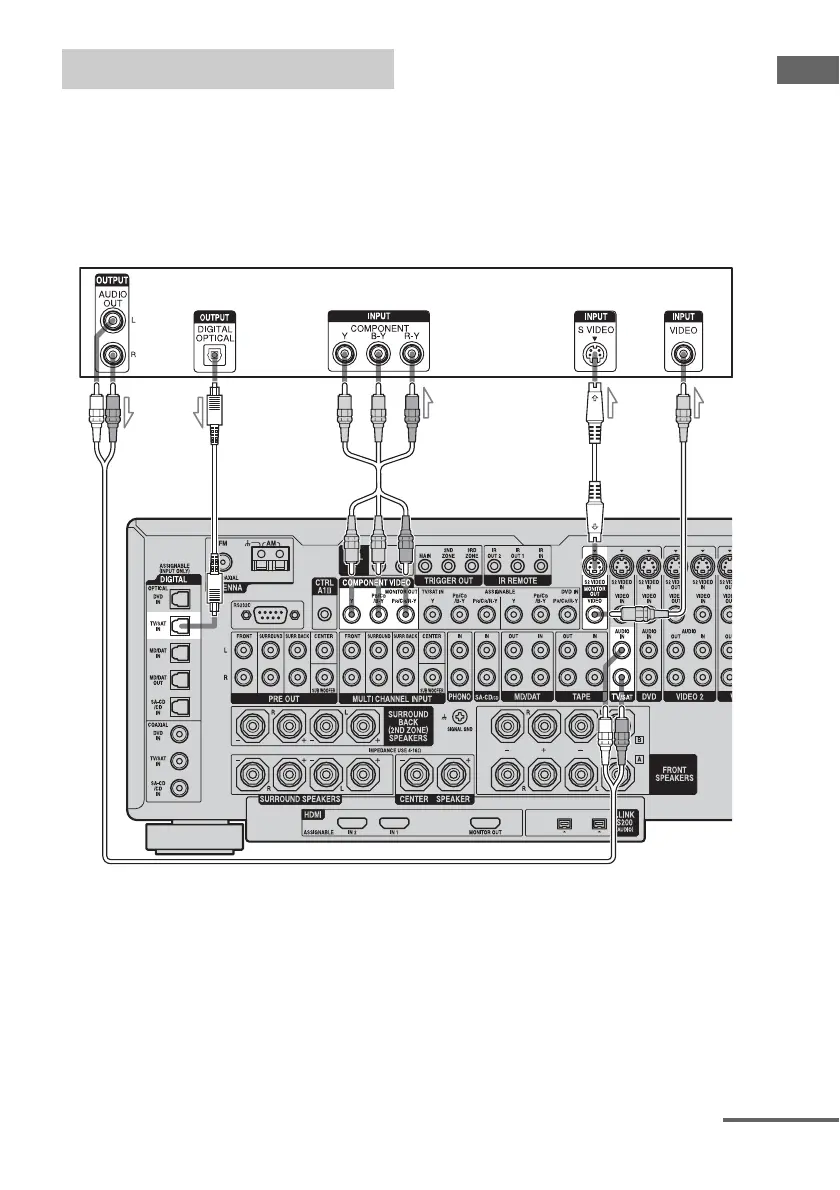
Hooking up a TV monitor
TV monitor
AB C DE
A Audio cord (not supplied)
B Optical digital cord (not supplied)
C Component video cord (not supplied)
D S-video cord (not supplied)
E Video cord (not supplied)
continued














 To Next Page