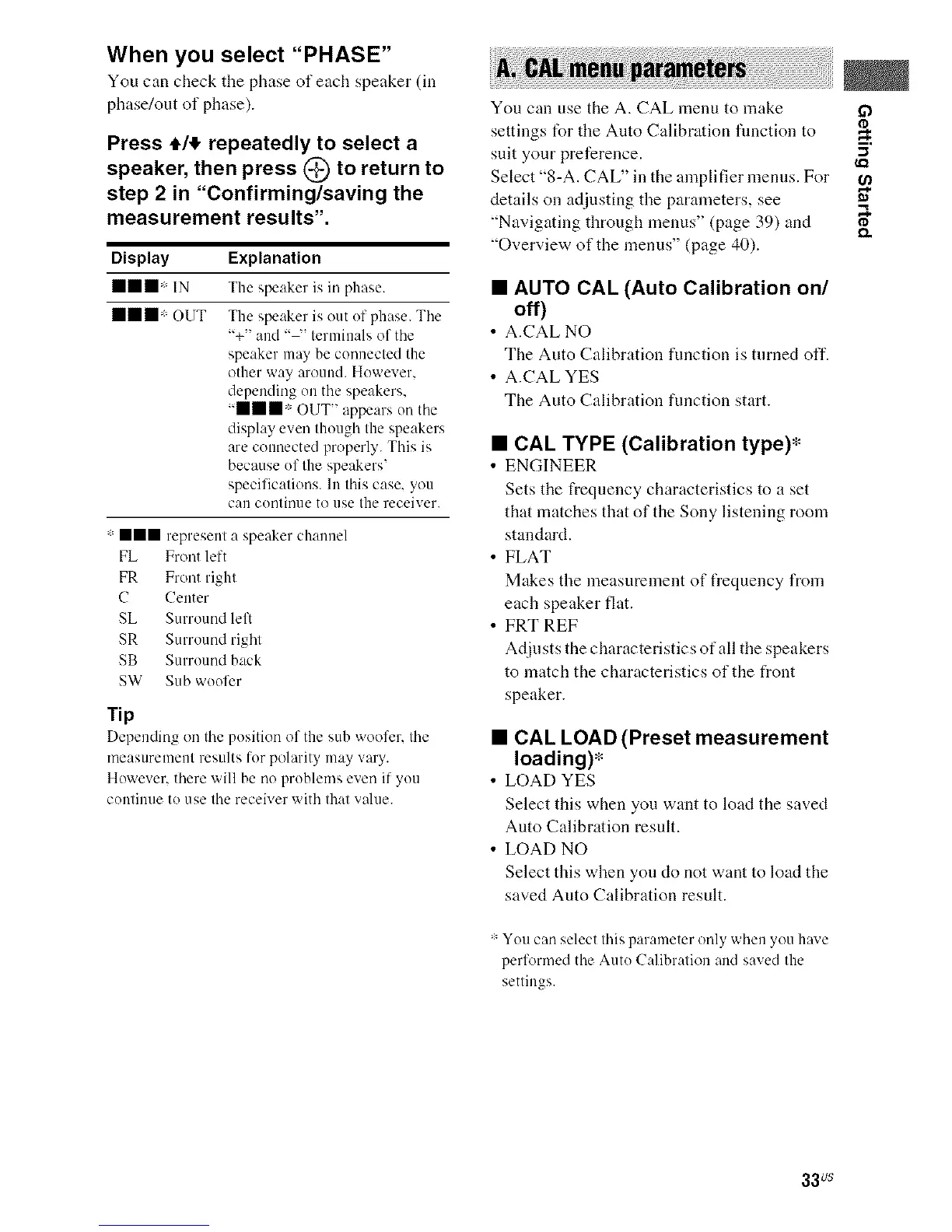
When you select "PHASE"
You can check tile phase of each speaker (in
phase/out of phase).
Press 4,It repeatedly to select a
speaker, then press @ to return to
step 2 in "Confirming/saving the
measurement results".
Display Explanation
ill* IN The speaker is in phase.
mmm* OUT The speaker is out of phase. The
"+" and .... terminals of tile
speaker may be connected the
other way around. However,
depending on the speakers,
"mmm* OUT" appears oil the
display even though the speakers
are connected properly. This is
because of the speakers'
specifications. 111this case, you
can continue to use the receiver.
:lll represent a speaker channel
FL Front left
FR Front right
C Center
SL Surround left
SR Surround right
SB Surround back
SW Stub woofer
Tip
Depending oil tile position of the stub woofer, tile
measurement results for polarity may vary.
However, there will be no problems even if you
continue to use tile receiver with that value.
You can use the A. CAL menu to make ff_
¢D
settings for the Auto Calibration fimction to
suit your preference. "_
Select "8-A. CAL" in the amplifier menus. For
details on adjusting the parameters, see "_
"Navigating through menus" (page 39) and _.
"Overview of the menus" (page 40).
• AUTO CAL (Auto Calibration on/
off)
• A.CAL NO
The Auto Calibration function is turned off.
• A.CAL YES
The Auto Calibration function start.
• CAL TYPE (Calibration type)*
• ENGINEER
Sets the frequency characteristics to a set
that matches that of the Sony listening room
standard.
• FLAT
Makes the measurement of frequency from
each speaker flat.
• FRT REF
Adjusts the characteristics of all the speakers
to match the characteristics of the front
speaker.
• CAL LOAD (Preset measurement
loading)*
• LOAD YES
Select this when you want to load the saved
Auto Calibration result.
• LOAD NO
Select this when you do not want to load the
saved Auto Calibration result.
: You can select this paranteter only when you have
perl'ormed tile Auto Calibration and saved the
settings.
33us



 To Next Page