35
US
C:\Documents and
Settings\pc13\Desktop\JC060000_2667347112DG900_US\2667347112\US03CON_STR-DG900-
U.fm
masterpage: Right
STR-DG900
2-667-347-11 (2)
Getting Started
7: Calibrating the
appropriate settings
automatically
(AUTO CALIBRATION)
This receiver is equipped with D.C.A.C.
(Digital Cinema Auto Calibration)
Technology which allows you to perform
automatic calibration as follows:
• Check the connection between each speaker
and the receiver.
• Adjust the speaker level.
• Measure the distance of each speaker to your
listening position.
You can also adjust the speaker levels and
balance manually. For details, see
“8: Adjusting the speaker levels and balance
(TEST TONE)” (page 38).
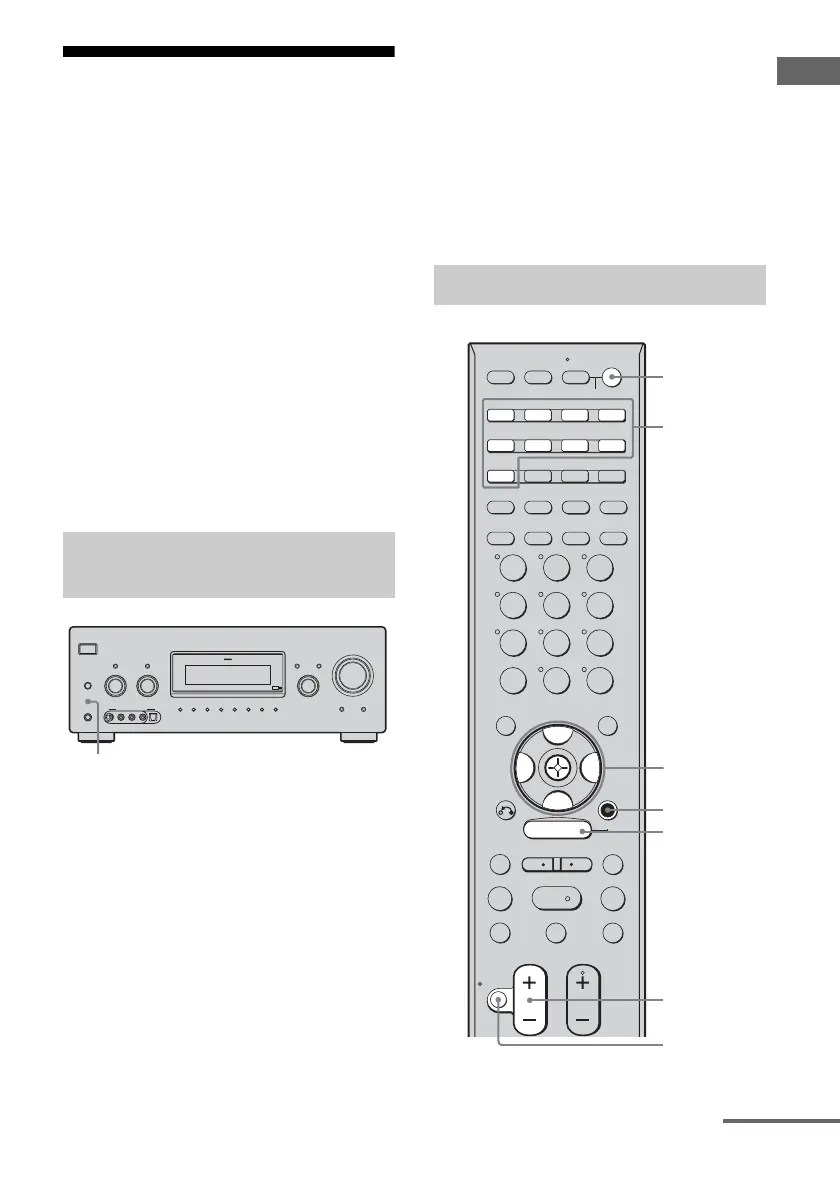
1 Connect the supplied ECM-AC2
optimizer microphone to the
AUTO CAL MIC jack.
2 Place the optimizer
microphone at your listening
position.
3 Place the speakers so that the
speakers are facing the
optimizer microphone.
Tips
• You can also fix the optimizer microphone to a
tripod (not supplied) and place the tripod at your
listening position.
• Be sure to remove any obstacles in the path
between the optimizer microphone and the
speakers.
• When you face the speaker towards the optimizer
microphone, you will get a more accurate
measurement.
Before you perform Auto
Calibration
?/1
AUTO CAL MIC
SPEAKERS
(OFF/A/B/A+B)
PHONES
MEMORY/
ENTER
CATEGORY
MODE
–
CATEGORY +
2CH A.F.D. MOVIE
MUSIC
MULTI CHANNEL DECODING
TUNING MODE
DISPLAY INPUT MODE
TUNING INPUT SELECTOR
–+
TONE MODE
TONE
–+
MULTI CH IN/
DIRECT
HDMI
MASTER VOLUME
VIDEO 3 IN/PORTABLE AV IN
VIDEOS-VIDEO L AUDIO R
DIGITAL(OPT)
1
Performing Auto Calibration
SYSTEM STANDBY
TUNING –
DISC SKIP
MUTING
TV VOL
MASTER VOL
TV CH
PRESET
TUNING +
DISPLAY TOOLS
RETURN/
EXIT
AMP
REPLAY ADVANCE
– CATEGORY +
TV
VIDEO 1 VIDEO 2 DVDVIDEO 3
TV/SAT
MD/TAPE
TUNER
PHONO
ZONE 2
2CH A.F.D. MOVIE MUSIC
SLEEP
CATEGORY
MODE
D. TUNING
ON SCREEN
SA-CD/CD
RM SET UP
?/1
MEMORY
.
>
m M
xX
MULTI CH SOURCE
B
B
V
v
MENU
H
CLEAR
>10
–
/
– –
<
<
23
456
789
ENTER
0/10
1
AV ?/1
?/1 switch
Input button
Control
button
MASTER
VOL +/–
MUTING
AMP
MENU
continued
US01COV_STR-DG900-U.book Page 35 Wednesday, April 26, 2006 12:15 PM












 To Next Page