C:\Documents and
Settings\pc13\Desktop\JC060000_2667347112DG900_US\2667347112\US03CON_STR-DG900-
U.fm
masterpage: L-2
STR-DG900
2-667-347-11 (2)
44
US
Watching video
?/1
AUTO CAL MIC
SPEAKERS
(OFF/A/B/A+B)
PHONES
MEMORY/
ENTER
CATEGORY
MODE
–
CATEGORY +
2CH A.F.D. MOVIE
MUSIC
MULTI CHANNEL DECODING
TUNING MODE
DISPLAY INPUT MODE
TUNING INPUT SELECTOR
–+
TONE MODE
TONE
–+
MULTI CH IN/
DIRECT
HDMI
MASTER VOLUME
VIDEO 3 IN/PORTABLE AV IN
VIDEOS-VIDEO L AUDIO R
DIGITAL(OPT)
>10/
SYSTEM STANDBY
TUNING –
DISC SKIP
TV CH
PRESET
TUNING +
DISPLAY TOOLS
RETURN/
EXIT
AMP
REPLAY ADVANCE
– CATEGORY +
TV
VIDEO 1 VIDEO 2 DVDVIDEO 3
PHONO
ZONE 2
2CH A.F.D. MOVIE MUSIC
SLEEP
CATEGORY
MODE
D. TUNING ON SCREEN
RM SET UP
?/1
MEMORY
.
>
m M
xX
MULTI CH SOURCE
B
B
V
v
MENU
H
CLEAR
>10
–
/
– –
<
<
23
456
789
ENTER
0/10
1
TV VOL
MASTER VOL
AV ?/1
MUTING
TV/SAT
MD/TAPE SA-CD/CD
TUNER
3
2
6
6
3
Note
Refer to the operating instructions
supplied with the TV and VCR.
Tip
You can listen to sound recorded
in the 2 channel format from all
speakers (multi channel).
Refer to page 61 for details.
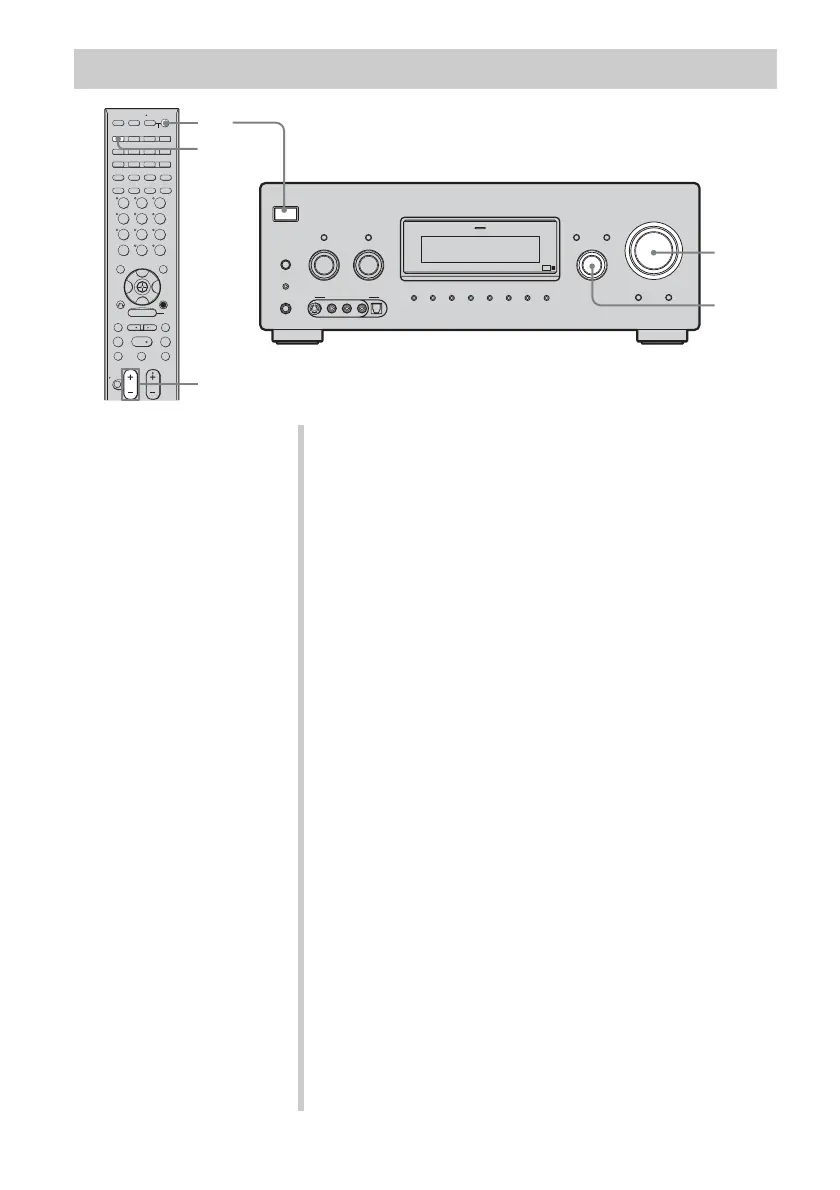
1 Turn on the TV and VCR.
2 Turn on the receiver.
3 Press VIDEO 1*.
You can also use INPUT SELECTOR on this receiver to
select VIDEO 1*.
* When you connect VCR to the VIDEO 1 jack.
4 Switch the input of the TV so that an image
of the VCR is displayed.
5 Play back the tape on the VCR.
6 Adjust to a suitable volume.
7 After you have finished watching video, eject
the tape and turn off the receiver, TV and
VCR.
US01COV_STR-DG900-U.book Page 44 Wednesday, April 26, 2006 12:15 PM












 To Next Page