68
US
C:\Documents and
Settings\pc13\Desktop\JC060000_2667347112DG900_US\2667347112\US04AMP_STR-DG900-
U.fm
masterpage: Left
STR-DG900
2-667-347-11 (2)
4 Press ENTER.
You can also use MEMORY/ENTER on
the receiver.
If you cannot tune in a station
Make sure you have entered the right
frequency. If not, repeat steps 2 to 4. If you still
cannot tune in a station, the frequency is not
used in your area.
Presetting radio stations
You can preset up to 30 FM stations and 30
AM stations. Then you can easily tune in the
stations you often listen to.
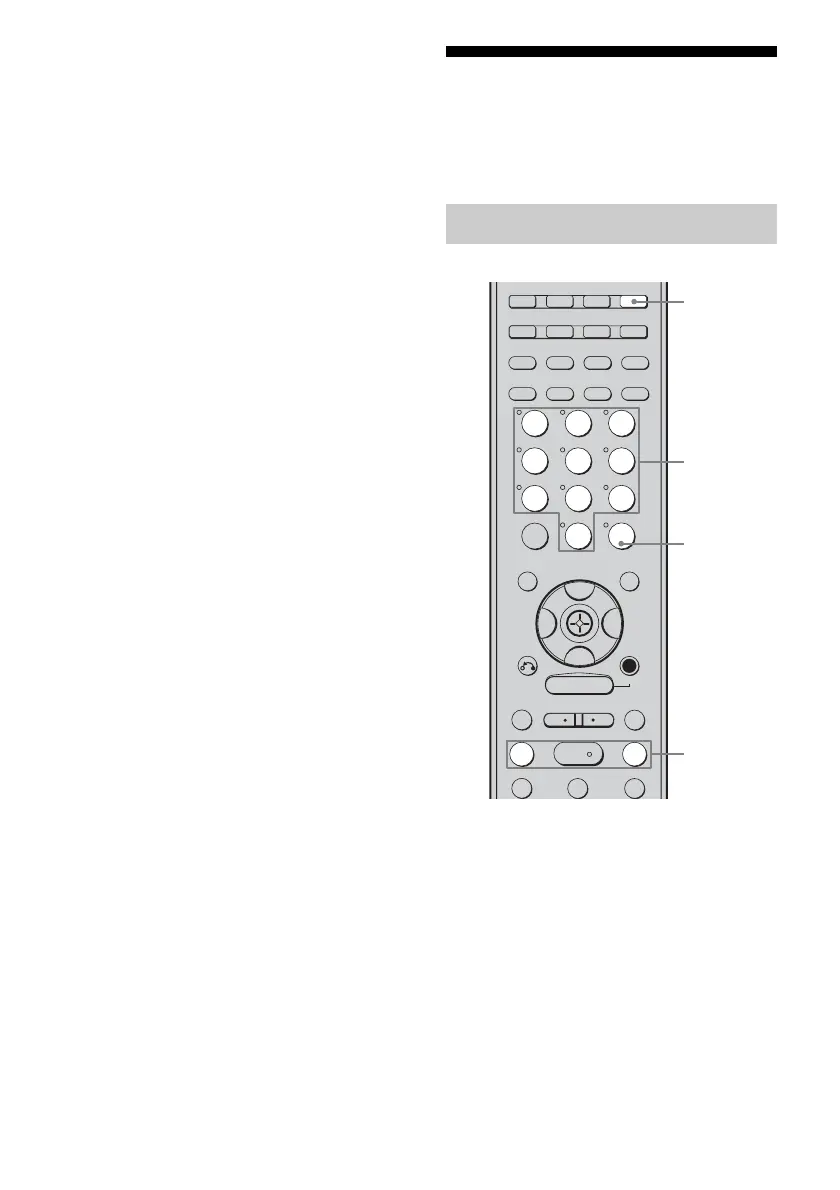
1 Press TUNER repeatedly to
select the FM or AM band.
You can also use INPUT SELECTOR on
the receiver.
2 Tune in the station that you
want to preset using Automatic
Tuning (page 67) or Direct
Tuning (page 67).
Switch the FM reception mode, if
necessary (page 67).
Presetting radio stations
TUNING –
DISC SKIP
TUNING +
DISPLAY TOOLS
RETURN/
EXIT
AMP
REPLAY ADVANCE
– CATEGORY +
TV/SAT
MD/TAPE
TUNER
PHONO
ZONE 2
2CH A.F.D. MOVIE MUSIC
SLEEP
CATEGORY
MODE
D. TUNING
ON SCREEN
SA-CD/CD
MEMORY
.
>
m M
xX
MULTI CH SOURCE
B
B
V
v
MENU
H
CLEAR
>10
–
/
– –
<
<
23
456
789
0/10
1
ENTER
1
3,5
TUNING
+/–
4
US01COV_STR-DG900-U.book Page 68 Wednesday, April 26, 2006 12:15 PM












 To Next Page