7
US
C:\Documents and
Settings\pc13\Desktop\JC060000_2667347112DG900_US\2667347112\US03CON_STR-DG900-
U.fm
masterpage: Right
STR-DG900
2-667-347-11 (2)
Getting Started
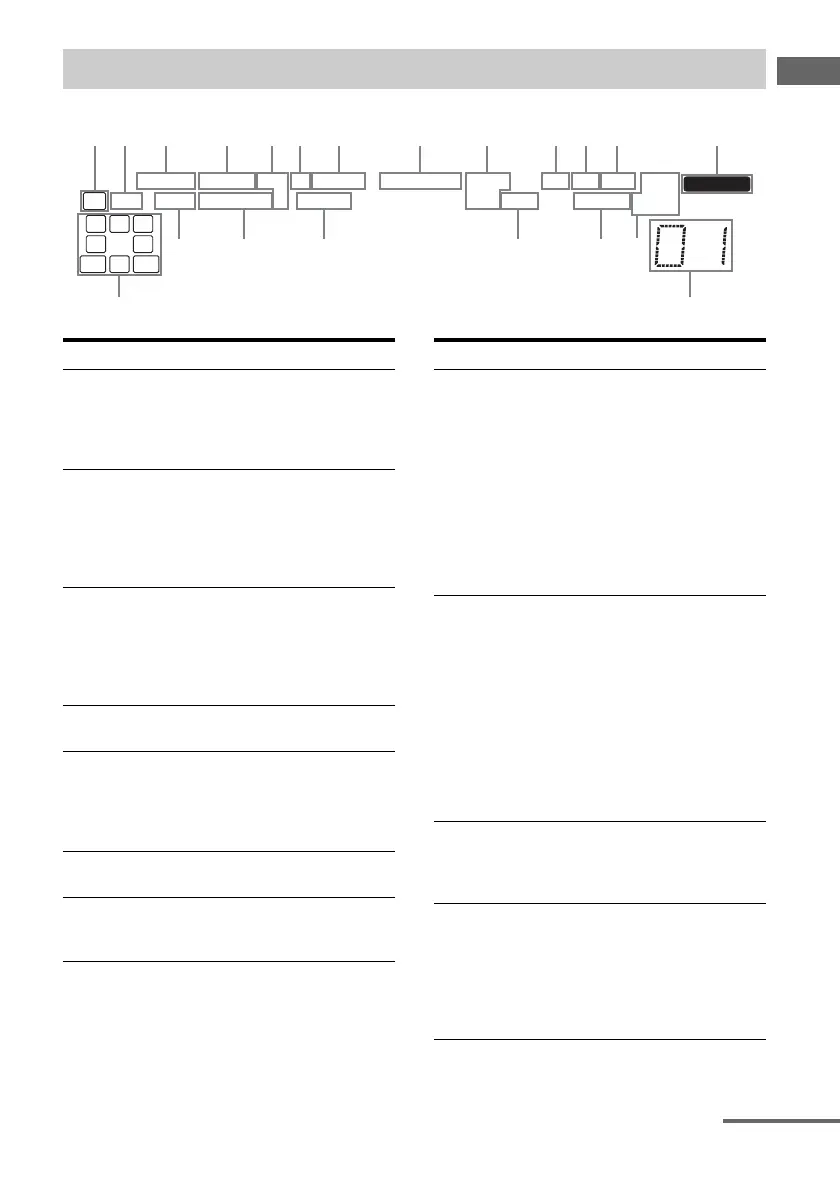
About the indicators on the display
L C R
SL
SW
S
SR
SBRSBL
SB
LFE
SLEEP
MULTI CH IN
SP.A SP.B A.DIRECT HDMI EQ D.RANGE DTS-ES
CAT OPT COAX MONO
MEMORY
;
PL IIx12 96/24
NEO:6 D.ASSIGN
STEREO
;
DIGITAL EX
wa qf
qg
w; ql qk qj qh
;
a
s
d
Name Function
A SW Lights up when sub woofer
selection is set to “YES” (page
48) and the audio signal is
output from the SUB WOOFER
jack.
B LFE Lights up when the disc being
played back contains an LFE
(Low Frequency Effect)
channel and the LFE channel
signal is actually being
reproduced.
C SP.A/SP.B Lights up according to the
speaker system used. However,
these indicators do not light up
if the speaker output is turned
off or if a headphone is
connected.
D A.DIRECT Lights up when ANALOG
DIRECT is selected (page 65).
E HDMI 12 Lights up when a playback
component or a playback
component and TV monitor is
connected to this receiver using
an HDMI jack (page 80).
F EQ Lights up when the equalizer is
activated (page 46).
G D.RANGE Lights up when dynamic range
compression is activated (page
46).
Name Function
H ;DIGITAL
(EX)
Lights up when Dolby Digital
signals are input. “;
DIGITAL EX” lights up when
Dolby Digital Surround EX
signals are decoded.
Note
When playing a Dolby Digital
format disc, be sure that you
have made digital connections
and that INPUT MODE is not
set to “ANALOG FIXED”
(page 77).
I DTS (-ES)/
(96/24)
Lights up when DTS signals are
input. “DTS-ES” lights up
when DTS-ES signals are input.
“DTS 96/24” lights up when the
receiver is decoding DTS 96
kHz/24 bit signals.
Note
When playing a DTS format
disc, be sure that you have made
digital connections and that
INPUT MODE is not set to
“ANALOG FIXED” (page 77).
J CAT Lights up when you select
category mode to “ONE CAT”.
For details on presetting XM
Radio station, see page 75.
K OPT Lights up when INPUT MODE
is set to “AUTO 2CH” and the
source signal is a digital signal
being input through the
OPTICAL jack, or when
INPUT MODE is set to “OPT
FIXED” (page 77).
continued
US01COV_STR-DG900-U.book Page 7 Wednesday, April 26, 2006 12:15 PM












 To Next Page