EasyManua.ls Logo

Sony Trinitron KV-13VM20 - Page 44

Sony Trinitron KV-13VM20
97 pages
Print Icon
To Next Page IconTo Next Page
To Previous Page IconTo Previous Page
Loading...
index
Function
aa
a
a
EE
;
;
Playing
Back
from
the
INDEX
Point
.
———_—
TAR
NORMAL/SLOW
(STILL
ADJUST)
iNDEX
MARK
ERASE
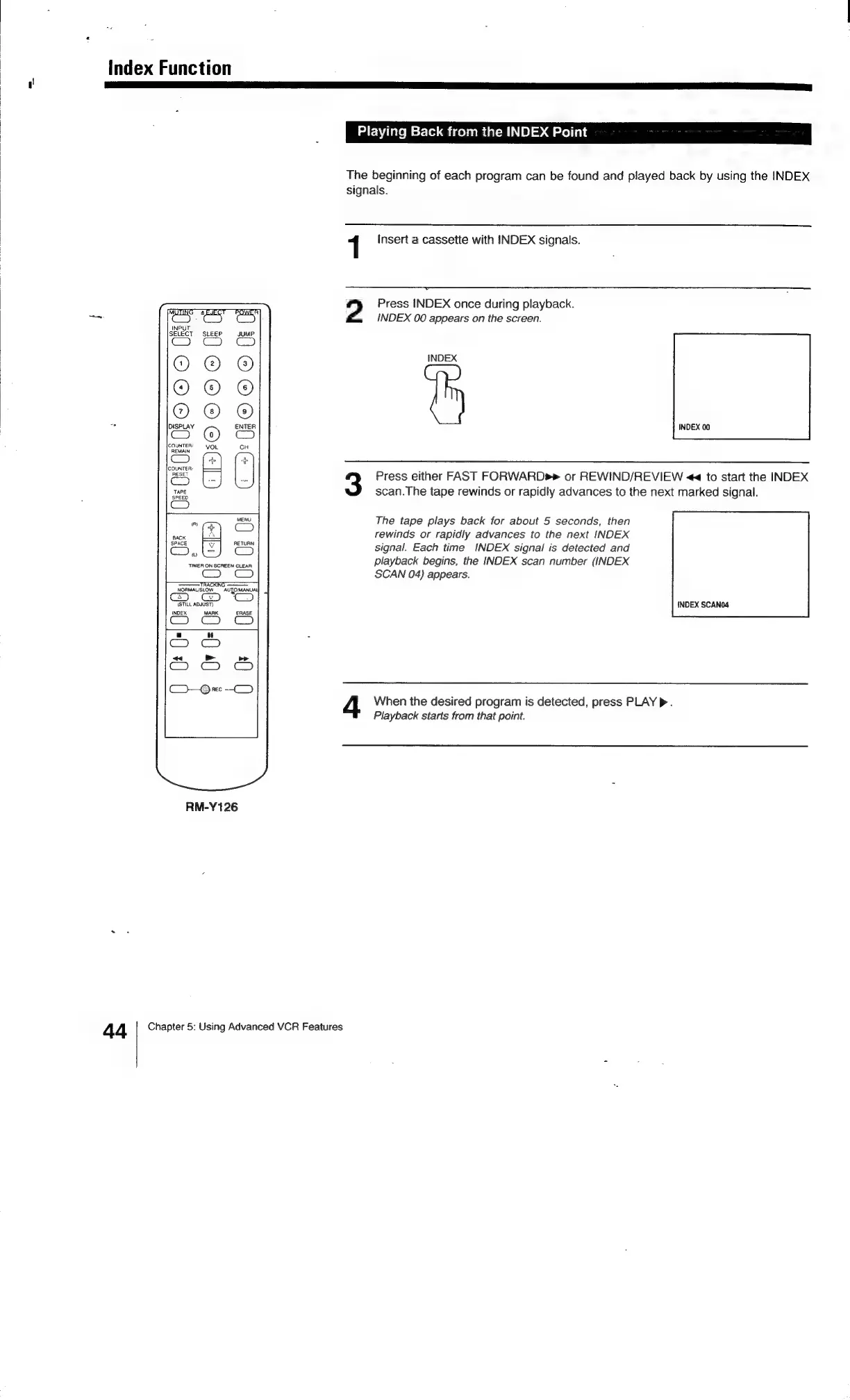
RM-Y126
The
beginning
of
each
program
can
be
found
and
played
back
by
using
the
INDEX
signals.
1
Insert
a
cassette
with
INDEX
signals.
2
Press
INDEX
once
during
playback.
INDEX
00
appears
on
the
screen.
INDEX
INDEX
00
Press
either
FAST
FORWARD»
or
REWIND/REVIEW
<<
to
start
the
INDEX
scan.The
tape
rewinds
or
rapidly
advances
to
the
next
marked
signal.
The
tape
plays
back
for
about
5
seconds,
then
rewinds
or
rapidly
advances
to
the
next
INDEX
signal.
Each
time
INDEX
signal
is
detected
and
playback
begins,
the
INDEX
scan
number
(INDEX
SCAN
04)
appears.
INDEX
SCANO4
When
the
desired
program
is
detected,
press
PLAY
>.
Playback
starts
from
that
point.
4 4
Chapter
5:
Using
Advanced
VCR
Features

Related product manuals