iB Using your Menus (continued)
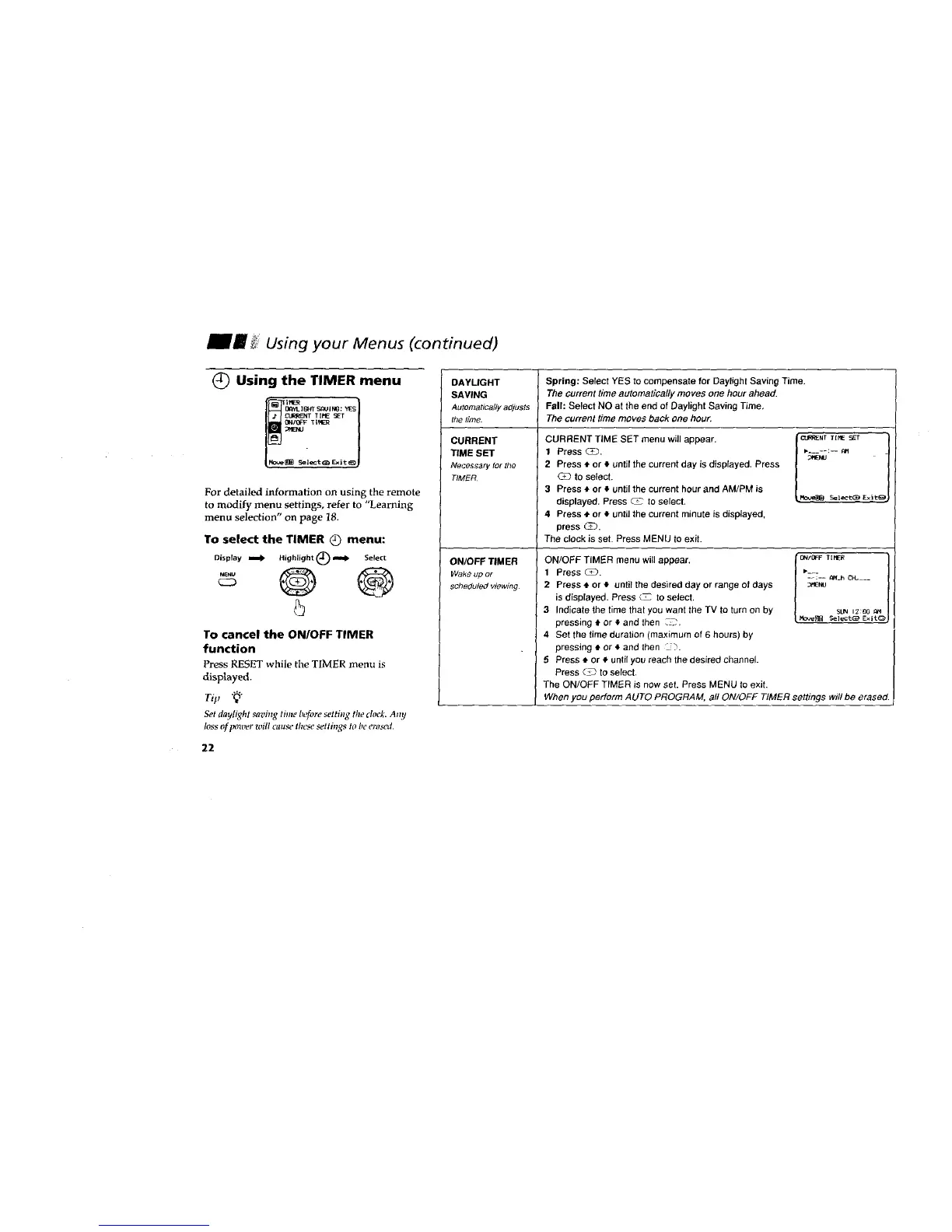
C) Using the TIMER menu
U,_yL I_'T S_/IN_ ; YES
L_RRIENT TIHE _T
Tim
[_[B sel_t_ _it _J
For detailed information on using the remote
to modify menu settings, refer to "Learning
menu selection" on page 18.
To select the TIMER (_ menu:
Dispray tomb Highlight (_ ,m._ Select
-° O ®
C23
5
To cancel the ON/OFF TIMER
function
Press RESET while the TIMER menu is
displayed.
Ti,
Set daylight saving tim_"b,'fore setting the dock. Any
loss of power will cause these settings to ht' erased.
DAYLIGHT
SAVING
Automaticallyadjusts
the time.
CURRENT
TIME SET
Necess._rytot the
TIMER
ONIOFF TIMER
Wak_ up or
schedul_ viewing
Spring: Select YES to compensate for Daylight Saving Time.
The current time automatically moves one hour ahead.
Fall: Select NO at the end of Daylight Saving Time.
The current time moves back one hour.
CURRENT TIME SET menu will appear.
1 Press CD.
2 Press • or 4 until the current day is displayed. Press
C_ to select.
3 Press ,Dor ,I,until the current hour and AM/PM is
displayed. Press _ to select.
4 Press * or ,_until the current minute is displayed.
press C_.
The clock is set. Press MENU to exit.
C'CI_ENT T[NE SET
RO_ S4_leCt_E_ Exit_
ON/OFF TIMER menu will appear.
1 Press _.
2 Press 4' or • until the desired day or range of days
is displayed. Press c_ to select,
3 Indicate the time that you want the TV to turn on by
pressing _.or • and then _C',
4 Set the time duration (maximum of 6 hours) by
pressing _' or 4 and then --7.
5 Press ,J or ,I, until you reach the desired channel.
Press ¢_ to select,
The ON/OFF TIMER is now set. Press MENU to exit.
l 0_/0FF T [i_LcR !
SU_I 12:00 ON
_e_ _]ectci_ Exit_
When you perform AUTO PROGRAM, all ON/OFF TIMER settings will be erased.
22








 To Next Page