Troubleshooting
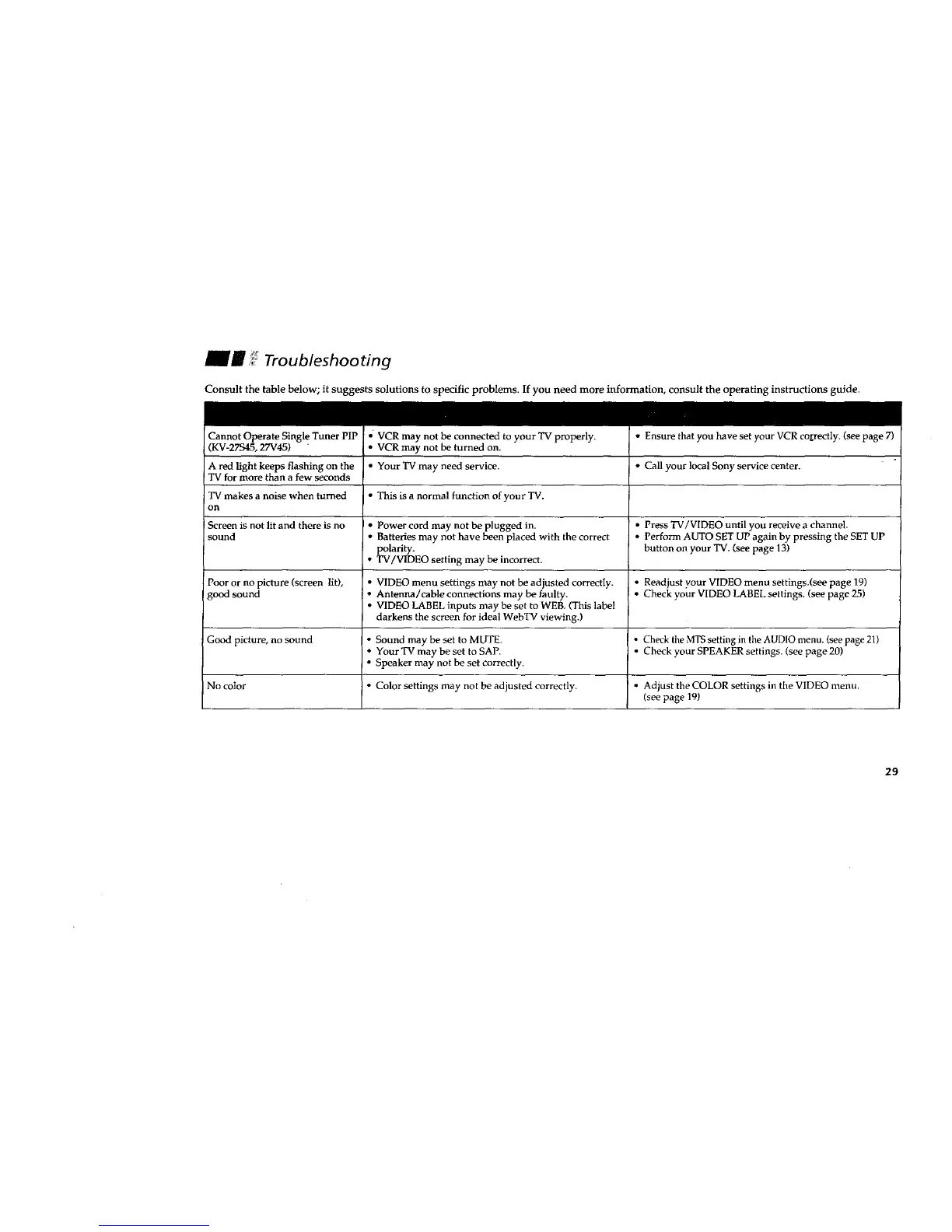
Consult the table below; it suggests solutions to specific problems. If you need more information, consult the operating instructions guide.
Cannot Operate Single Tuner PIP VCR may not be connected to your TV properly. • Ensure that you have set your VCR correctly. (see page 7)
, (KV-27S45, 27V45) , • VCR may not be turned on.
A red light keeps flashing on the • Your'IV may need service. • Call your local Sony service center.
TV for more than a few seconds
TV makes a noise when turned • This is a normal function of your TV.
on
Screen is not lit and there is no * Power cord may not be plugged in. • Press TV/VIDEO until you receive a channel.
sound • Batteries may not have been placed with the correct • Perform AUTO SET UP again by pressing the SET UP
polarity, button on your TV. (see page 13)
• W/VIDEO setting may be incorrect.
Poor or no picture (screen lit), • VIDEO menu settings may not be adjusted correctly. • Readjust your VIDEO menu settings.(see page 19)
good sound • Antenna/cable connections may be faulty. • Check your VIDEO LABEL settings. (see page 25)
• VIDEO LABEL inputs may be set to WEB, (This label
darkens the screen for ideal WebTV viewing.)
Good picture, no sound • Sound may be set to MUTE ° Check the MTS setting in the AUDIO menu. (see page 21)
• Your TV may be set to SAP. • Check your SPEAKER settings. (see page 20)
• Speaker may not be set correctly.
No color • Color settings may not be adjusted correctly. • Adjust the COLOR settings in the VIDEO menu.
(see page 19)
29








 To Next Page