_ _ Connecting and Installing the TV (continued)
Disconnect all power sources before making any connections.
DBS Connections
Connecting a DBS (Direct
Broadcast Satellite) receiver
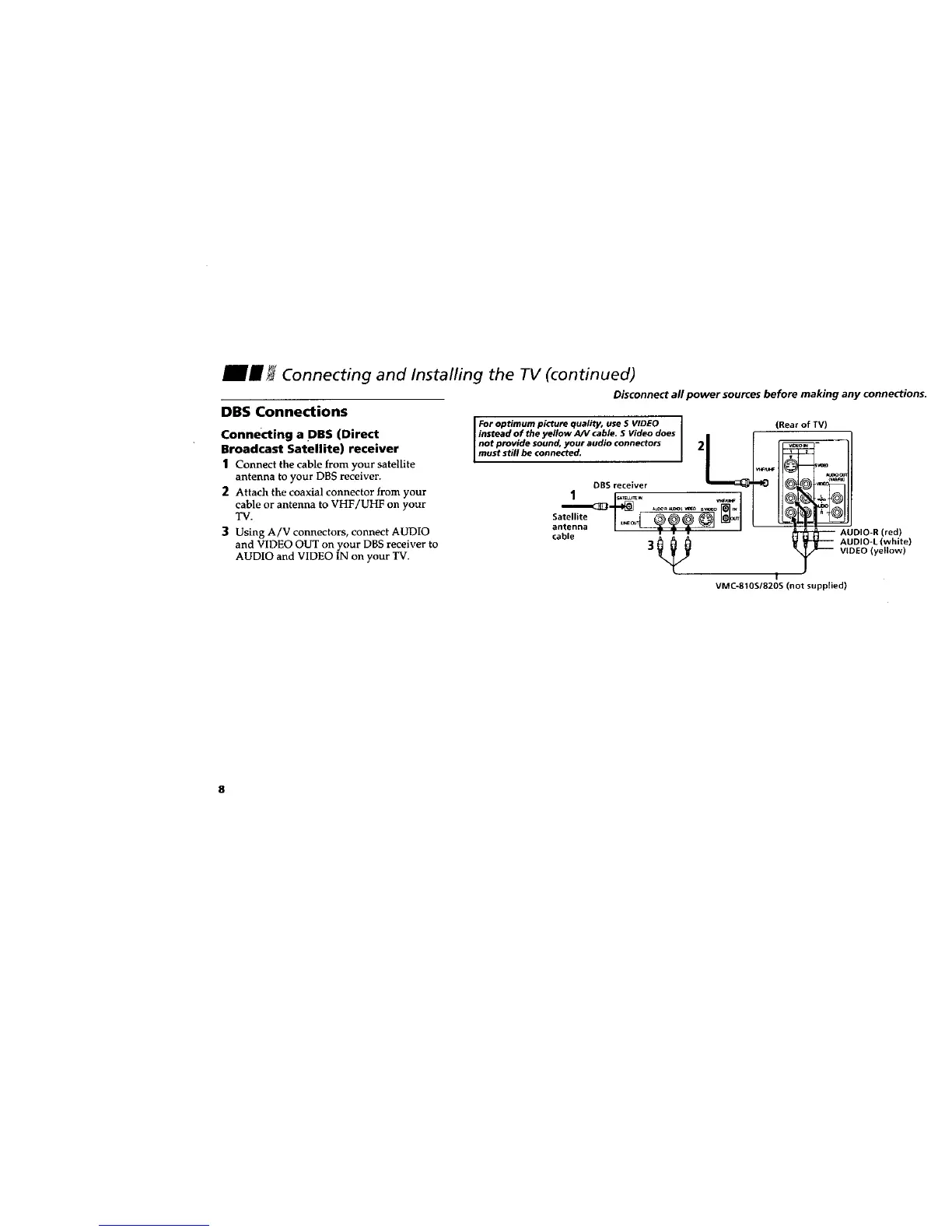
1 Connect the cable from your satellite
antenna to your DBS receiver.
2 Attach the coaxial connector from your
cable or antenna to VHF/UHF on your
TV.
3 Using A/V connectors, connect AUDIO
and VIDEO OUT on your DBS receiver to
AUDIO and VIDEO IN on your TV.
For optimum picture quality, use S VIDEO (Rear of TV)
instead of the yellow A/V cable. S Video does L
not provide sound, your audio connectors _©
muststill be connected. 2
wFu_
Satellite I _c_ _)_)_ _1 _L_l
cable _ AUDIO-R (red)
V _ AUDIO-L(white)
3 _ VIDEO (yellow)
/
I
VMC-810S/820S (not supplied)
8








 To Next Page