Operations
-EN
17
p KV-J25MH2/J29MH2/J25MN21/J29MN21 only
The 3D WOOFER enhances bold, dynamic and clear
sounds that spread over a large area and lets you enjoy
the thrills, horrors, and suspense of movies or music.
The initial setting of the 3D WOOFER is ON, and it is
ready for your listening when you turn on the TV.
To turn off the woofer sound
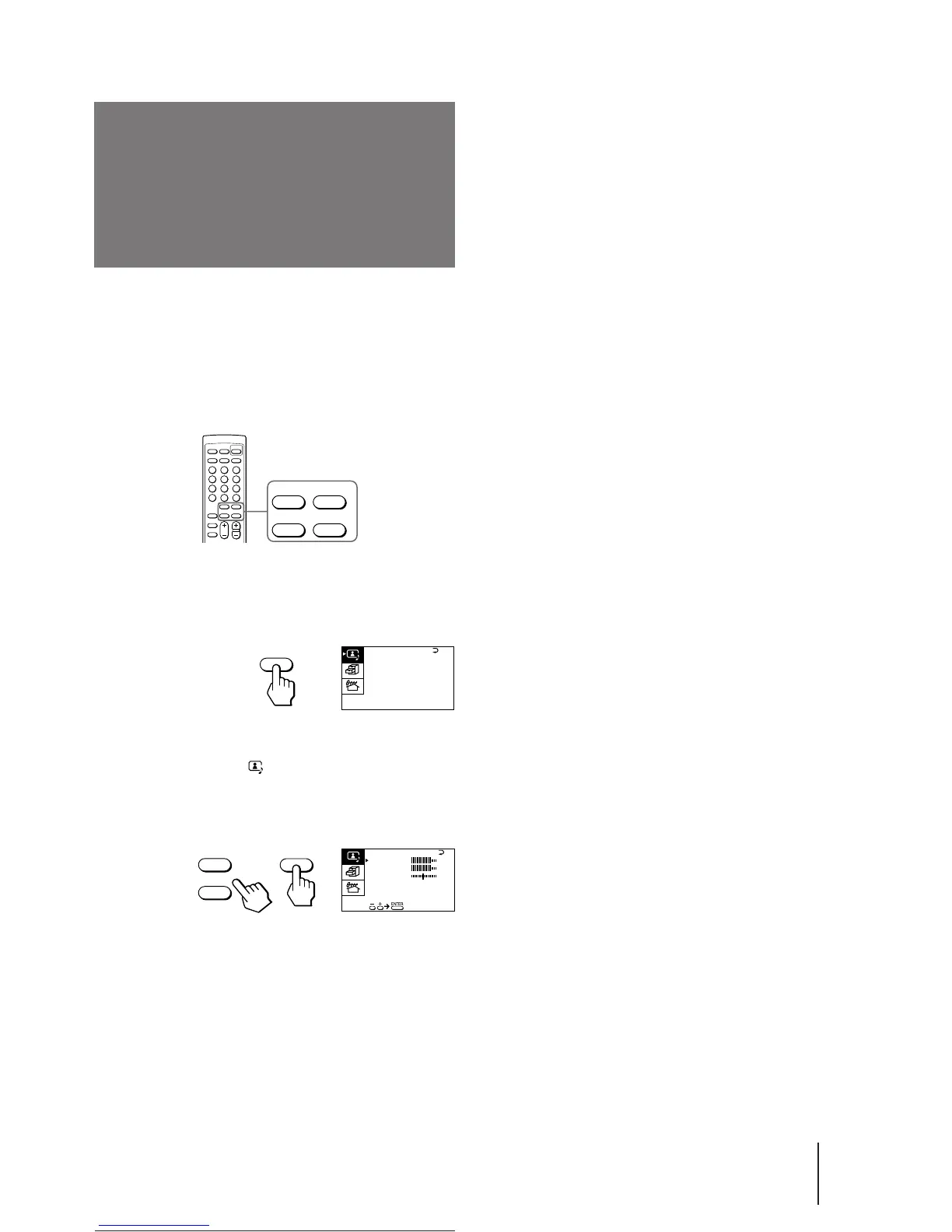
1 Press MENU.
2 Make sure the cursor (z) appears in the A/V
CONTROL menu ( ), and press ENTER.
3 Press + or – to move the cursor (z) to AUDIO
ADJUST, and press ENTER.
4 Press + or – to move the cursor (z) to
3D WOOFER, and press ENTER.
5 Press + or – to select OFF, and press ENTER.
6 Press MENU to return to the normal screen.
Listening to the
woofer sound
(3D WOOFER)
MENU
ENTER
+
–
A / V CONTROL
DYNAMIC
SOFT
STANDARD
PERSONAL
V I DEO ADJUST
AUD I O ADJUST
MENU
+
–
BASS
80
00
80
TREBLE
BALANCE
AUD I O ADJUST
3D WOOFER : ON
ENTER
Notes
• To listen to the woofer sound, make sure that the 3D WOOFER
is properly connected to the TV (see page 6).
• You can also disconnect the 3D WOOFER from the TV to turn
off the woofer sound.





 To Next Page