Getting Started
8
-EN
Introducing the
menus
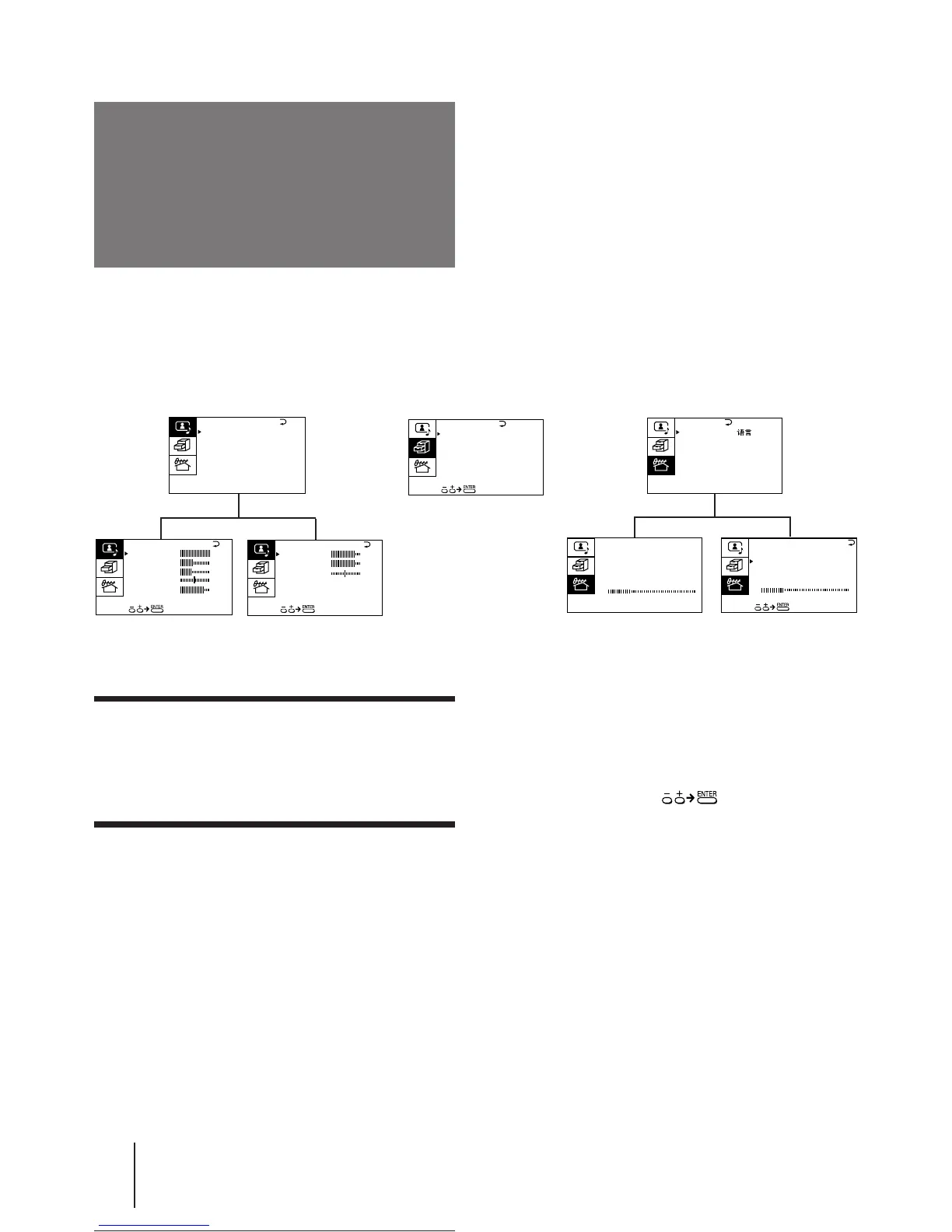
A/V CONTROL
You can preset TV channels, adjust the picture and sound qualities, and select some settings using the on-screen
menus. You can use the buttons on both the remote commander and the TV to operate the menus.
Notes (except for AUTO PROGRAM)
• When a menu is selected after pressing ENTER, the color of
both the menu and the menu symbol change and the cursor
(z) appears beside the first item of the menu.
• When an item on the menu is selected after pressing ENTER,
the color of the item changes.
• You can refer to the guide (
) at the bottom of the
menus (except for the A/V CONTROL and PRESET menus)
for the basic operations of the menu.
• If more than approximately 60 seconds elapse after you press a
button, the menu screen disappears automatically.
PRESET
BASS
80
00
80
TREBLE
BALANCE
AUD IO ADJUST
3D WOOFER : ON
∗
∗∗
∗
P I CTURE
40
100
0
80
V I DEO ADJUST
COLOR
BR I GHT
HUE
SHARP
VM : HIGH
45
0
FEATURES
(∗KV-J29MF1/J29MF1S/J29MH2/J29MN21 only)
(∗∗KV-J25MH2/J29MH2/J25MN21/J29MN21 only)
Getting back to the previous menu
(except for AUTO PROGRAM)
Press + or – to move the cursor (z) to the first
line (N) of each menu, and press ENTER.
Cancelling the menu screen
Press MENU.
SURROUND :
OFF
MONITOR
AV OUT :
FEATURES





 To Next Page