Getting Started
-EN
7
VIDEO IN
MON/TV
OUT
2
1
VIDEO
AUDIO
L
R
(MONO)
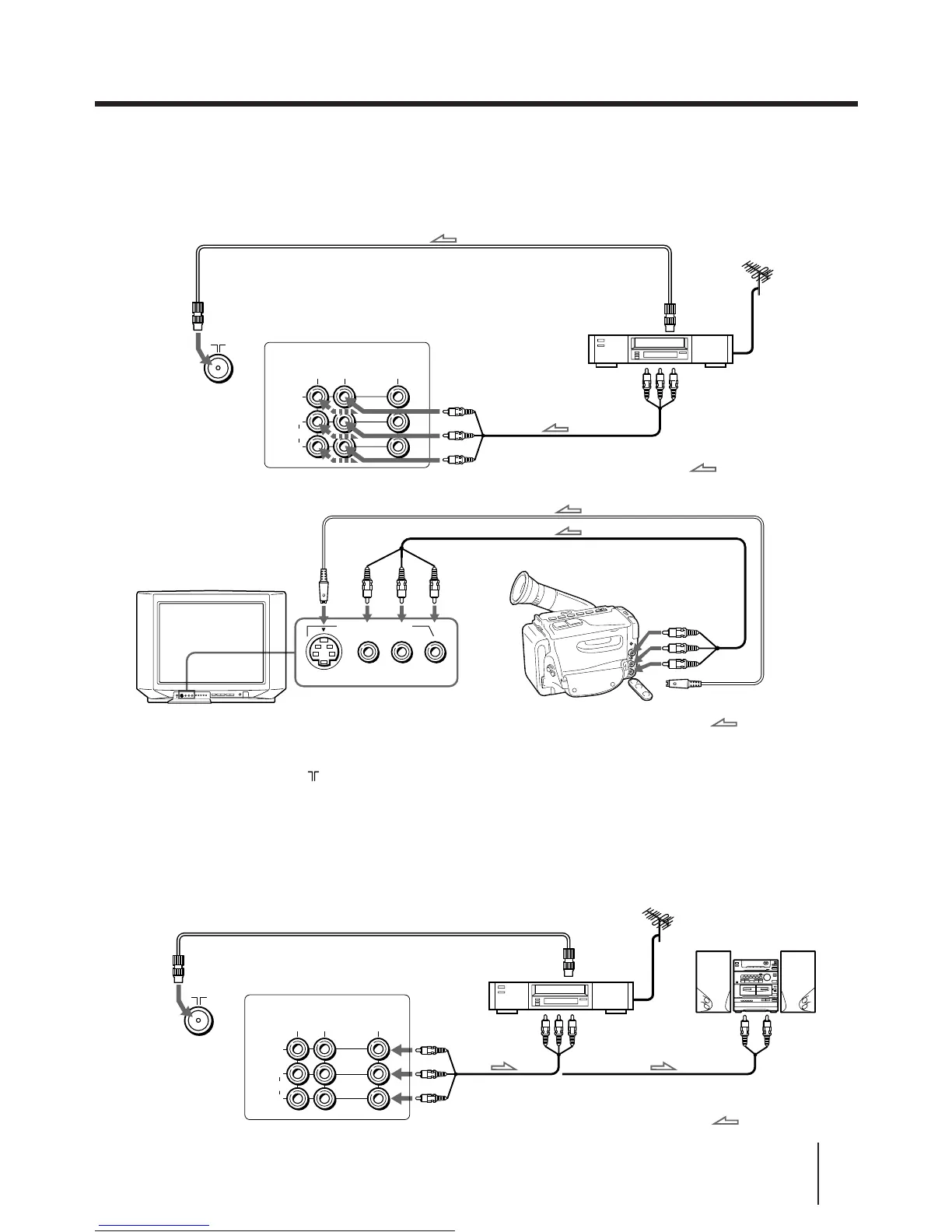
Connecting optional equipment
You can connect optional audio/video equipment to your TV such as a VCR, multi disc player, camcorder, video
game, or stereo system.
Connecting video equipment using video input jacks
or
VIDEO (yellow)
AUDIO-L (white)
AUDIO-R (red)
to video and
audio inputs
: Signal flow
VCR
to
antenna
output
Audio system
to
antenna
socket
Rear of TV
to audio
inputs
When connecting a monaural VCR
Connect the yellow plug to VIDEO and the black plug to AUDIO-L (MONO).
When connecting a VCR to the (antenna) terminal
Preset the signal output from the VCR to the program position 0.
If both S Video and video signals are input simultaneously
The S Video input signal is selected. To view a video input signal, disconnect the S Video connection.
Note on the video input
When no signal is input, the screen becomes blue.
Connecting audio/video equipment using MON/TV OUT jacks
VIDEO
S VIDEO
(MONO)
L–AUDIO–R
VIDEO 3 INPUT
VIDEO IN
MON/TV
OUT
2
1
L
R
(MONO)
VIDEO
AUDIO
Front of TV
Rear of TV
to
antenna
socket
VIDEO (yellow)
AUDIO-L (white)
AUDIO-R (red)
: Signal flow
VCR
to
antenna
output
to video and
audio outputs
Camcorder
to video and
audio outputs
to S video output
: Signal flow





 To Next Page