Operations
18
-EN
The SURROUND feature enables you to enjoy a
surround sound effect that is like being in a large hall
or live concert when receiving stereo signals.
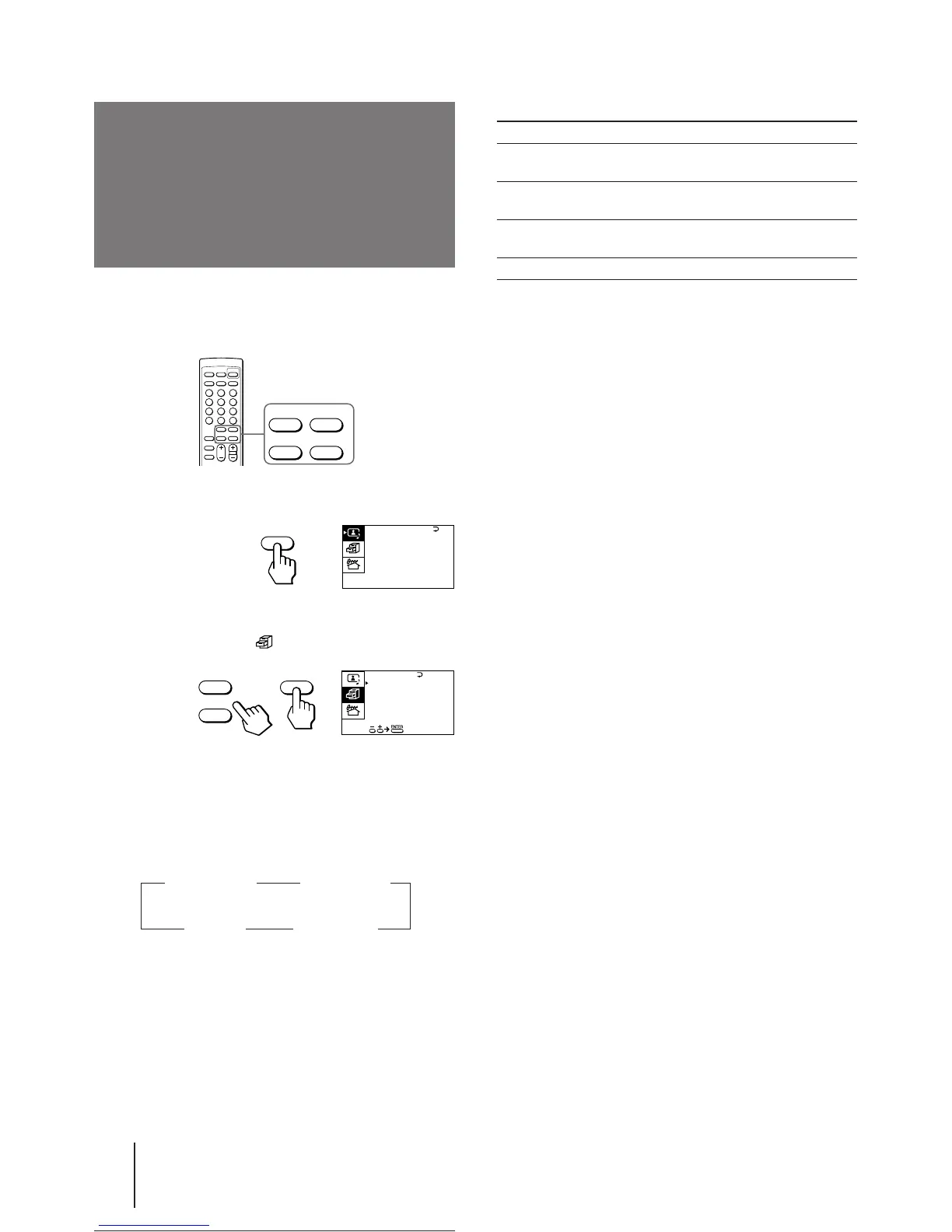
1 Press MENU.
2 Press + or – to move the cursor (z) to the
FEATURES menu ( ) , and press ENTER.
3 Make sure the cursor (z) appears beside
SURROUND, and press ENTER.
4 Press + or – to select HALL〈SRS〉, LIVE〈SRS〉,
or SPACE, and press ENTER.
For details on each item, see “Description of adjustable
items“ below.
5 Press MENU to return to the normal screen.
Listening to the
surround sound
(SURROUND)
Description of adjustable items
Select To
HALL〈SRS〉 Listen to a sound that spreads out over a
large area.
LIVE〈SRS〉 Listen to the sound that gives the feeling
of being at a live concert.
SPACE Listen to a monaural sound that gives a
stereo-like effect.
OFF Turn off the surround sound.
Note
• The µ ® SRS (SOUND RETRIEVAL SYSTEM) is
manufactured by Sony Corporation under license from SRS
Labs, Inc. It is covered by U.S. Patent No. 4,748,669.
The word “SRS” and the SRS symbol µ are registered
trademarks of SRS Labs, Inc.
MENU
ENTER
+
–
SPACE
OFF
z
z
z
HALL〈SRS〉 LIVE〈SRS〉
z
+
–
SURROUND :
OFF
MONITOR
AV OUT :
FEATURES
ENTER
A / V CONTROL
DYNAMIC
SOFT
STANDARD
PERSONAL
V I DEO ADJUST
AUD I O ADJUST
MENU





 To Next Page