11
Overview of Controls
Overview of Controls
Sony KV-SA32M36 Group F12 (GB)_2-348-392-11 (1)
WOW, TruSurround, SRS and symbol are trademarks of SRS Labs, Inc. WOW
and TruSurround technologies are incorporated under license from SRS Labs, Inc.
Licensed by BBE Sound, Inc. under USP4638258, 4482866.
“BBE” and BBE symbol are trademarks of BBE Sound, Inc.
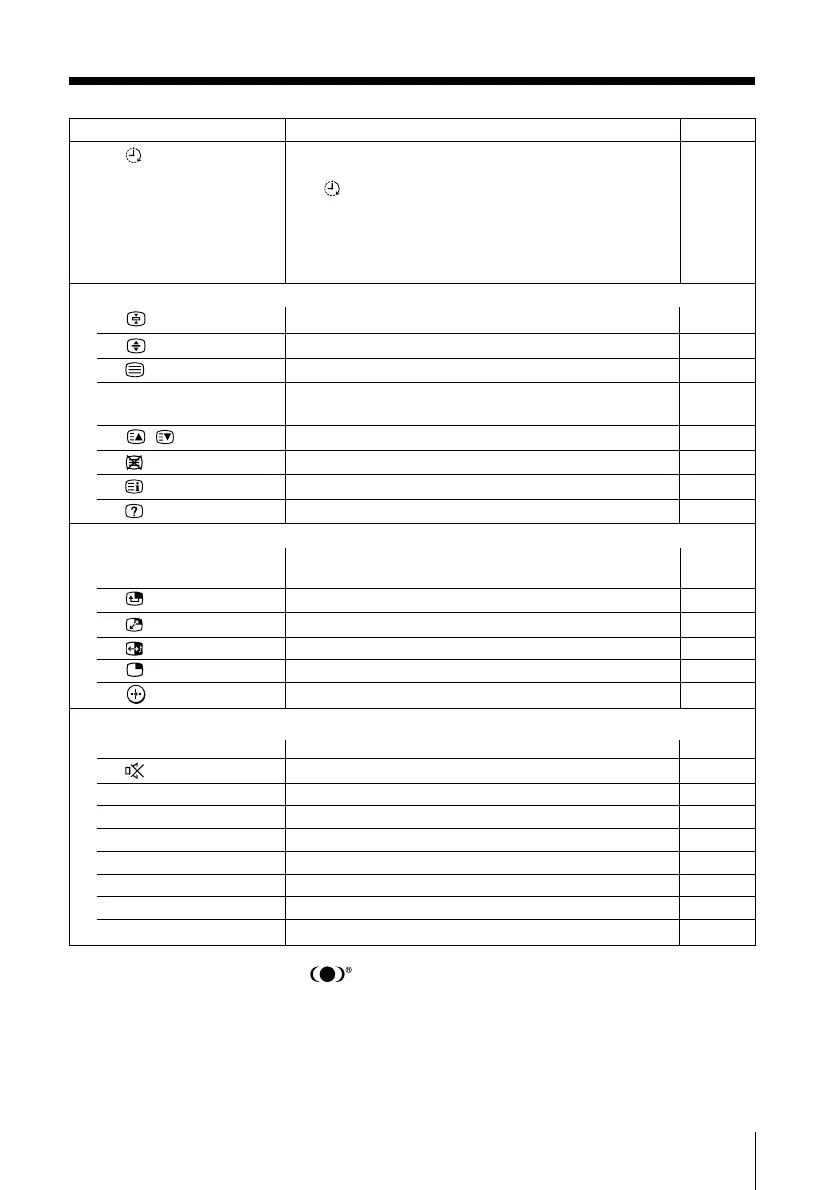
Button Description Page
qj
Set TV to turn on automatically according to the
–
desired period of time (max. of 12 hours).
The indicator on TV lights up amber once you
set the wake up timer.
If no buttons or controls are pressed for more than
one hour after the TV is turned on using the wake up
timer, the TV automatically goes into standby mode.
Teletext operations (green label)
4 Stop Teletext from scrolling. 18
7 Enlarge the Teletext display. 18
q; Display Teletext broadcast. 18
qs z (red, green, Access a FASTEXT menu. 18
yellow, blue)
qg
, Display the next or previous page. 18
qh Show TV screen while waiting for Teletext page. 18
qj Display Teletext service contents. 18
ql Reveal concealed information. 18
PIP operation (yellow label)
9 PIP PROG +/ Display and change programs in the sub screen. 16
PIP PROG –
wa Adjust position of sub screen. 16
ws Swap main and sub screens. 16
wd Swap sound between main and sub screen. 16
wf Display a sub screen. 16
wh Change sub screen to main screen. 16
Optional components operations
2 VIDEO ?/1 Power. 19
qk Mute the sound. 19
wg > Fast forward/Step forward. 19
wg . Rewind/Step backward. 19
wg x Stop. 19
wg X Pause. 19
wh N Play. 19
e; 2 +/– Adjust volume. 19
ea OPTION Operate optional components. 19
(Wake Up Timer)
01GB04INS-STMOce.p65 10/14/04, 6:07 PM11
Black








 To Next Page