15
Advanced Operations
Sony KV-SA32M36 Group F12 (GB)_2-348-392-11 (1)
x Enjoying the WEGA Theatre Mode
with center speaker
The WEGA Theatre Mode enables you to enjoy the best picture, sound and
surround effect of a cinema from a DVD source. You can use your TV speaker as
the center speaker of your audio system for optimum vocal enhancement and
control its sound volume from the remote of the TV.
Setting up WEGA Theatre Mode
1. Connect the center speaker terminals of the amplifier to the center speaker
input terminal on the TV (see page 35).
2. Select the proper video input from “WEGA Theatre Setup” menu and turn on
the connected equipment (see page 31).
3. Set up the remote to work with the connected equipment (see page 19).
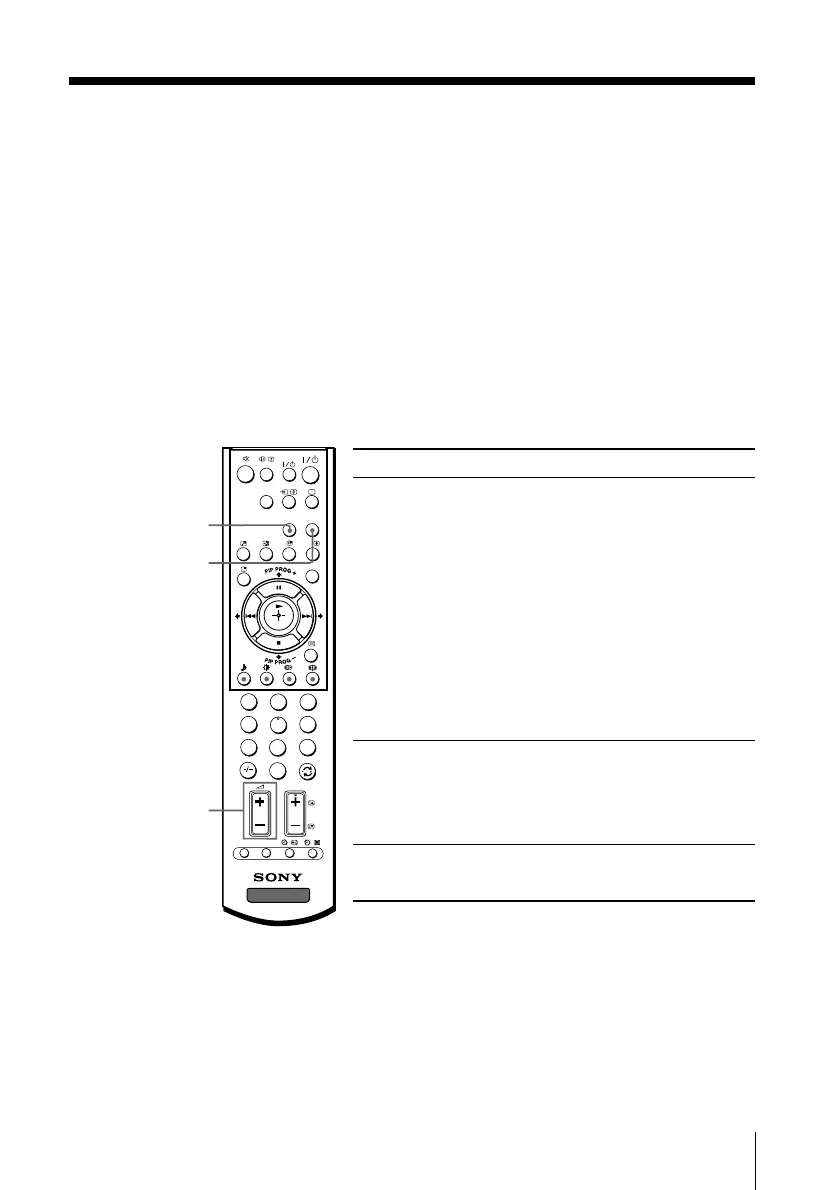
To Press
switch to WEGA WEGA THEATRE.
Theatre Mode Be sure to aim the remote control
at the TV set and connected
equipment for about one second
after the button is pressed.
The connected equipment turns
on automatically from standby
mode and will start playing.
The “Picture Mode” and “Sound
Mode” will switch automatically
to “Personal” and you can adjust
the setting to your personal
preference (see pages 24 and 26).
switch to center CENTER SP repeatedly until
speaker mode “CENTER IN Speaker” appears.
To return to normal speaker
mode, press the button repeatedly
until “MAIN Speaker” appears.
adjust center 2 +/–
speaker volume
Notes
• Be sure to place your TV and connected equipment adjacent to each other so that you can
control both the TV and the connected equipment by using the TV’s remote control at the
same time (see page 19).
• The WEGA Theatre and center speaker modes are automatically cancelled when you change
the program number, video input or turn the TV off and on again.
• When the TV is in the center speaker mode, you cannot use the PIP feature, change the
surround sound and the “Intelligent Volume” mode.
• Some equipment might not respond properly when WEGA THEATRE button is pressed. In
this case, use the equipment’s own remote control.
1
2
3
4
6
7
8
9
0
5
DVD
MENU
TV
PROG
VIDEO
A/B
OPTION RESET
CENTER
SP
WEGA
THEATRE
CENTER SP
2 +/–
WEGA THEATRE
01GB05AVD-STMOce.p65 10/14/04, 6:07 PM15
Black








 To Next Page