28 Menu Adjustment
Sony KV-SA32M36 Group F12 (GB)_2-348-392-11 (1)
PIP
Swap
PIP:
Position:
Off
Confirm
End
Select
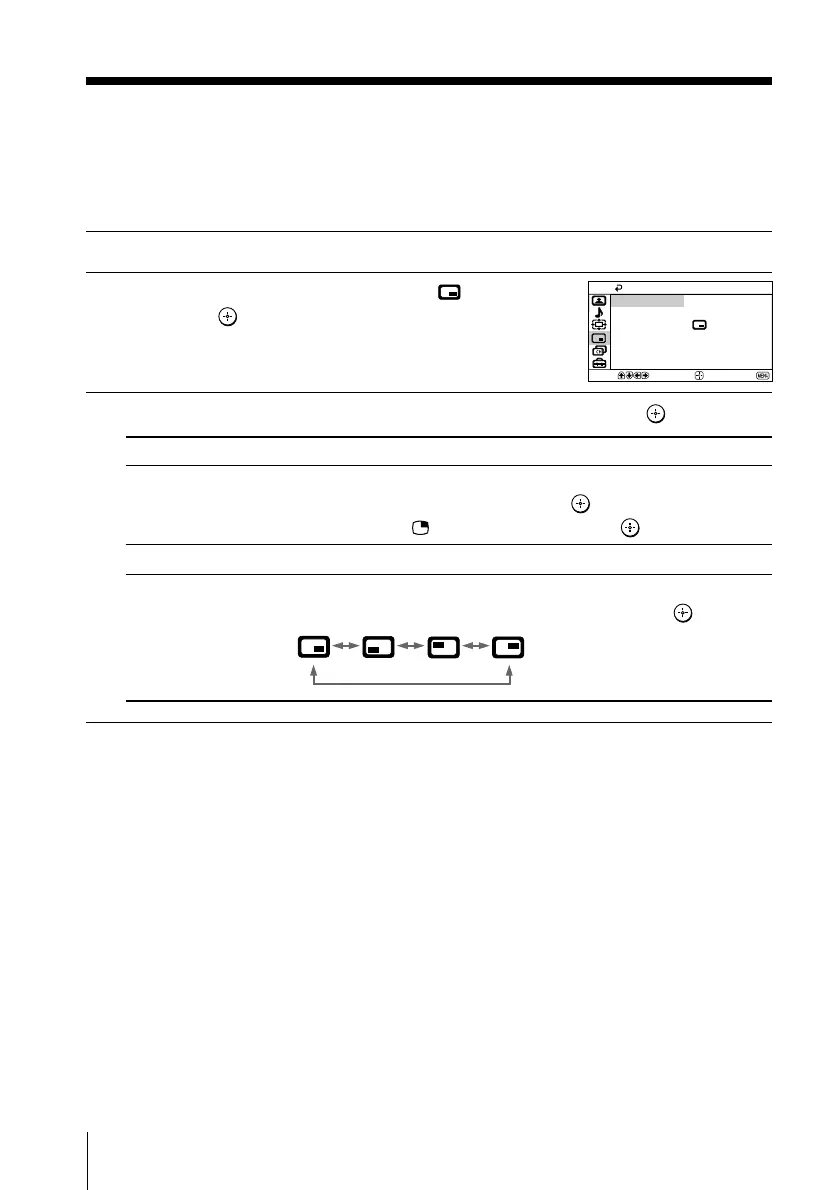
x Changing the Picture-in-Picture
(“PIP”) setting
The “PIP” menu allows you to display a sub screen, exchange pictures between
the main and sub screens and change the sub screen position.
1
Press MENU.
2
Press V or v to select the “PIP” icon ( ),
then press
.
3
Press V or v to select the desired item (e.g., “PIP”), then press .
Select
“PIP”
“Swap”
“Position”
To
display a sub screen.
Press V or v to select “On”, then press
.
To cancel, press or select “Off”, then press .
exchange pictures between the main screen and sub screen.
change the position of the sub screen.
Press V or v to select the desired position, then press
.
01GB06ADJ-STMOce.p65 10/14/04, 6:07 PM28
Black








 To Next Page