90
Setting Up the Printer (Continued)
Connection and Adjustment
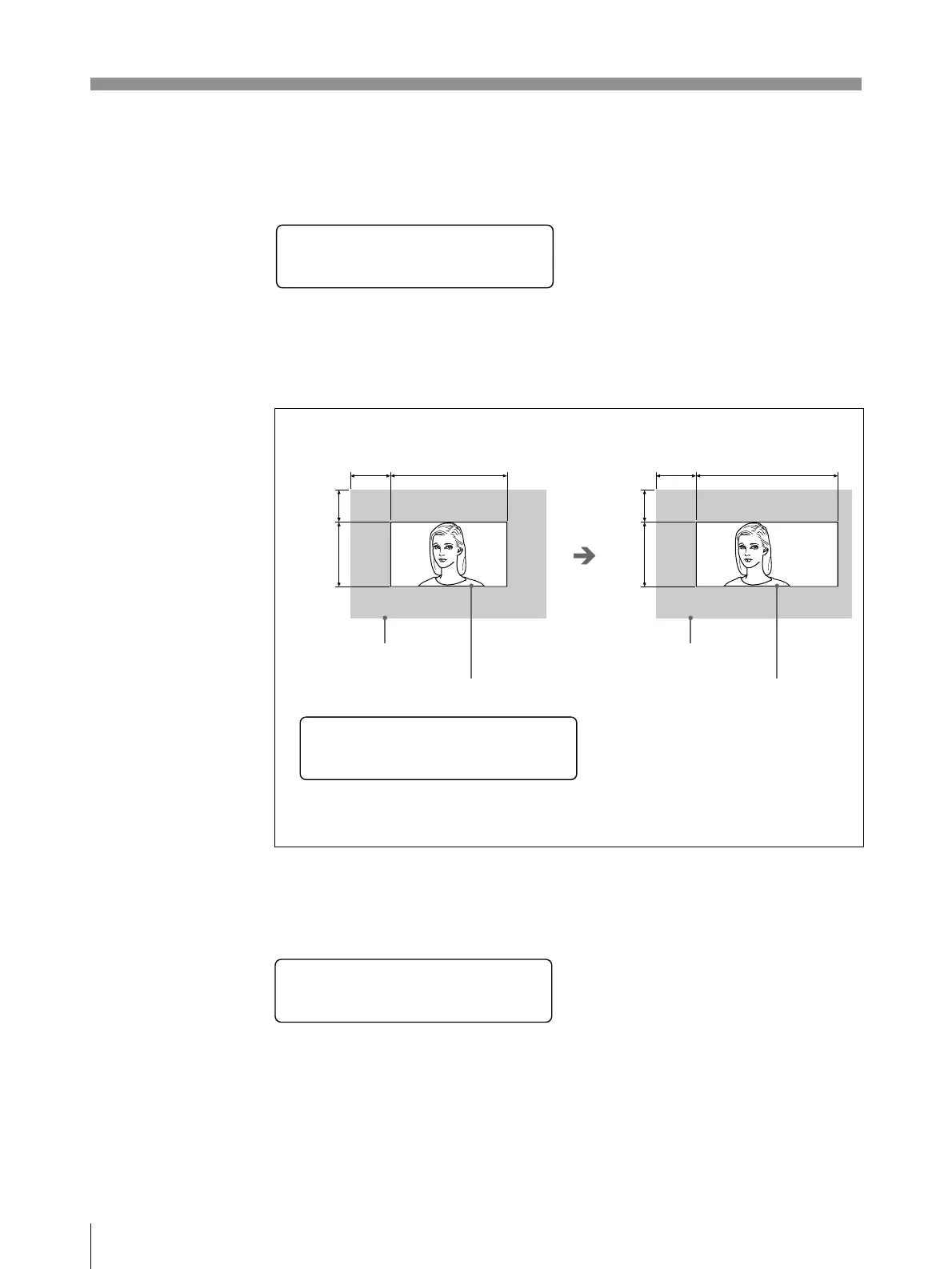
Adjustment on the H-SIZE sub menu
Specifies the horizontal size in dots.
The following printer window display shows the value set in auto scan mode.
Example: The horizontal size is too small with the above setting, and the right
portion of the picture will be missing if the horizontal shift is adjusted.
Increase the H-SIZE value.
Adjustment on the V-SHIFT sub menu
Specifies the vertical shift value in lines.
The following printer window display shows the value set in auto scan mode.
When the H-SIZE value is set to 1210 dots;
The print area is widened by 10 dots
with the left edge remaining fixed.
Input image
Print area (Printout size)
Input image
Print area (Printout size)
H S I Z E
:
1 2 0 0 d o t s
_
H S I Z E
:
1 2 1 0 d o t s
_
V S H I F T
:
22
lines
_
H-SHIFT H-SIZE
V-SHIFT
V-SIZE
H-SHIFT H-SIZE
V-SHIFT
V-SIZE



 To Next Page