91
Connection and Adjustment
Example: A black border appears on the lower part of the printout with the above
setting.
Decrease the V-SHIFT value.
Adjustment on the V-SIZE sub menu
Specifies the vertical size in lines.
The following printer window display shows the value set in auto scan mode.
Example: The vertical size is too large with the above setting, and a black border
appears on the lower part of the printout.
Decrease the V-SIZE value.
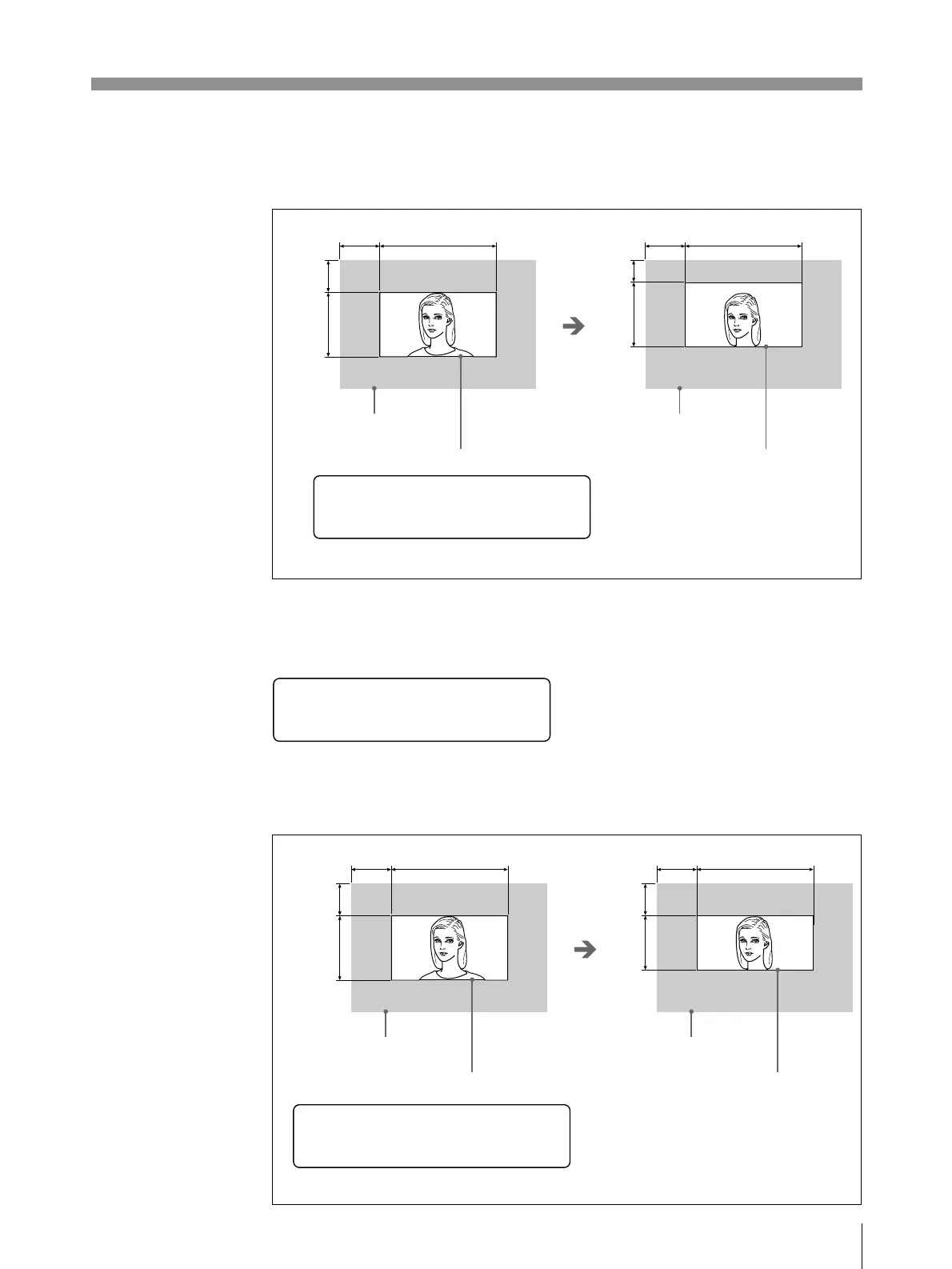
When the V-SHIFT value is set to 12 lines;
The print area shifts upward
by 10 lines.
Input image
Print area (Printout size)
Input image
Print area (Printout size)
When the V-SIZE value is set to 488 lines;
The print area is reduced with the
top edge remaining fixed by 10 lines.
Input image
Print area (Printout size)
Input image
Print area (Printout size)
V S H I F T
:
12
lines
_
V S I Z E
:
478 l i nes
_
468
lines
V S I Z E
:
_
H-SHIFT H-SIZE
V-SHIFT
V-SIZE
H-SHIFT H-SIZE
V-SHIFT
V-SIZE
H-SHIFT H-SIZE
V-SHIFT
V-SIZE
H-SHIFT H-SIZE
V-SHIFT
V-SIZE



 To Next Page