105
nN
Upgrading your VAIO computer
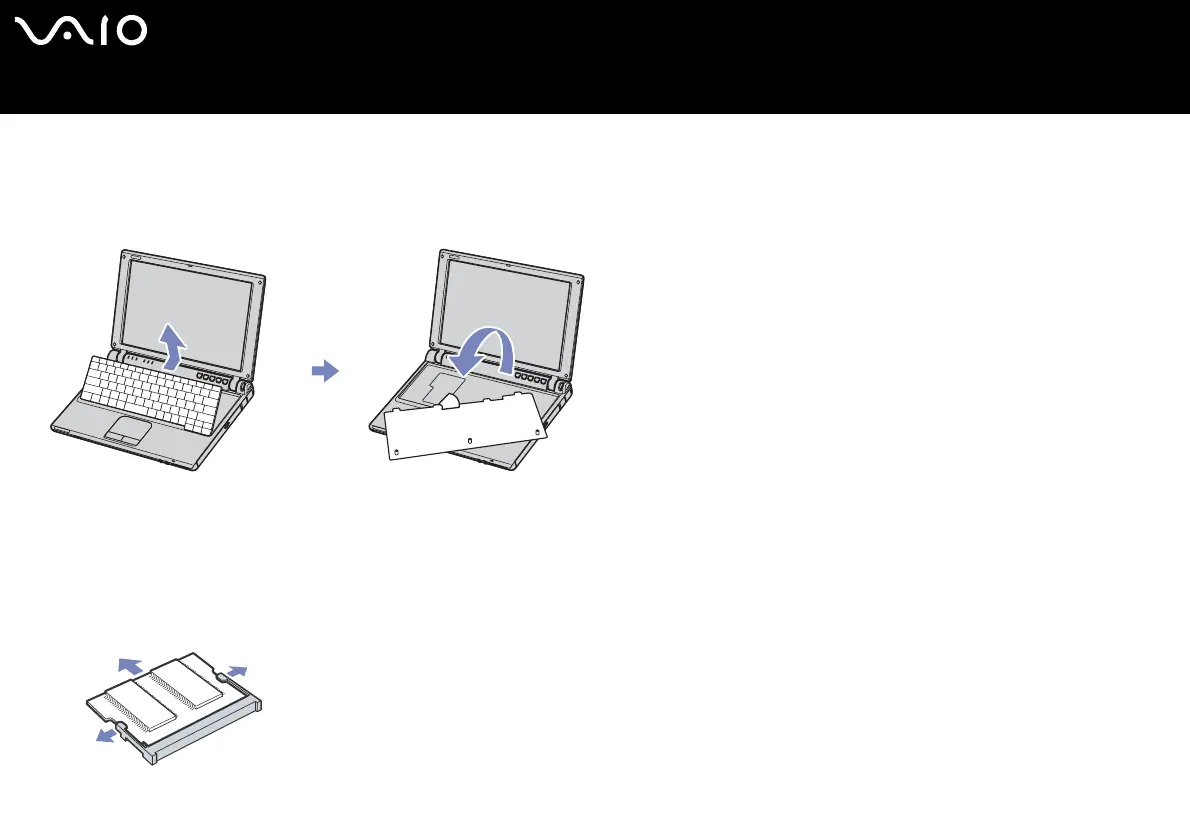
8 Lift the keyboard from the LCD display side and gently turn it over the touchpad. Be careful not to detach the cable when lifting
the keyboard.
If it results difficult to lift the keyboard, you can press the keyboard with a thin, not breakable stick via the screw hole on the
bottom panel.
9 Touch a metal object (such as the connector panel on the back of your computer) to discharge static electricity.
10 Remove the memory module:
❑ Pull the tabs in the direction of the arrows.
The memory module is released.
❑ Pull the memory module in the direction of the arrow.
11 Remove the new memory module from its packaging.




 To Next Page