106
nN
Upgrading your VAIO computer
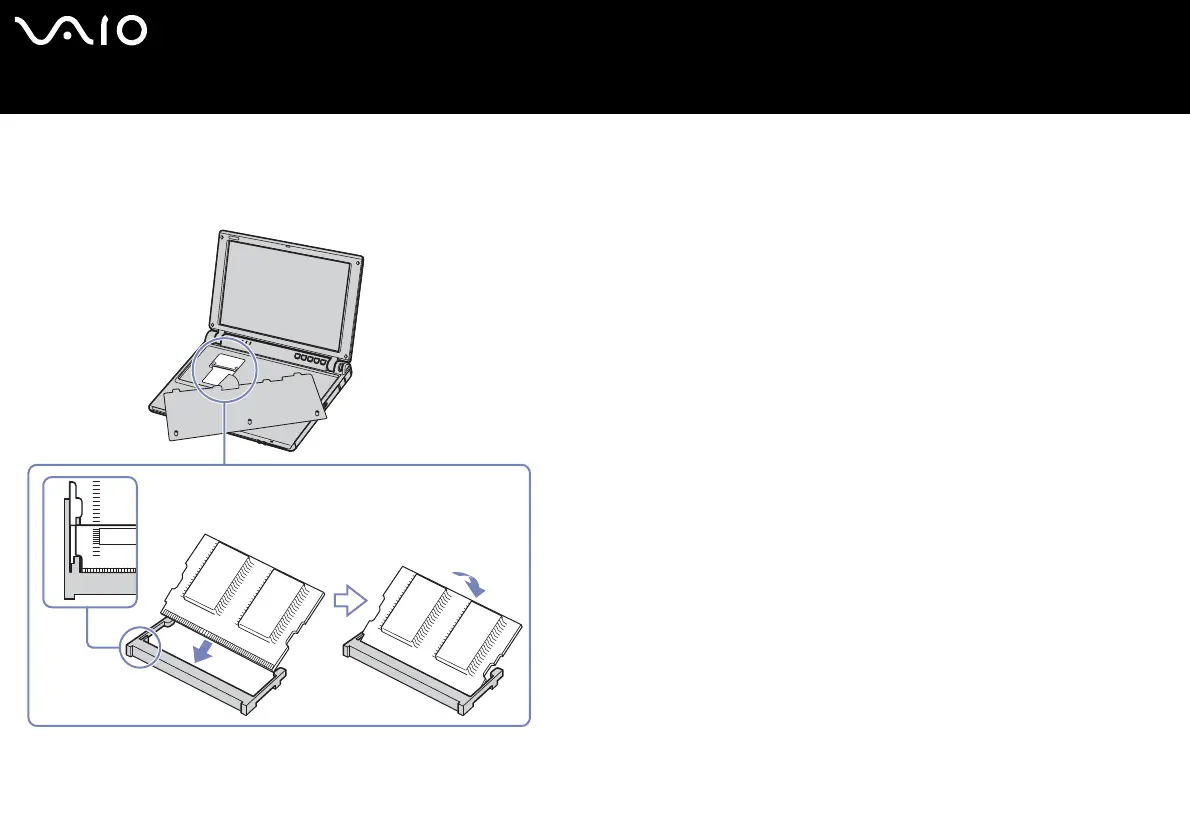
12 Install the memory module. Be careful not to touch the other components on the motherboard.
❑ Slide the memory module into the slot.
❑ Snap the connectors into place when the board is correctly seated.
13 Place the keyboard back on the notebook, pressing gently the Alt key on the keyboard.






 To Next Page