15
Connecting the Projector
Preparation
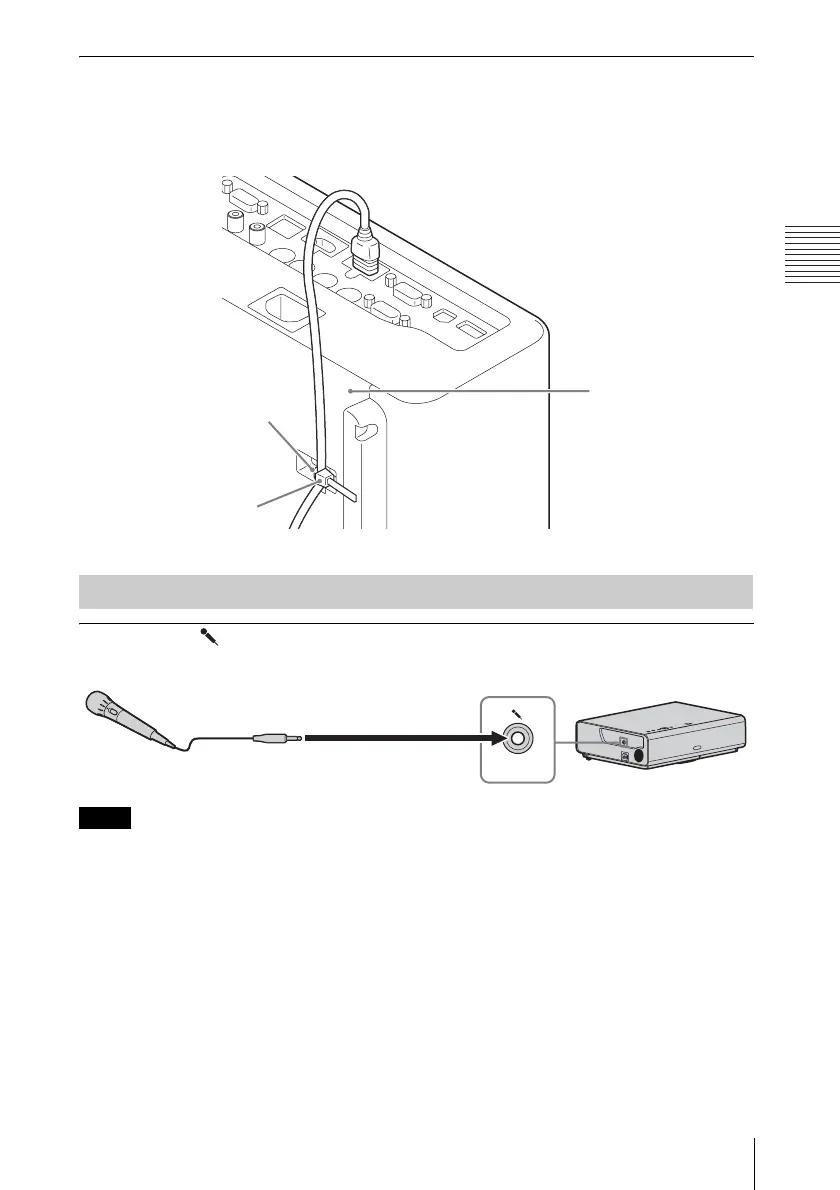
To attach the HDMI cable
Fix the cable to the cable tie holder at the bottom of the projector, using a commercially
available cable tie, as in the illustration.
Use a cable tie of less than 1.9 mm × 3.8 mm in thickness.
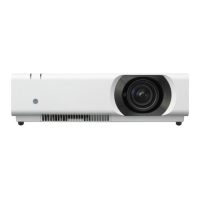
Microphone ( )
For connecting a microphone.
Only dynamic microphones are supported.
Connecting a microphone
Note
Cable tie holder
Cable tie
(commercially
available)
Bottom of the projector
Microphone
(not supplied)



 To Next Page