11
Preparation
Setting the System Setup
When [System Setup] is selected in the initial display of the setting menu, the [System Setup]
window is displayed. Select the desired item and press the ENTER (or right) key to activate its
setting items. To input the desired value for the items, press the ENTER (or right) key. You can
return to the setting menu with the ENTER (or left) key. Click [OK] to save the settings and
return to the initial display of the setting menu. If you select [Cancel], the settings will not be
saved and the initial display of the setting menu appears.
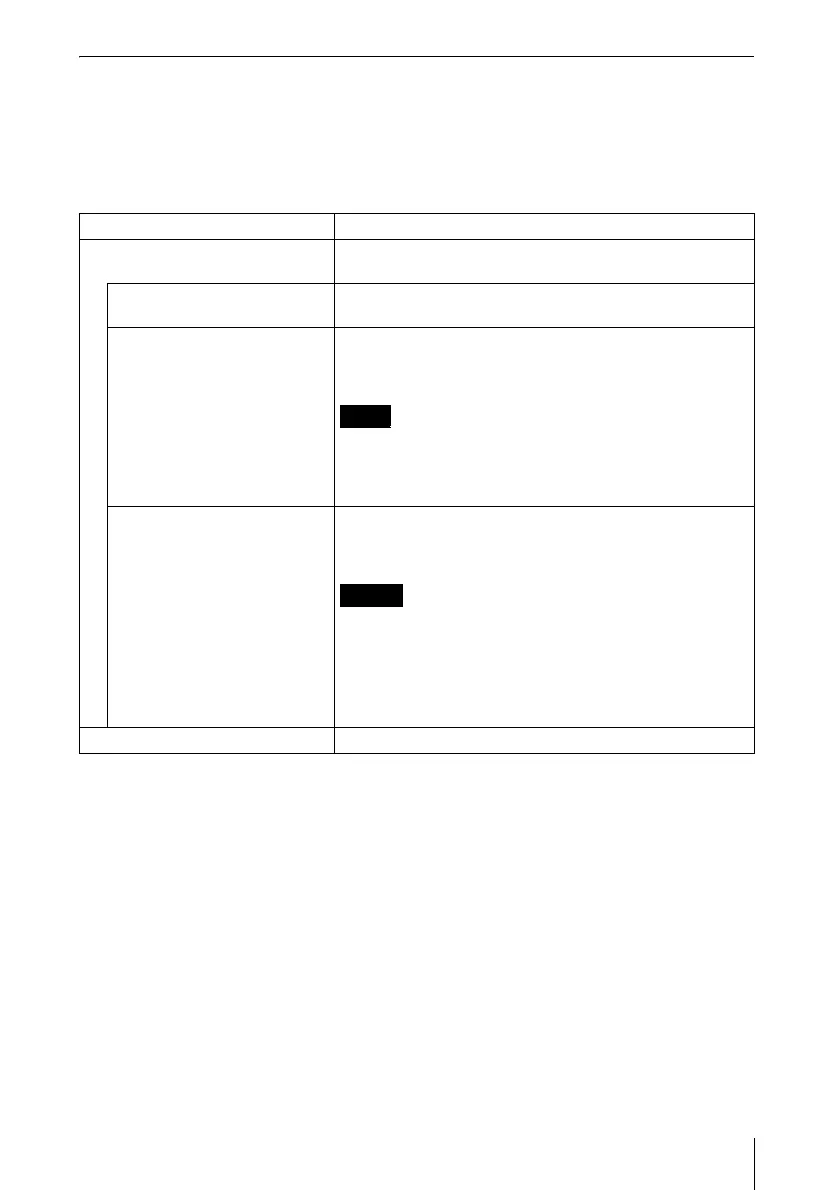
Items Functions
Network Input the [Nickname], [Group Name] and [Password] for
the projector.
Nickname Enter the nickname proper to the projector with the
maximum of 24 characters/numbers/symbols.
Group Name Set when limiting the connection of the projector.
Enter the group name who can connect to the projector with
the maximum of 8 characters/numbers/symbols.
If you enter a different group name from that of the [Group
Name] of [Profile Setting] tab in the application software of
the computer to be connected, the application software does
not display the Projector button.
Password Set when limiting the connection of the projector.
Enter the password to connect to the projector with the
maximum of 32 characters/numbers/symbols.
• When you enter the Password, you need re-enter it for
confirmation.
• If you enter a different password from that of the
[Password] of [Profile Setting] tab in the application
software of the computer to be connected, you cannot
connect to the projector.
Information Displays the version of each function.
Note
Notes



 To Next Page