13
Connection
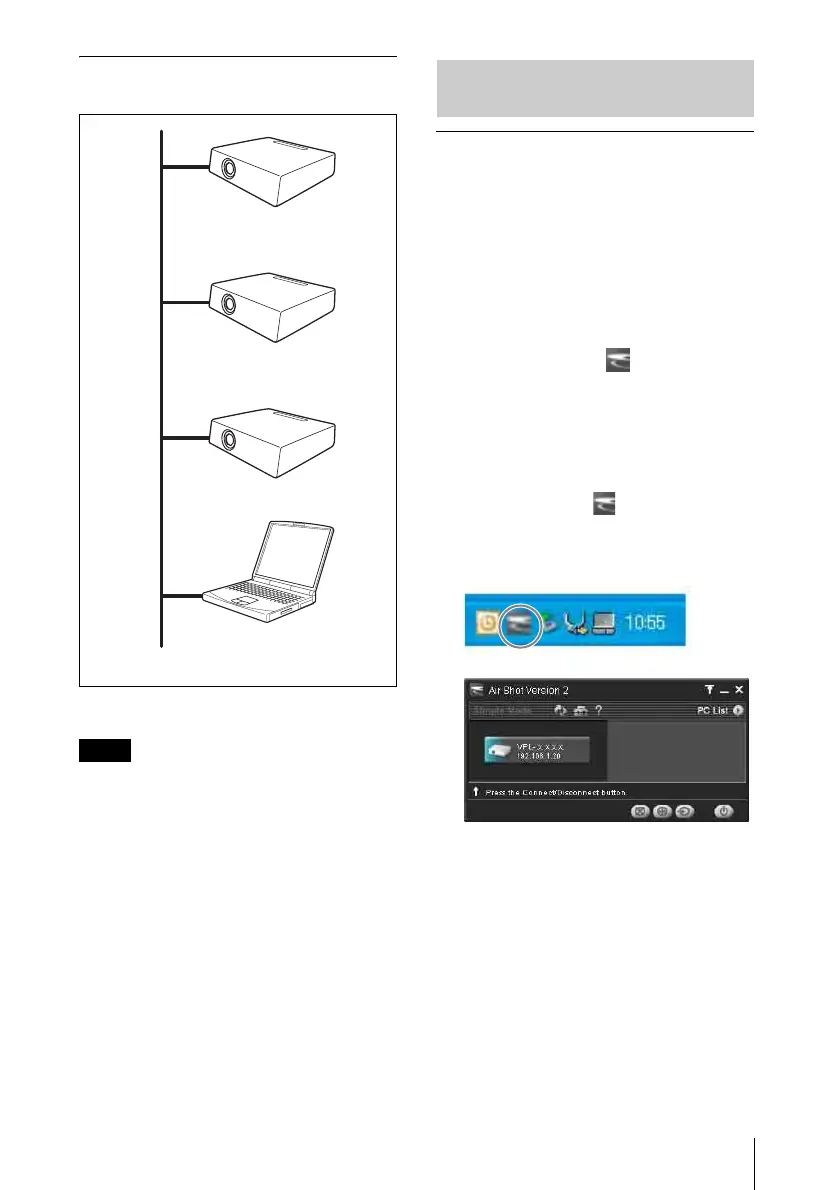
Connecting to several projectors at
the same time
* A maximum of 5 projectors can be
connected at the same time.
• To connect to LAN, contact your network
administrator.
• 5 projectors may not be able to be connected
at the same time due to the computer.
• When the projector and a computer that has a
different network segment (subnet) are
connected, set [PC Registration List] (page
10) on the projector and [Projector Setting]
(page 18) on the computer.
Connecting
1 Turn on the power of the projector and
press the INPUT E or AIR SHOT key
on the remote commander.
The home display of the network
presentation appears.
2 Start the Projector Station for Air Shot
Ve r s i o n 2 .
When it starts, the [ ] icon appears in
the task tray.
When [Create Shortcut Icon into Startup
Folder.] is selected at installation, the
Projector Station for Air Shot Version 2
starts automatically.
3 Right-click the [ ] icon in the task
tray and select [Open].
The main window of Projector Station
for Air Shot Version 2 opens.
4 Press the AIR SHOT key on the
remote commander.
The list of the computer connected to the
projector appears.
5 Press the M or m key on the remote
commander to select the computer,
and then press the ENTER key.
When the connection confirmation
message appears in the computer, click
[Yes] to connect.
Notes
Computer
LAN
Projector*
Projector*
Projector*
Connecting/Disconnecting/
Switching from the Projector



 To Next Page