19
Setting/Operating via Web
Setting/Operating
via Web
You can check the information of the
projector from the computer or operate the
projector on the computer. Check the
connection and turn on the equipment.
You can access the Web page of the projector
by either of the following two ways.
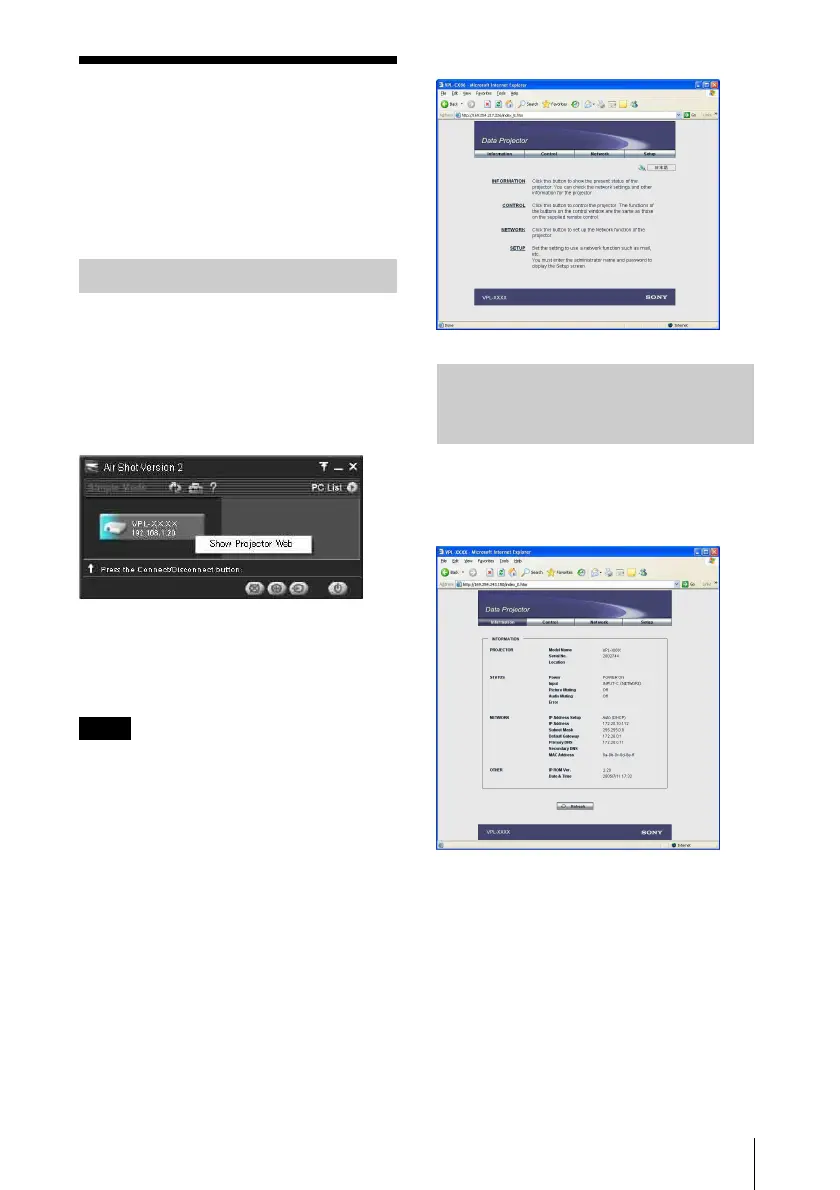
Right-click the projector button in the main
window of Projector Station for Air Shot
Version 2 and click the displayed [Show
Projector Web].
Start a browser of the computer (Internet
Explorer 5.0 or higher) and enter the address
“http://xxx.xxx.xxx.xxx (IP address of the
projector)”.
If the browser of your computer is set to
“Access the Internet using a proxy server,”
enter the IP address of the projector in the box
“Access the Internet without using a proxy
server” when you have access to the projector
from your computer.
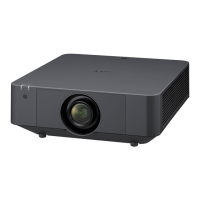
After access, the following display appears.
Click [Information].
You can confirm the current state of the
projector on the computer. You cannot
change the settings of the projector.
Accessing from the Computer
Note
Confirming the State of
Projector Settings
(Information)



 To Next Page