EasyManua.ls Logo

Sony VPL-FE40 - User Manual

Sony VPL-FE40
30 pages
Print Icon
To Next Page IconTo Next Page
Loading...
2-686-489-18 (1)
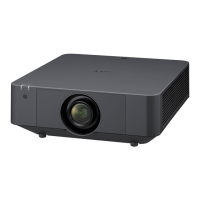
Data Projector
Operating Instructions
for Network
© 2006 Sony Corporation
VPL-FE40/FE40L
VPL-FX40/FX40L
VPL-FX41/FX41L
VPL-FW41/FW41L

Other manuals for Sony VPL-FE40

Questions and Answers

  • J
    Joseph HarrellAug 19, 2025
    How to fix Sony Projector when the power is not turned on?
    • R
      rickeygonzalezAug 20, 2025
      If your Sony Projector is not turning on, it could be due to a few reasons. If the power has been turned off and on with the I / 1 key at a short interval, wait for about 60 seconds before turning it on again. Also, check if the lamp cover or the air filter cover is detached and close them securely.
  • S
    stevenspatriciaAug 21, 2025
    Why is the ON/STANDBY light flashing red on my Sony Projector?
    • T
      Taylor DillonAug 22, 2025
      If the ON/STANDBY light on your Sony Projector is flashing red with a repetition rate of 2 flashes, it indicates that the internal temperature is unusually high. Check to see that nothing is blocking the ventilation holes. If the projector is being used at a high altitude, ensure that “Cooling Setting” on the Setup menu is set to “On.”
  • A
    Amanda CruzAug 25, 2025
    What to do if my Sony VPL-FE40 Projector has no picture?
    • V
      vwallaceAug 25, 2025
      If your Sony Projector displays no picture, there might be a few reasons: * The cable might be disconnected or improperly connected. Ensure all connections are correct. * The input selection may be incorrect. Use the INPUT key to select the correct input source. * The picture might be muted. Press the PIC MUTING key to release the muting function. * The computer signal may not be set to output to an external monitor. Set the computer signal to output only to an external monitor.
  • J
    Joseph WatsonAug 26, 2025
    How to fix a Sony VPL-FE40 that will not turn on?
    • A
      alexanderrobertAug 26, 2025
      If your Sony Projector isn't turning on, consider these potential causes: * If the power was recently turned off and on quickly using the I / 1 key, wait about 60 seconds before attempting to turn it on again. * The lamp cover might be detached. Make sure to securely close the lamp cover. * The air filter cover could be detached. Ensure the air filter cover is securely closed.
  • N
    nicole07Aug 27, 2025
    How to make the picture clearer on my Sony VPL-FE40?
    • A
      Amy GriffithAug 28, 2025
      If the picture on your Sony Projector is not clear, it may be out of focus. Try adjusting the focus. Alternatively, condensation may have occurred on the lens. If so, leave the projector on for about two hours to resolve the issue.
  • R
    Robert ReedAug 29, 2025
    How to fix image extending beyond screen on Sony VPL-FE40?
    • U
      uwalshAug 30, 2025
      If the image extends beyond the screen on your Sony Projector, it could be because the APA key was pressed even though there are black edges around the image. Display the full image on the screen and press the APA key. You can also adjust “Shift” in the Screen menu.
  • G
    Gary ScottSep 1, 2025
    How do I fix a Sony VPL-FE40 Projector image that is too large for the screen?
    • R
      Rachel SmithSep 1, 2025
      If the image from your Sony Projector extends beyond the screen: * If the APA key was pressed while there are black edges, display the full image on the screen and then press the APA key. * Adjust 'Shift' in the Screen menu to properly fit the image to the screen.
  • C
    Clayton SheaSep 2, 2025
    What to do if there is no picture on my Sony VPL-FE40?
    • K
      Katie MarshallSep 2, 2025
      If there is no picture on your Sony Projector, it may be due to a disconnected or wrongly connected cable. Ensure that all connections are properly made. Also, the input selection might be incorrect; use the INPUT key to select the correct input source. The picture might also be muting, so press the PIC MUTING key to release the muting function. If you are using a computer, make sure the computer signal is set to output only to an external monitor.
  • P
    Paula KentSep 4, 2025
    Why is the picture noisy on my Sony Projector?
    • B
      brandonbauerSep 4, 2025
      Noise may appear on the background depending on the combination of the numbers of dot input from the connector and numbers of pixel on the LCD panel. To address this, change the desktop pattern on the connected computer.
  • H
    Heather PowellSep 6, 2025
    How to stop the picture from flickering on my Sony VPL-FE40?
    • J
      James ChangSep 7, 2025
      If the picture on your Sony Projector flickers, it is likely that “Phase” in the Screen menu has not been adjusted properly. Adjust “Phase” in the Screen menu to resolve the flickering.

Sony VPL-FE40 Specifications

General IconGeneral
Brightness4000 lumens
Contrast Ratio2000:1
Display Technology3LCD
Projection Size30 to 300 inches
Resolution1024 x 768 pixels (XGA)
Lamp TypeUHP
Input TerminalsHDMI, VGA, Composite

Related product manuals