15
Connection
• When the projector and a computer that has a
different network segment (subnet) are
connected, set [PC Registration List] (page
10) on the projector and [Projector Setting]
(page 18) on the computer.
• It may take time to project an image due to
the computer.
• External monitor signal of notebook type
computer may not be output when you use
Projector Station for Air Shot Version 2.
Switching
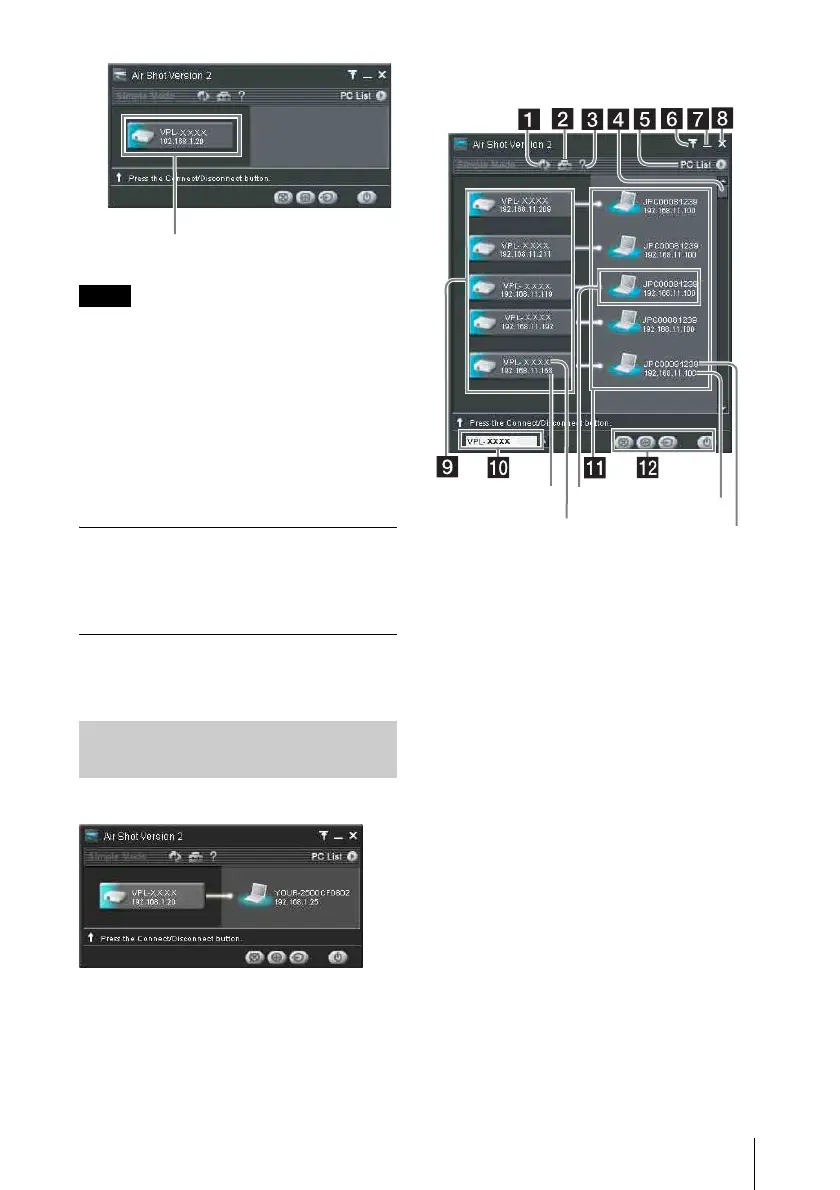
Click the projector button on the main
window and then select the computer to be
connected.
Disconnecting
Click the projector button to disconnect the
project from the computer.
When one projector is connected
When multiple projectors are
connected
Notes
Names and Functions of the
Main Window
Projector button
Computer name
My PC
IP address
Projector name
IP address



 To Next Page