27
Others
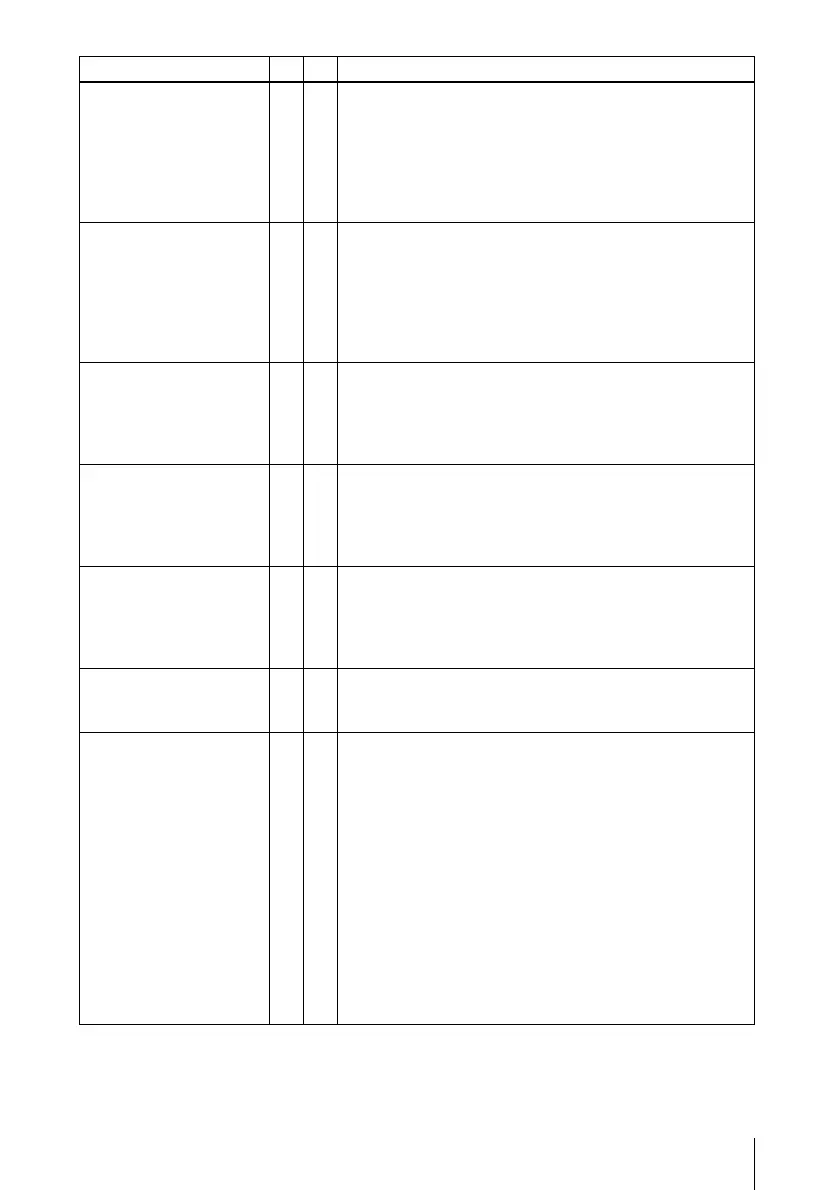
The Projector is busy.
a
• The projector you are trying to communicate is
performing turning on/off operations.
c After the projector operations are complete,
communicate it and turn it off again.
• The [Setting] window of the projector is open.
c Close the [Setting] window and then communicate it
and turn it off again.
Selected PC is busy.
a
• The computer you are trying to communicate is
performing turning on/off operations.
c After the computer operations are complete,
communicate it and turn it off again.
• The [Option Setting] window is open.
c Close the [Option Setting] window and then
communicate it and turn it off again.
Request for connection/
disconnection rejected.
a
• The [Option Setting] -[Connection Setting] - [When
Connection/Disconnection request is received] is set to
[Always No].
c Set it either to [Display Confirm Dialog] or [Always
Yes ].
Projector connection
established already.
a
• The computer cannot communicate with the projector as
the other computer has already established
communications with the projector.
c After the projector is disconnected from the computer,
communicate with the projector again.
Selected PC exceeds
maximum number of
connection.
a
• You tried to connect more than 5 projectors to one
computer.
c Reduce the number of the connected projectors to 4 or
less and then connect it again. (The maximum of 5
projectors can be connected to one computer.)
Projector is stand-by.
a
• The projector you are trying to communicate is in the
standby mode.
c Turn on the projector and then try communicating it.
No response from
projector.
a
• The Projector Station for Air Shot Version 2
communications are blocked because of the Firewall.
c Change the Firewall settings so that the Projector
Station for Air Shot Version 2 communications are not
blocked.
• Network conditions are poor.
c Contact your network administrator.
• The power cord of the projector is removed.
• The network cable is removed from the projector.
c Check the projector status.
• While connecting to the projector, the network cable is
removed from the projector or computer.
c Restart Windows and start the Projector Station for Air
Shot Version 2, and then connect the USB wireless
LAN module.
Message PC PJ Cause and Remedy



 To Next Page