2-3
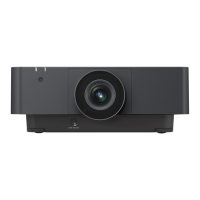
VPL-FX52/FX52L
MenuTitle ItemName MemoryName Remark
Set Memory Status Memory Picture Memory W/B Memory
Video / S Video Input A / C Input B Video Computer
Dynamic Standard Dynamic Standard Dynamic Standard High Low High Low
MENU SETTING Status On
Language English
Menu Position Center
Menu Color White
INSTALL SETTING V Keystone 0
Image Flip Off
Background Blue
Lamp Mode Standard
Direct Power On Off
High Altitude Off
Security Lock Off
Key Enter x 4
INFORMATION fH Display only
fV Display only
(Memory No.) Display only
(Resolution) Display only
Lamp Timer Display only
ROM Version Display only
SC ROM Version Display only
Operation Timer Display only
Prev. Lamp Timer Display only
IP Address Display only
Sub Net Mask Display only
W/B SETTING Gain R 140 140 140 140
G 140 140 140 140
B 140 140 140 140
Bias R 85 85 85 85
G 85 85 85 85
B 85 85 85 85
* The “Dot Phase E, H Size, Shift H/V and Picture Mode” items in the “INPUT SETTING” menu have their respective initial values f
or each input signal (PRESET MEMORY No.).
n
There are some adjustment items that cannot be adjusted, depending on the input signal.


 To Next Page
 Loading...