1-15
VPL-HS60/HS51A
1-5-7. Lens Unit
Removal
1. Remove the cabinet. (Refer to Section 1-3.)
2. Remove the C board. (Refer to steps 3 to 7 of Section 1-4-1.)
3. Remove the lamp assembly. (Refer to steps 2 and 3 of Section 1-5-2.)
4. Remove the optical block assembly. (Refer to step 5 of Section 1-5-3.)
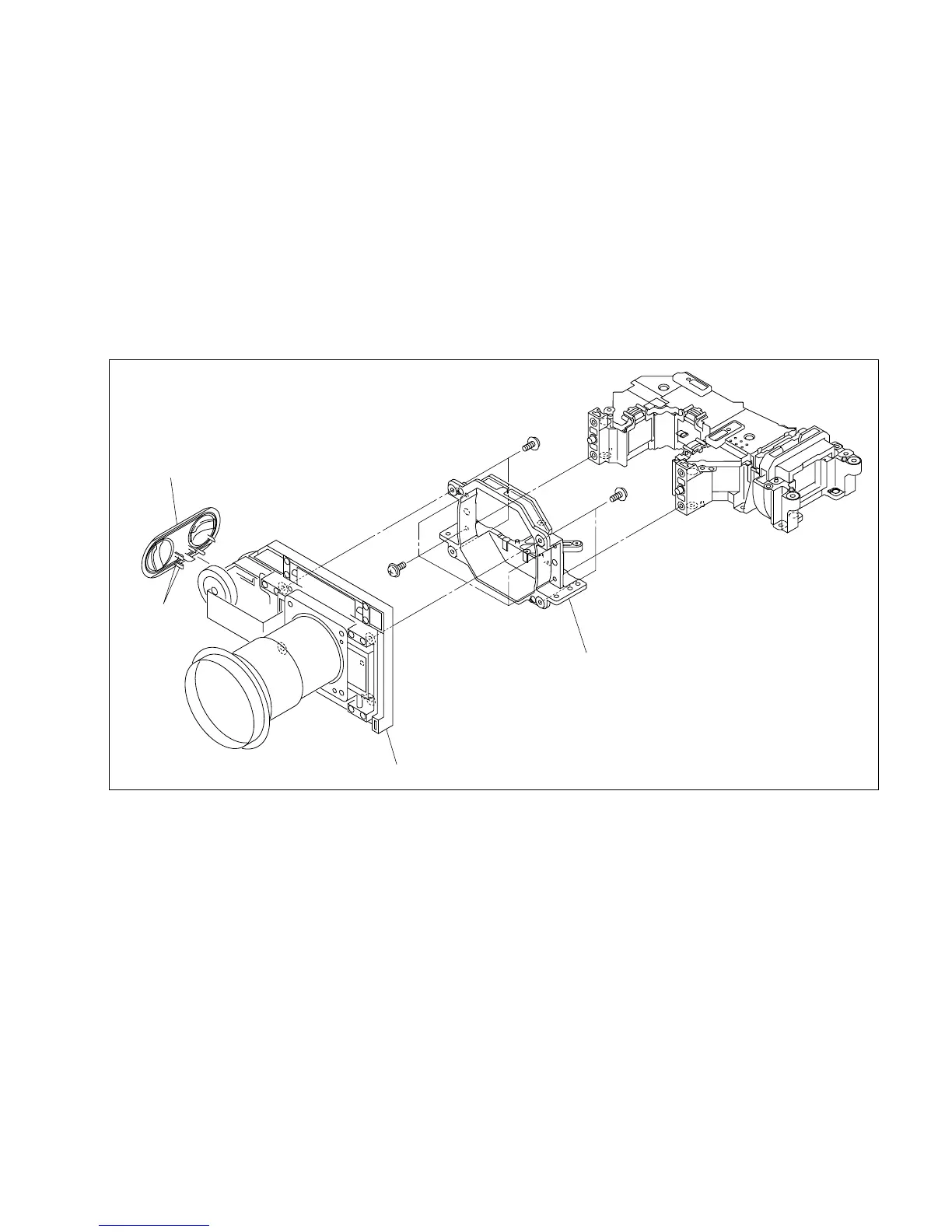
5. Remove the four screws, then remove the lens holder from the lens unit.
6. Remove the four screws, then remove the lens unit.
7. Remove the two hooks, then remove the escutcheon (S).
Installation
8. Attach the lens unit in the reverse order of steps 5 to 7.
9. Assemble this unit in the reverse order of steps 1 to 4.



 To Next Page