15
ounces and carat. Press to shift the units.
Their relationship as follows
Pound 1P=453.59237g Gold Ounces 1oz.g=31.1034768g
Ounces 1oz=28.349523125 g Carat 1ct=0.2g
4.4 Function Weighing Operation
Press to switch piece count, percentage and system.
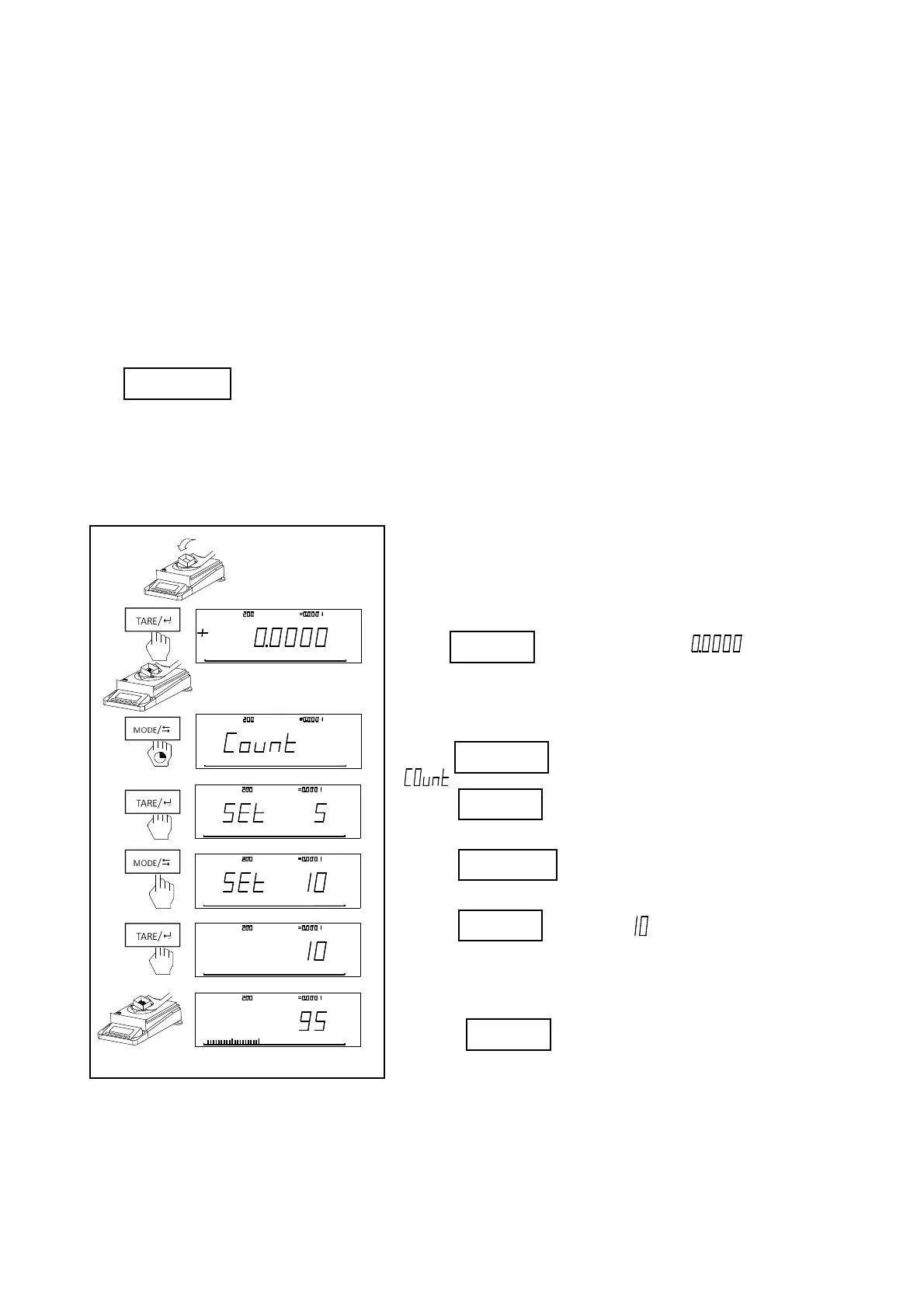
1、 Piece Count
The reference coefficient could be chose from 5pcs, 10pcs, 20pcs, 50pcs and 100pcs. The bigger the coefficient is,
the higher precision the result is.
Steps(Such as 10pcs):
·Put container on the balance. (Quit this step if no container is
needed.)
·Press , then balance shows” ”;
·Place 10 sample on the weighing pan.
·Press for long time,then balance shows
“ “
·Press enter into piece count mode.
·Press to choose reference coefficient.
·Press to switch to “ “
·Put the same quantity of sample
·Press for longtime to exit.
Notice:The minimum weight =10d(d:minimum scale), Minimum weight of one piece not less than 1d. The
sample could not be more than maximum weight.
g
Max:
g
d
g
g
10 0%0
M enu
Max: gd
pcs
g
10 0%0
M a x:
g
d
pcs
g
100 %0
M a x:
g
d
pcs
g
100 %0
M a x: gd
pcs
g
100 %0
M a x:
g
d
pcs
g
100 %0
皮
去
能功
能功
皮
去
皮
去
pcs



 To Next Page