19
3. Standard Material Select
When the material is soluble in water or the density of material is close to the density of water, user could choose
appropriate standard media to measure. The system has set eight kinds of solid density and eight kinds of liquid
density for chosen, also the system store the last choose, avoid repetitive operation. Factory preset material
density in system as follows:
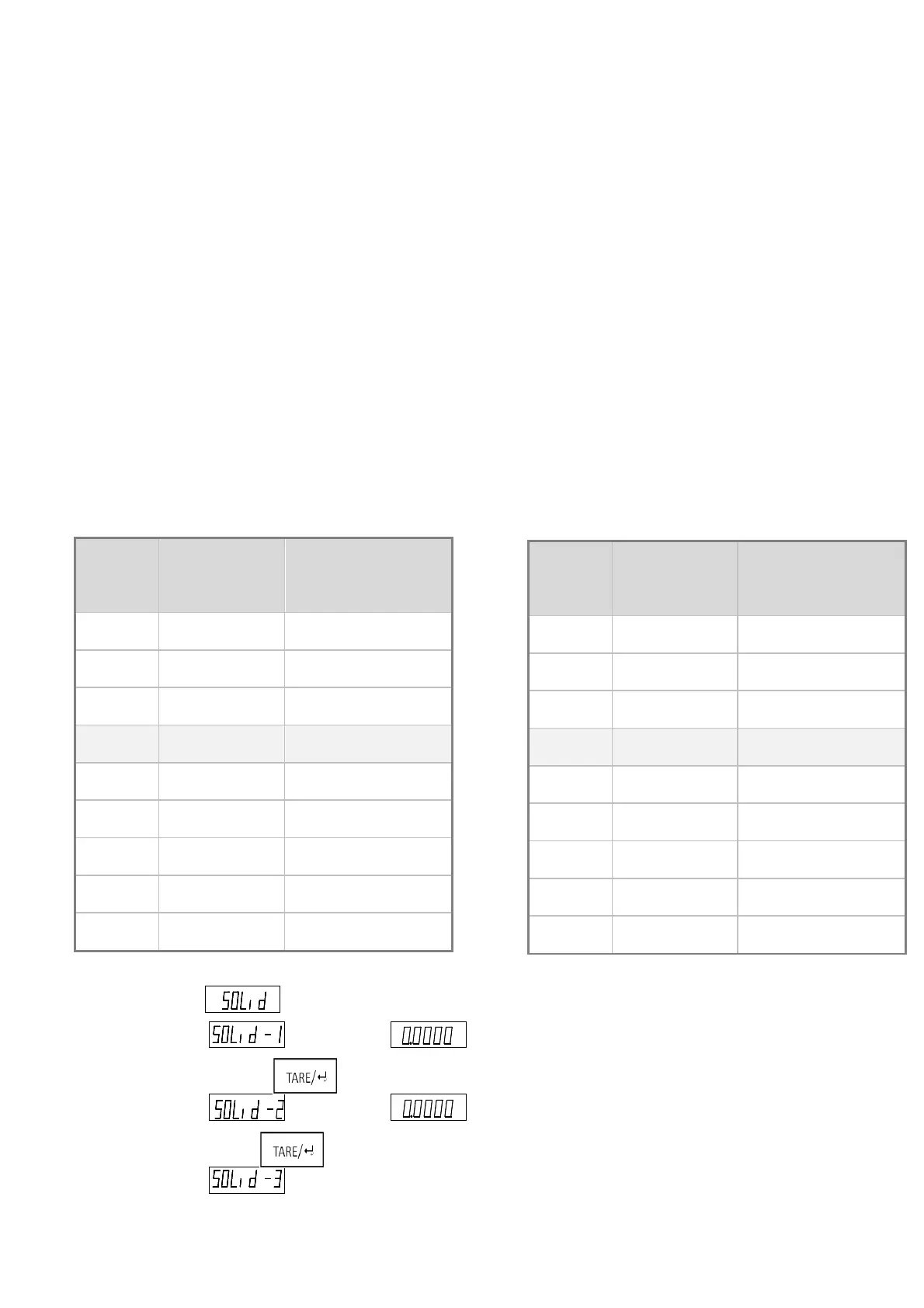
Table One: Standard Liquid Density (Windows Default: 4)
Table Two: Standard Liquid Density (Windows Default: 4)
Table one: Table two:
4.
Opera
tion
1)
Solid
Densit
y
Measu
re
1.
Balance display , and then remove the object on the weighting pan and press
2. Balance display , until showing put the measure solid on the weighting pan. When the
balance is table, press .
3. Balance display , until showing , immerse the measure solid to the liquid. When the
balance is stable, press .
4. Balance display , Showing the density of measure solid.
S-SD Name Standard Density Value
(g/cm
3
)
1 Wax 0.9
2 Aluminum 2.7
3 Copper 8.9
4 Steel 7.8597
5 Silver 10.5
6 Aluminum 11.3
7 Gold 19.3
8 Osmium 22.5
9 User-defined
S-LD Name Standard Density Value
(g/cm
3
)
1 Gasoline 0.70
2 Alcohol 0.79
3 Kerosene 0.80
4 Water(20℃) 0.998229
5 Water(4℃) 1.0000
6 Honey 1.40
7 Bromine(0℃)
3.12
8 Mercury 13.60
9 User-defined
g
g



 To Next Page